Data Scraping Risks and Protection for Small Businesses
Automated scraping bypasses traditional perimeter defenses by harvesting public data, turning your own transparency into a vector for targeted attacks.

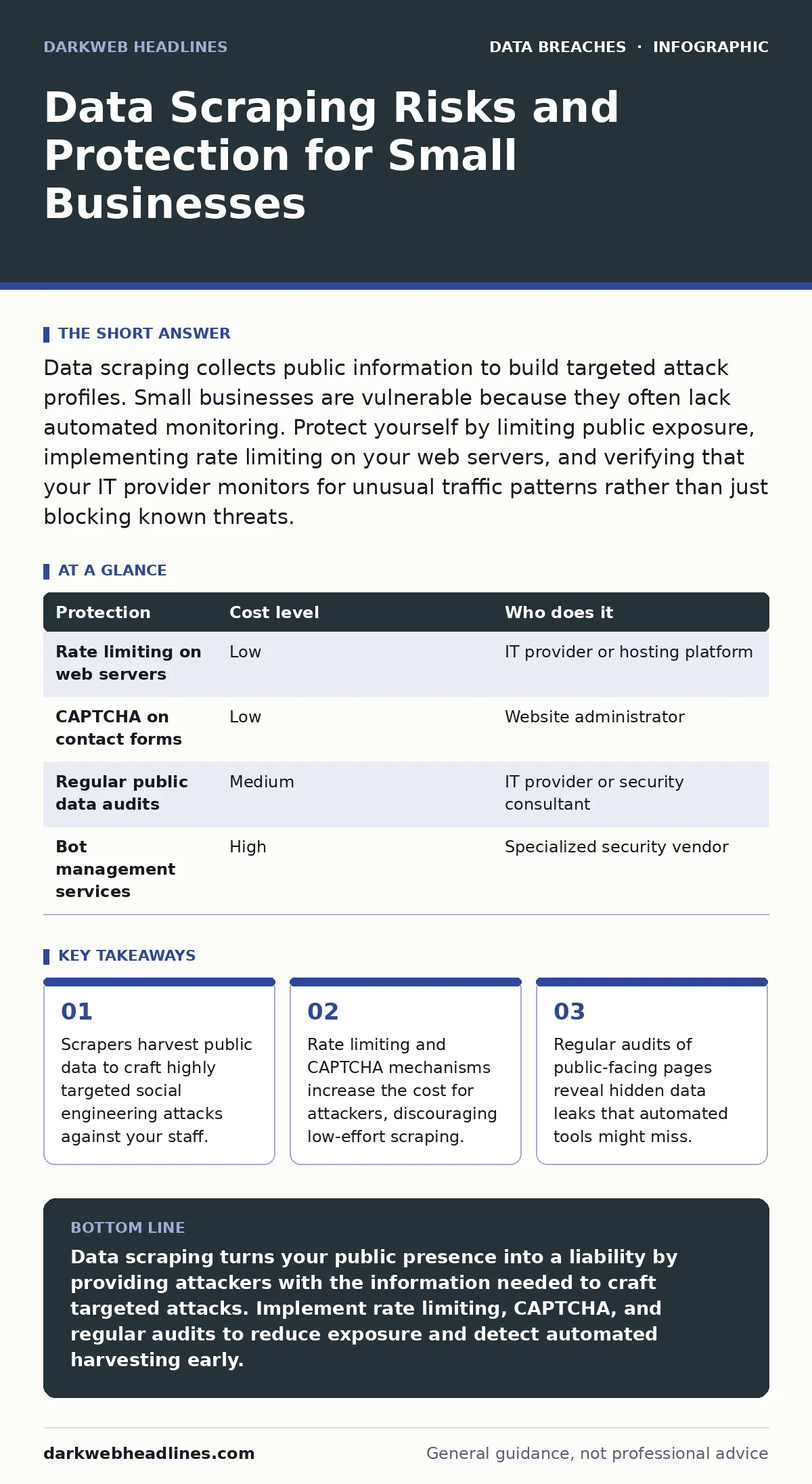
Data scraping collects public information to build targeted attack profiles. Small businesses are vulnerable because they often lack automated monitoring. Protect yourself by limiting public exposure, implementing rate limiting on your web servers, and verifying that your IT provider monitors for unusual traffic patterns rather than just blocking known threats.
The Mechanics of Automated Harvesting
Data scraping uses software bots to visit web pages and extract structured information. Unlike a human visitor, a scraper can visit thousands of pages in seconds, ignoring visual design and focusing solely on the underlying code. These tools look for patterns, such as lists of names, email addresses, or product prices.
The danger lies in the aggregation. A single page might contain harmless information. However, when a scraper combines data from your website, social media profiles, and public registries, it creates a detailed map of your organization. This map reveals relationships between employees and technical infrastructure details.
You might assume that private information is safe. Scrapers do not need to hack your server to find data. They only need data that is publicly accessible or poorly protected. If a page is indexed by search engines, it is likely scraped.
Why Small Organizations Are Primary Targets
Small businesses often believe they are too small to attract attention. Attackers disagree. Large organizations have expensive security teams and automated defenses. Small organizations often rely on manual processes and basic firewalls. This makes them easier targets for initial reconnaissance.
Scrapers operate at scale. They do not choose targets based on size; they choose targets based on accessibility. If your website has a public directory, a scraper will harvest it. The low cost of scraping means attackers can scan entire industries, identifying every small business with exposed data.
Another factor is the lack of monitoring. Many small organizations do not know when their data is being scraped. They only notice after an attack occurs. By then, the attacker has already built a profile of your team and systems. This delay allows the attacker to refine their approach before making contact.
The Hidden Cost of Public Transparency
Transparency is often praised in business. However, in cybersecurity, transparency can be a liability. Every piece of information you publish helps an attacker reduce uncertainty. Knowing the software versions you use, the names of your IT staff, and your vendor relationships provides an attacker with specific entry points.
This is not about hiding your business. It is about controlling the narrative. You must decide what information serves your customers and what information serves attackers. A public employee directory helps clients find the right person. It also helps attackers craft phishing emails that appear legitimate.
Consider the principle of least privilege. This concept applies to data as much as it does to user access. Only expose the data necessary for your business function. If a customer does not need to know your server configuration, do not publish it. If an employee’s full name and direct email are not required for public contact, use a generic address.
| Protection | Cost level | Who does it |
|---|---|---|
| Rate limiting on web servers | Low | IT provider or hosting platform |
| CAPTCHA on contact forms | Low | Website administrator |
| Regular public data audits | Medium | IT provider or security consultant |
| Bot management services | High | Specialized security vendor |
Low-Cost Technical Defenses
You can implement several technical controls without significant expense. Rate limiting restricts the number of requests a single IP address can make in a given time. If a scraper tries to visit hundreds of pages quickly, the server will block the request. This increases the time and resources required for the attacker.
CAPTCHA challenges verify that a visitor is human. Modern CAPTCHAs are less intrusive, often running in the background. They add friction for automated bots while allowing legitimate users to proceed. This is particularly effective on contact forms and login pages, which are common targets for data harvesting.
Another low-cost measure is to review your robots.txt file. This file tells well-behaved bots which pages they should not visit. While malicious scrapers ignore this file, it helps reduce noise from legitimate search engine bots. It also signals to ethical researchers which areas of your site are sensitive.
What to Ask Your IT Provider
Your IT provider plays a critical role in detecting and mitigating scraping attempts. You need to ensure they are monitoring for unusual traffic patterns, not just blocking known threats. Ask specific questions to gauge their capability.
- How do you detect and block automated scraping traffic?
- Do you monitor for unusual spikes in page views or API calls?
- How frequently do you audit public-facing pages for exposed data?
- What steps do you take to protect contact forms and search functions?
- Can you provide examples of recent scraping attempts blocked on our network?
These questions help you understand whether your provider is proactive or reactive. A proactive provider will implement defenses before an attack occurs. A reactive provider will only respond after damage is done.
See also: Credit Freezes for Small Business: Protecting Employee Identities · Doxxing: How Attackers Find You and How to Stop It
Integrating with Broader Security Practices
Data scraping is often the first step in a larger attack chain. The data collected is used for credential exposure attempts, where attackers try to log in with guessed passwords. It is also used for accidental data disclosure, where attackers trick employees into revealing sensitive information.
You should integrate scraping protection with your broader security strategy. For example, if you implement data masking, you ensure that sensitive information is hidden even if it is accessed. This reduces the value of any data a scraper might collect.
Similarly, understanding misconfigured cloud storage leaks helps you prevent data from being exposed in the first place. If your cloud storage is properly configured, scrapers cannot access files that should be private. This reduces the surface area for data harvesting.
The Role of Human Behavior
Technical controls are only part of the solution. Your employees are the final line of defense. They must understand that public information can be used against them. Training should focus on recognizing targeted phishing attempts that use specific details about their role or colleagues.
Encourage employees to limit their own public footprint. Social media profiles often contain information that can be used to bypass security questions or craft convincing phishing emails. Remind your team that what they share online contributes to the overall risk profile of the organization.
This is not about blaming individuals. It is about creating a culture of awareness. When everyone understands the risks of data scraping, they are more likely to question unusual requests and report suspicious activity.
Monitoring and Continuous Improvement
Security is not a one-time fix. It requires continuous monitoring and improvement. Regularly review your web logs for unusual activity. Look for patterns that suggest automated access, such as high volumes of requests from a single IP address.
Update your defenses as new scraping techniques emerge. Attackers constantly adapt their tools to bypass rate limiting and CAPTCHA. Stay informed about the latest trends in data scraping and adjust your strategy accordingly.
Consider engaging with the broader security community. Sharing insights and best practices helps everyone stay ahead of attackers. Collaboration is key to defending against sophisticated threats.
Key takeaways
- Scrapers harvest public data to craft highly targeted social engineering attacks against your staff.
- Rate limiting and CAPTCHA mechanisms increase the cost for attackers, discouraging low-effort scraping.
- Regular audits of public-facing pages reveal hidden data leaks that automated tools might miss.
Data scraping turns your public presence into a liability by providing attackers with the information needed to craft targeted attacks. Implement rate limiting, CAPTCHA, and regular audits to reduce exposure and detect automated harvesting early.
Frequently asked questions
Can I stop all data scraping?
No, you cannot stop all scraping. However, you can make it difficult and costly for attackers, discouraging them from targeting your organization.
Is data scraping illegal?
The legality varies by jurisdiction and context. Scraping public data is often legal, but using that data for malicious purposes is not.
How do I know if I am being scraped?
Look for unusual traffic patterns in your web logs, such as high volumes of requests from a single IP address or automated user agents.
Should I remove all public directories?
Not necessarily. Balance transparency with security. Use generic contact forms and limit the amount of personal information displayed.
How this guide was produced: written by the DarkWeb Headlines editorial team with AI assistance, checked against the public references listed below, and reviewed when the facts change. See our editorial policy or report an error.