CAPTCHA Best Practices: Hardening Verification Against Automation
Proper CAPTCHA implementation shifts trust from human pattern recognition to cryptographic proof, reducing friction while blocking sophisticated bot networks.

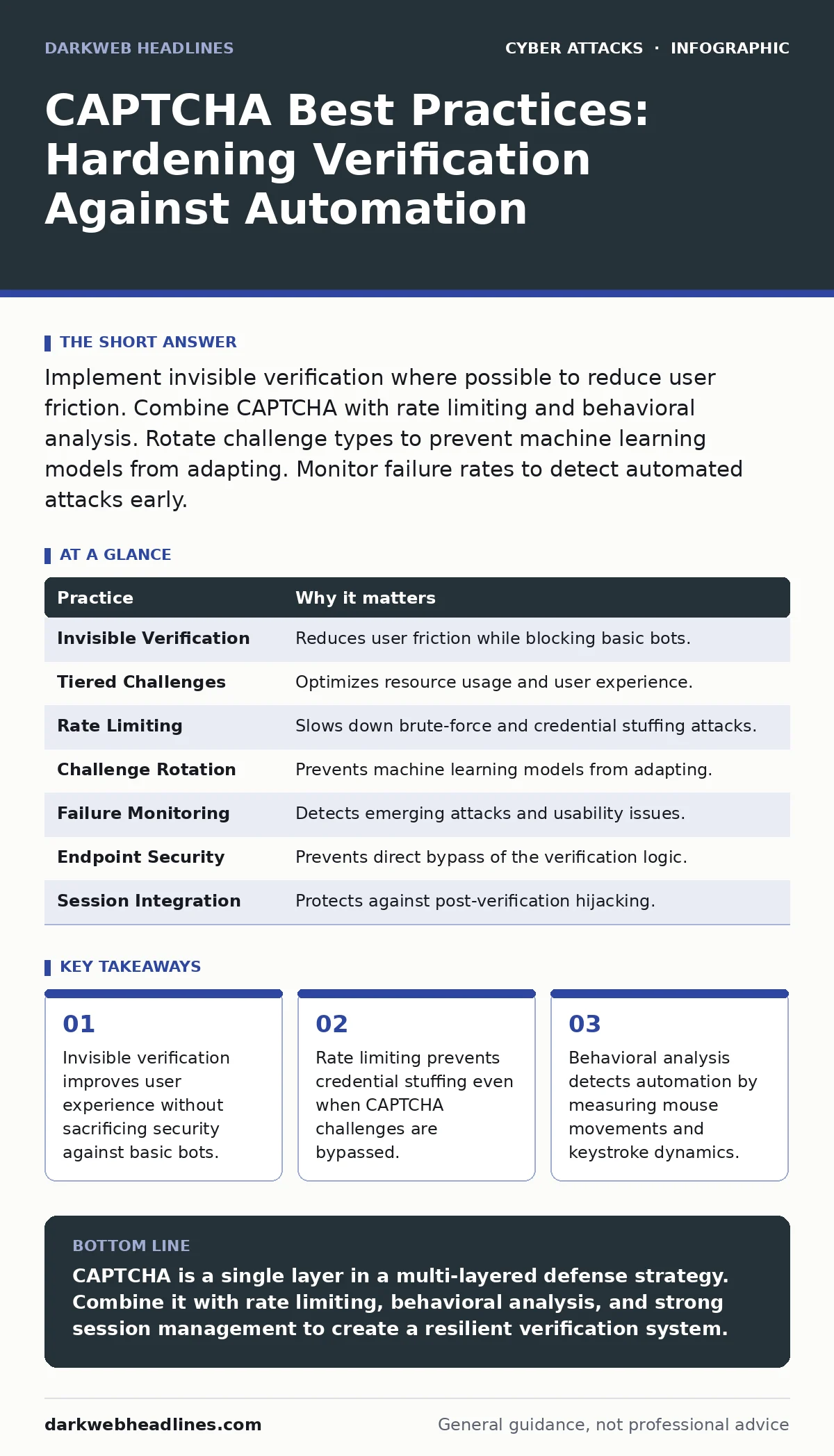
Implement invisible verification where possible to reduce user friction. Combine CAPTCHA with rate limiting and behavioral analysis. Rotate challenge types to prevent machine learning models from adapting. Monitor failure rates to detect automated attacks early.
The Hidden Cost of Friction
CAPTCHA, which stands for Completely Automated Public Turing test to tell Computers and Humans Apart, creates a barrier between legitimate users and automated scripts. While the goal is security, the mechanism often introduces friction that drives users away. You must balance the need to block automation with the desire to retain users.
Every second of delay increases the likelihood that a user will abandon your service. This is not merely a user experience issue; it is a security trade-off. High friction can push users toward less secure alternatives, such as reusing passwords or ignoring security warnings.
Imagine a user trying to reset a password on a mobile device. If the verification step fails repeatedly, they may seek help from untrusted sources or simply give up, leaving their account vulnerable. You need to design verification that is transparent to the human but opaque to the machine.
1. Prioritize Invisible Verification
Traditional CAPTCHAs require active user engagement, such as selecting images or typing distorted text. This approach is increasingly ineffective against advanced machine learning models that can solve visual puzzles with high accuracy. Invisible verification, often called CAPTCHA-less, analyzes user behavior in the background to determine if the interaction is human.
This method uses signals like mouse movement, scroll speed, and keystroke timing. These behaviors are difficult for simple scripts to replicate perfectly. By removing the visible challenge, you eliminate the friction point entirely.
Practical Tip: Integrate a behavioral analysis library that scores sessions based on interaction patterns. Set the threshold to allow seamless access for high-confidence human sessions while triggering challenges only for suspicious activity.
2. Implement Tiered Challenge Complexity
Not all traffic requires the same level of scrutiny. Applying a heavy verification challenge to every request wastes resources and annoys legitimate users. Instead, use a tiered approach where the intensity of the challenge matches the perceived risk of the action.
Low-risk actions, such as viewing a public page, require no verification. Medium-risk actions, like submitting a comment, might trigger a lightweight check. High-risk actions, such as password resets or financial transactions, demand the strongest verification available.
Practical Tip: Define risk levels for each endpoint in your application. Configure your verification system to escalate challenges only when the risk score exceeds a predefined threshold.
3. Combine with Rate Limiting
CAPTCHA alone is not a sufficient defense against determined attackers. Advanced bot networks can solve challenges or use headless browsers to mimic human behavior. Rate limiting restricts the number of requests a single client can make within a specific timeframe.
This measure slows down automated attacks, making them less effective and more expensive to execute. Even if a bot solves a CAPTCHA, rate limiting prevents it from attempting thousands of guesses in a short period.
Practical Tip: Apply rate limits at the network layer before the request reaches your application logic. Use sliding window algorithms to smooth out bursts of legitimate traffic while blocking sustained attacks.
4. Rotate Challenge Types Regularly
Machine learning models improve by training on large datasets of solved challenges. If you use the same type of CAPTCHA consistently, attackers can build models specifically designed to bypass it. Rotating challenge types disrupts this training process.
Switching between image selection, text entry, and logic puzzles forces attackers to maintain multiple bypass strategies. This increases their operational cost and reduces the success rate of their attacks.
Practical Tip: Configure your verification provider to randomize challenge types for each session. Ensure that the rotation includes both visual and interactive elements to cover different attack vectors.
See also: Difference Between Clickjacking and CSRF: Mechanisms, Defenses, and Testing · File Upload Vulnerabilities: How Malicious Files Break Web Apps
5. Monitor Failure Rates for Anomalies
A sudden spike in CAPTCHA failures is often a sign of an ongoing attack. Legitimate users may struggle with difficult challenges, but the failure rate should remain relatively stable over time. Anomalies in this data can indicate that attackers are testing new bypass techniques.
Monitoring these metrics allows you to detect attacks early and adjust your defenses. You can also identify if your current challenges are too difficult for legitimate users, leading to unnecessary friction.
Practical Tip: Set up alerts for significant deviations in failure rates. Investigate spikes by analyzing the source IP addresses and user agents associated with the failures.
6. Secure the Verification Endpoint
The endpoint that validates CAPTCHA responses is a high-value target for attackers. If this endpoint is compromised, attackers can bypass verification entirely by sending valid tokens directly to the server. You must protect this endpoint with the same rigor as your authentication system.
Use secure communication protocols to prevent man-in-the-middle attacks. Validate tokens server-side to ensure they have not been tampered with or replayed from a previous session.
Practical Tip: Implement token expiration and single-use policies for verification responses. Reject any token that has already been used or that exceeds a short validity window.
7. Integrate with Session Management
CAPTCHA should be part of a broader session management strategy. A single verification check is not enough to ensure that a session remains secure throughout its lifetime. You must continuously monitor the session for signs of hijacking or automation.
Session hijacking occurs when an attacker steals a valid session token and impersonates the user. CAPTCHA does not prevent this if the attacker obtains the token after the initial verification. Combining CAPTCHA with session binding and anomaly detection provides deeper protection.
Practical Tip: Bind verification tokens to specific session identifiers. Invalidate sessions if the verification state changes unexpectedly or if the session is accessed from a different geographic location.
| Practice | Why it matters |
|---|---|
| Invisible Verification | Reduces user friction while blocking basic bots. |
| Tiered Challenges | Optimizes resource usage and user experience. |
| Rate Limiting | Slows down brute-force and credential stuffing attacks. |
| Challenge Rotation | Prevents machine learning models from adapting. |
| Failure Monitoring | Detects emerging attacks and usability issues. |
| Endpoint Security | Prevents direct bypass of the verification logic. |
| Session Integration | Protects against post-verification hijacking. |
Addressing Advanced Phishing Techniques
CAPTCHA can also be used to mitigate certain types of phishing attacks. Clone phishing involves creating a replica of a legitimate email or website to steal credentials. Attackers often use automated tools to send these clones at scale.
By implementing CAPTCHA on login pages and sensitive forms, you can slow down the automation tools used in these campaigns. This gives you more time to detect and block the malicious traffic. It also reduces the volume of successful credential thefts.
For more on protecting your users from deceptive emails, see the guide on secure email gateways. These systems filter malicious content before it reaches the user, complementing the verification steps on your website.
Similarly, typosquatting attacks rely on users mistyping URLs. While CAPTCHA does not prevent the initial typo, it can help verify that the user is interacting with the intended service. Combining this with DMARC policies ensures that emails appear to come from legitimate sources, reducing the success rate of these attacks.
Balancing Security and Usability
The ultimate goal of CAPTCHA is to distinguish humans from machines without hindering human users. This requires a continuous feedback loop where you monitor user behavior and adjust your defenses accordingly.
You must also consider accessibility. Traditional CAPTCHAs can be difficult for users with visual or motor impairments. Providing alternative verification methods, such as audio challenges or mobile-based verification, ensures that all users can access your service.
For deeper insights into verifying user identity, refer to the guide on callback verification. This method uses phone calls or SMS messages to confirm identity, offering an alternative to visual challenges.
Key takeaways
- Invisible verification improves user experience without sacrificing security against basic bots.
- Rate limiting prevents credential stuffing even when CAPTCHA challenges are bypassed.
- Behavioral analysis detects automation by measuring mouse movements and keystroke dynamics.
CAPTCHA is a single layer in a multi-layered defense strategy. Combine it with rate limiting, behavioral analysis, and strong session management to create a resilient verification system.
Frequently asked questions
Does CAPTCHA protect against DDoS attacks?
No, CAPTCHA is designed to block automated form submissions and credential stuffing, not volumetric DDoS attacks. Use specialized DDoS mitigation services for that purpose.
Can CAPTCHA be bypassed by humans?
Yes, attackers can use human-in-the-loop services where real people solve CAPTCHAs for a fee. This is why CAPTCHA must be combined with other security measures.
How often should I rotate CAPTCHA types?
Rotate types regularly, such as monthly or quarterly, to prevent machine learning models from adapting to a specific challenge format.
Is invisible CAPTCHA less secure?
Not necessarily. Invisible CAPTCHA uses behavioral analysis, which can be more effective than visual challenges against advanced bots. However, it should be part of a broader security strategy.
How this guide was produced: written by the DarkWeb Headlines editorial team with AI assistance, checked against the public references listed below, and reviewed when the facts change. See our editorial policy or report an error.