File Upload Vulnerabilities: How Malicious Files Break Web Apps
Attackers bypass web filters by disguising malicious scripts as images, turning your storage server into a launchpad for remote code execution.

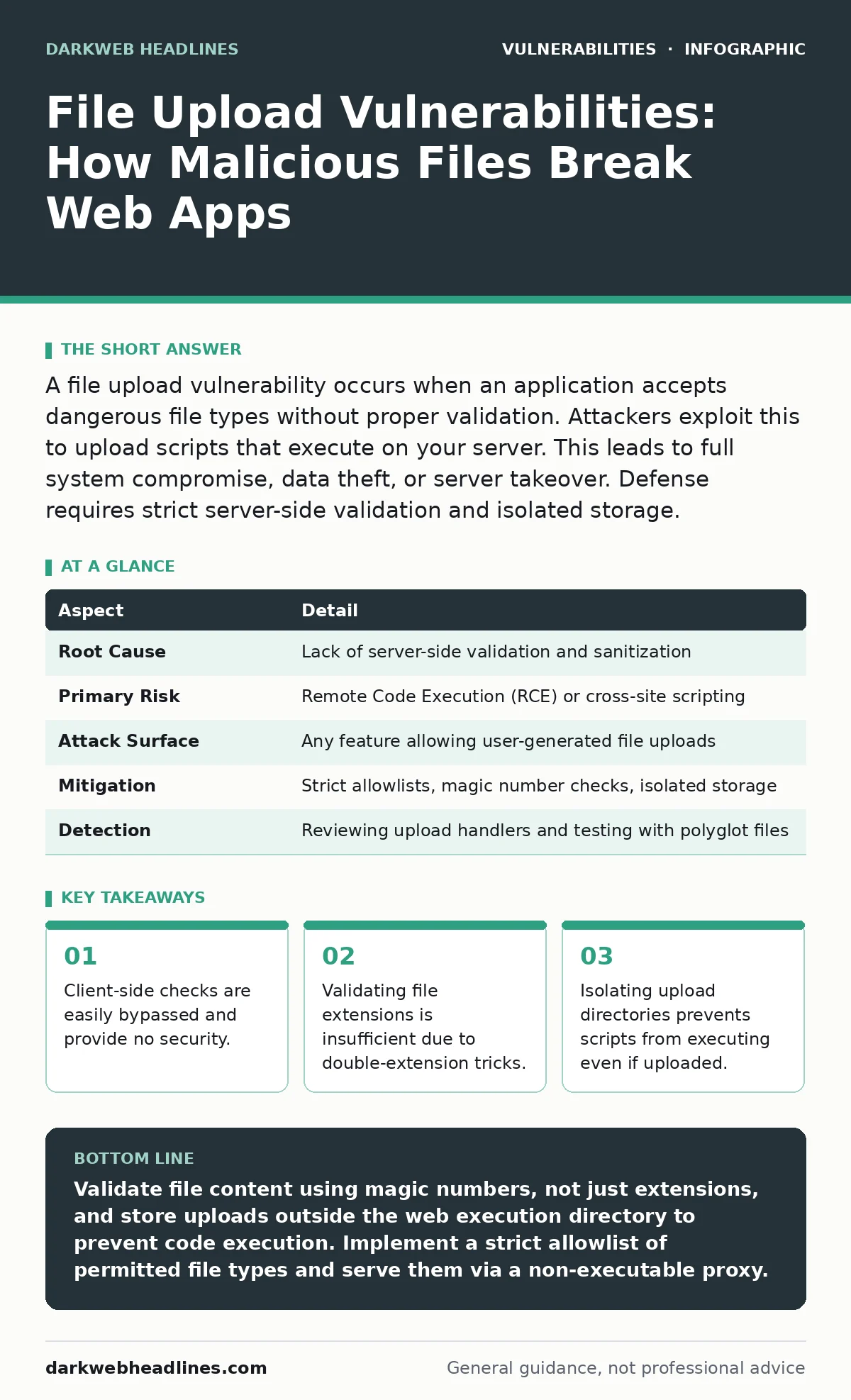
A file upload vulnerability occurs when an application accepts dangerous file types without proper validation. Attackers exploit this to upload scripts that execute on your server. This leads to full system compromise, data theft, or server takeover. Defense requires strict server-side validation and isolated storage.
The Illusion of Trust in File Inputs
Imagine you are running a library. You ask visitors to hand you books through a slot. You glance at the cover to ensure it is literature. You do not open the book to check for explosive devices hidden between the pages. A file upload vulnerability operates on this same flawed trust. The web application accepts a file because the user claims it is safe. The server stores it and serves it back to other users.
The application assumes the file content matches its filename. This assumption is dangerous. An attacker sends a file named photo.jpg that is actually a PHP script. If the server executes this file, the attacker gains control. The vulnerability exists because the application prioritizes convenience over verification. It trusts the user’s intent rather than inspecting the data.
| Aspect | Detail |
|---|---|
| Root Cause | Lack of server-side validation and sanitization |
| Primary Risk | Remote Code Execution (RCE) or cross-site scripting |
| Attack Surface | Any feature allowing user-generated file uploads |
| Mitigation | Strict allowlists, magic number checks, isolated storage |
| Detection | Reviewing upload handlers and testing with polyglot files |
Why Client-Side Checks Fail Completely
Many developers believe that JavaScript validation in the browser is sufficient. They add code to reject files that do not end in .jpg or .png. This approach fails immediately against any determined attacker. The browser is under the attacker’s control. They can disable JavaScript, modify the request in a proxy tool, or write their own script to bypass your check.
The server must perform its own independent validation. It cannot rely on what the browser told it. This is the principle of defense in depth. You must verify the file at every stage of ingestion. If the server trusts the client’s report of the file type, you have already lost. The server is the gatekeeper. The client is merely a messenger that can lie.
The Mechanics of Bypassing Filters
Attackers use several techniques to trick file validators. The simplest method is the double extension. If your filter blocks .php files, an attacker uploads shell.php.jpg. Depending on the server configuration, the server may ignore the .jpg part and execute the .php part. This exploits how web servers parse filenames.
Another technique involves polyglot files. These are files that are valid in two formats simultaneously. A polyglot might be a valid image file that also contains a hidden script. When viewed in an image viewer, it looks like a picture. When executed by a script interpreter, it runs malicious code. This exploits the difference between how different parsers read the same byte stream.
Understanding the True File Type
To stop these tricks, you must look inside the file. Every file type has a specific header, often called a magic number. This is a sequence of bytes at the beginning of the file that identifies its format. An image file starts with specific bytes. A PDF starts with %PDF. A ZIP archive starts with PK.
You must verify these bytes on the server side. This is more reliable than checking the extension. An extension is just a label. The magic number is the file’s actual structure. If a file claims to be an image but has the magic number for a shell script, you reject it. This stops polyglot attacks and renamed scripts. It forces the attacker to forge a valid file structure, which is significantly harder.
Isolating the Danger Zone
Even with perfect validation, you should assume some malicious file will slip through. This is where storage strategy matters. You must never store uploaded files in a directory that the web server executes. If your web root runs scripts, an uploaded script will run.
Store uploads in a separate directory outside the web root. Serve these files through a proxy script or a dedicated static file server. This ensures that even if an attacker uploads a script, the server treats it as data, not code. It cannot execute. You can further restrict permissions so that the web server user can read the file but not execute it. This containment limits the damage of a bypass.
See also: Difference Between Clickjacking and CSRF: Mechanisms, Defenses, and Testing · CAPTCHA Best Practices: Hardening Verification Against Automation
Common Misconceptions About Safety
Many teams believe that renaming uploaded files fixes the problem. Changing malicious.php to 12345.jpg does not change the file content. If the server executes based on content or if the attacker uploads a polyglot, renaming provides false security. It only hides the original intent.
Another mistake is relying on blacklists. Listing every dangerous extension is impossible. New scripting languages emerge. Existing languages find new ways to execute. Blacklists always have gaps. Allowlists are safer. You define exactly which file types are permitted. Everything else is rejected by default. This reduces the attack surface to known, safe formats.
Security advisories often highlight these specific flaws in popular frameworks. Ignoring them leaves your application exposed to known patterns. You must treat every upload feature as a potential attack vector. The cost of validation is low. The cost of a breach is high.
Building a Resilient Upload Pipeline
To reduce risk effectively, combine multiple controls. Start with an allowlist of accepted extensions. Then verify the magic numbers. Store files outside the web root. Use random filenames to prevent path traversal. Finally, scan for malware if possible.
This layered approach ensures that if one control fails, another catches the error. It is similar to how vulnerability management programs operate. You do not rely on a single scan. You use multiple sources of truth. File uploads are a high-value target. Treat them with the same rigor as your authentication systems.
The goal is not to make the upload feature impossible to use. It is to make it impossible to abuse. By validating content, isolating storage, and assuming breach, you protect your infrastructure. You allow users to share files safely. You keep your servers out of the hands of attackers. This balance is the foundation of secure application design.
Key takeaways
- Client-side checks are easily bypassed and provide no security.
- Validating file extensions is insufficient due to double-extension tricks.
- Isolating upload directories prevents scripts from executing even if uploaded.
- Magic number verification confirms the true file type, not just the name.
Validate file content using magic numbers, not just extensions, and store uploads outside the web execution directory to prevent code execution. Implement a strict allowlist of permitted file types and serve them via a non-executable proxy.
Frequently asked questions
How do I detect a polyglot file in my upload handler?
Check the file’s magic number against the expected format and reject any file that contains executable code signatures within its binary structure.
Is it safe to allow users to upload PDF files?
PDFs can contain embedded scripts and are complex to parse. Only allow them if your server does not execute them and you serve them through a sanitized viewer or conversion service.
What is the difference between client-side and server-side validation?
Client-side validation runs in the user’s browser and can be bypassed. Server-side validation runs on your infrastructure and is the only reliable method for security.
How do file upload vulnerabilities relate to zero-day vulnerabilities?
They are different. A file upload flaw is a configuration error. A zero-day is an unknown software bug. However, a misconfigured upload handler can be exploited using known techniques, not just zero-days.
How this guide was produced: written by the DarkWeb Headlines editorial team with AI assistance, checked against the public references listed below, and reviewed when the facts change. See our editorial policy or report an error.