7 Mistakes That Leave Microsoft Exchange Servers Open to Attack
Most Microsoft Exchange breaches stem from delayed patching and misconfigured proxy settings rather than novel zero-day exploits or complex attack chains.

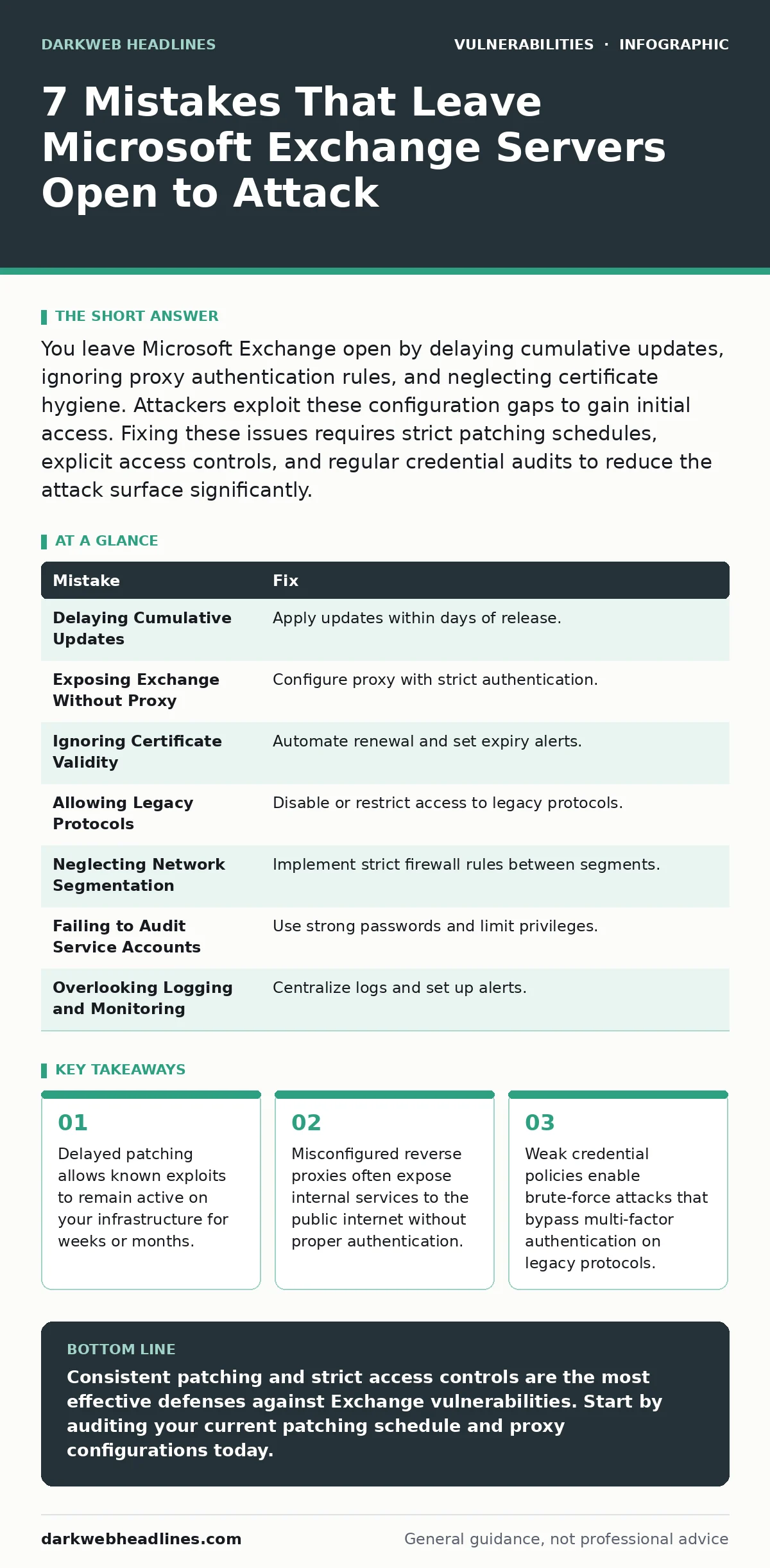
You leave Microsoft Exchange open by delaying cumulative updates, ignoring proxy authentication rules, and neglecting certificate hygiene. Attackers exploit these configuration gaps to gain initial access. Fixing these issues requires strict patching schedules, explicit access controls, and regular credential audits to reduce the attack surface significantly.
Mistake 1: Delaying Cumulative Updates for Months
Microsoft releases cumulative updates that include security fixes for previous releases. Many administrators install only the latest update, assuming it contains all previous patches. This assumption is incorrect. Each cumulative update must be installed in sequence. Skipping updates leaves known vulnerabilities active.
Why it hurts: Attackers scan for specific versions of Exchange that contain known flaws. If your server runs an outdated build, automated tools can exploit it immediately. This exposure often leads to remote code execution. The attacker gains full control of the server. This aligns with how attack vectors in CVSS rate remote exploitation as high severity due to the lack of physical access requirements.
The fix: Implement a strict patching schedule. Test updates in a non-production environment first. Apply cumulative updates within days of release. Verify the build number matches the latest security bulletin. Do not rely on automatic updates for critical infrastructure without manual verification.
Mistake 2: Exposing Exchange to the Internet Without a Proxy
Directly exposing Microsoft Exchange to the public internet increases the attack surface. Many organizations place Exchange servers behind a reverse proxy to filter traffic. However, misconfiguring this proxy can negate its benefits. The proxy must enforce strict rules. It should block all traffic except what is explicitly allowed.
Why it hurts: A misconfigured proxy may pass malicious requests to the Exchange server. Attackers can bypass security controls by sending crafted requests through the proxy. This often leads to authentication bypasses. The server trusts the proxy’s headers. If the proxy does not validate these headers, the server accepts unauthorized access. This resembles file upload vulnerabilities where trusted inputs are not validated before processing.
The fix: Configure the reverse proxy to require client certificates or strong authentication. Block all ports except 443 for HTTPS. Ensure the proxy strips unnecessary headers. Monitor proxy logs for unusual traffic patterns. Regularly audit proxy configuration rules to ensure they match security policies.
Mistake 3: Ignoring Certificate Validity and Renewal
Transport Layer Security (TLS) certificates encrypt traffic between clients and the server. If a certificate expires, services may stop working. Administrators often ignore renewal warnings until the certificate expires. This causes service outages. It also creates confusion. Attackers can exploit this confusion to launch man-in-the-middle attacks.
Why it hurts: An expired certificate allows attackers to present a fake certificate. Clients may accept this fake certificate if they are not configured to reject expired ones. This breaks encryption integrity. Attackers can intercept sensitive data. This risk is similar to malicious typosquatted packages where users trust a source that appears legitimate but is not.
The fix: Automate certificate renewal using a trusted certificate authority. Set up alerts for certificates expiring within 30 days. Test renewal processes regularly. Ensure all systems are configured to reject expired or self-signed certificates. Document the renewal process and assign ownership to a specific team.
Mistake 4: Allowing Legacy Protocols Without Restrictions
Microsoft Exchange supports legacy protocols like POP3 and IMAP. These protocols do not support modern security features. Many organizations keep these protocols enabled for compatibility. This decision increases risk. Legacy protocols often lack support for multi-factor authentication. They are vulnerable to credential stuffing attacks.
Why it hurts: Attackers use automated tools to guess passwords via legacy protocols. Since these protocols do not support multi-factor authentication, a guessed password grants full access. This leads to data exfiltration. The attacker can read emails and contacts. This scenario highlights privilege escalation vulnerabilities where low-level access leads to high-impact data theft.
The fix: Disable legacy protocols unless absolutely necessary. If they must be enabled, restrict access to specific IP ranges. Enforce strong password policies. Monitor for unusual login attempts. Consider migrating users to modern protocols like Exchange ActiveSync or Outlook Web Access.
Mistake 5: Neglecting Internal Network Segmentation
Internal network segmentation isolates different parts of the network. Without segmentation, a compromised Exchange server can be used to move laterally. Attackers exploit this to reach other systems. Many organizations treat the internal network as a trusted zone. This assumption is dangerous.
Why it hurts: Once an attacker compromises Exchange, they can scan the internal network. They can target other servers with weaker security. This leads to broader compromise. The attacker may install malware or ransomware. This mirrors CWE weakness categories related to trust management, where internal components are trusted without verification.
The fix: Implement strict firewall rules between network segments. Limit communication between Exchange servers and other systems. Use jump servers for administrative access. Monitor internal traffic for anomalies. Regularly review access controls to ensure they are still necessary.
See also: Point of Sale Malware: How It Steals Payment Data and How to Stop It · Business Logic Vulnerability Response: Recovery and Prevention Steps
Mistake 6: Failing to Audit Service Accounts
Service accounts run Exchange services. These accounts often have high privileges. Administrators sometimes neglect to audit these accounts. Weak passwords or shared credentials are common. Attackers target these accounts to gain persistent access.
Why it hurts: Compromised service accounts allow attackers to maintain access even after user passwords are changed. They can modify configurations or install backdoors. This leads to long-term compromise. The attacker can operate undetected for months. This is a classic example of prototype pollution in identity management, where a single flaw affects the entire system.
The fix: Use strong, unique passwords for service accounts. Rotate credentials regularly. Limit the privileges of service accounts to only what is necessary. Monitor login activity for these accounts. Disable accounts that are no longer in use.
Mistake 7: Overlooking Logging and Monitoring
Logging and monitoring are critical for detecting attacks. Many organizations collect logs but do not analyze them. Alerts are often ignored or not configured correctly. This leads to delayed detection. Attackers can operate freely without being noticed.
Why it hurts: Without proper monitoring, attacks go undetected until significant damage occurs. Responding to an incident becomes harder. Evidence may be lost. The organization suffers reputational and financial harm. This lack of visibility is similar to ignoring bug bounty programs where external researchers find issues you missed.
The fix: Configure centralized logging for all Exchange components. Set up alerts for suspicious activities. Regularly review logs for anomalies. Train staff to recognize signs of compromise. Conduct regular incident response drills to ensure preparedness.
| Mistake | Fix |
|---|---|
| Delaying Cumulative Updates | Apply updates within days of release. |
| Exposing Exchange Without Proxy | Configure proxy with strict authentication. |
| Ignoring Certificate Validity | Automate renewal and set expiry alerts. |
| Allowing Legacy Protocols | Disable or restrict access to legacy protocols. |
| Neglecting Network Segmentation | Implement strict firewall rules between segments. |
| Failing to Audit Service Accounts | Use strong passwords and limit privileges. |
| Overlooking Logging and Monitoring | Centralize logs and set up alerts. |
Key takeaways
- Delayed patching allows known exploits to remain active on your infrastructure for weeks or months.
- Misconfigured reverse proxies often expose internal services to the public internet without proper authentication.
- Weak credential policies enable brute-force attacks that bypass multi-factor authentication on legacy protocols.
Consistent patching and strict access controls are the most effective defenses against Exchange vulnerabilities. Start by auditing your current patching schedule and proxy configurations today.
Frequently asked questions
How often should I patch Microsoft Exchange?
Apply cumulative updates within days of release to minimize exposure to known vulnerabilities.
Can I use multi-factor authentication with legacy protocols?
No, legacy protocols like POP3 and IMAP do not support multi-factor authentication. Disable them if possible.
What is the role of a reverse proxy in Exchange security?
A reverse proxy filters traffic and enforces authentication before requests reach the Exchange server.
How do I detect a compromised service account?
Monitor login activity for unusual times or locations and review access logs regularly.
How this guide was produced: written by the DarkWeb Headlines editorial team with AI assistance, checked against the public references listed below, and reviewed when the facts change. See our editorial policy or report an error.