Point of Sale Malware: How It Steals Payment Data and How to Stop It
Point of sale malware hides in memory to steal card details before encryption, bypassing network monitors and requiring specific memory-scanning defenses.

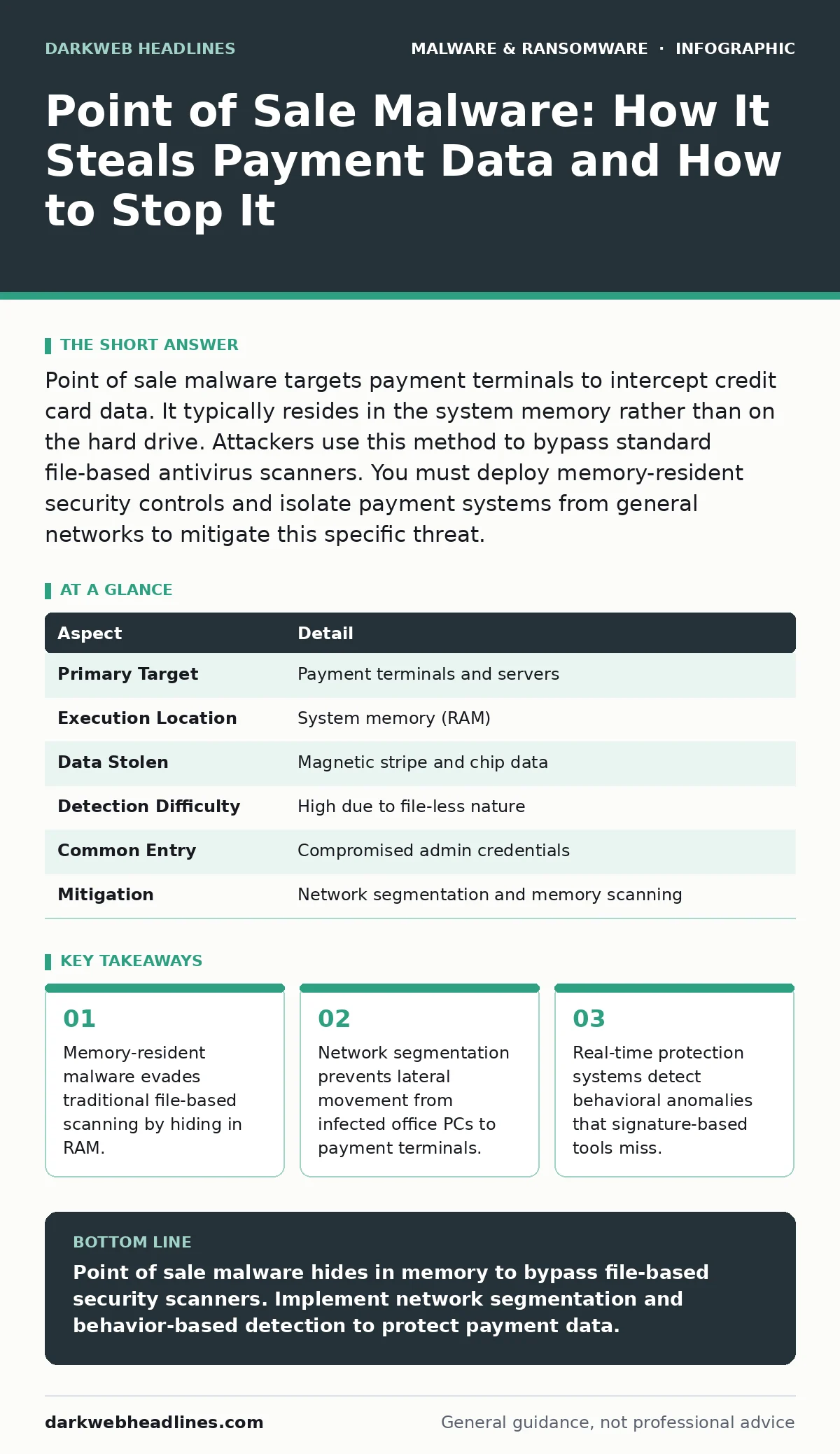
Point of sale malware targets payment terminals to intercept credit card data. It typically resides in the system memory rather than on the hard drive. Attackers use this method to bypass standard file-based antivirus scanners. You must deploy memory-resident security controls and isolate payment systems from general networks to mitigate this specific threat.
Understanding the Threat Model
Point of sale malware is malicious software designed to intercept payment card data during the transaction process. Unlike typical viruses that corrupt files, this threat focuses on data theft without disrupting operations. The primary goal is to remain undetected while copying magnetic stripe data or chip information. Attackers want the victim to continue processing transactions normally. This stealthiness makes detection significantly harder than for disruptive ransomware or noise-making adware. The malware does not care if the computer stays on; it only cares about the data stream.
Imagine a cashier scanning items while the computer looks normal. Behind the scenes, the malware waits for the card reader to send data. When the signal arrives, the malware grabs the unencrypted details before the system locks them down. This timing is critical. If the malware misses the window, it gets nothing. This precision requires deep access to the operating system. The attacker needs privileges that allow reading memory contents from other applications.
| Aspect | Detail |
|---|---|
| Primary Target | Payment terminals and servers |
| Execution Location | System memory (RAM) |
| Data Stolen | Magnetic stripe and chip data |
| Detection Difficulty | High due to file-less nature |
| Common Entry | Compromised admin credentials |
| Mitigation | Network segmentation and memory scanning |
How Point of Sale Malware Operates
The infection chain usually begins with a compromised administrator account. Attackers do not need to break into the payment terminal directly. They often infect a general office computer first. From there, they move laterally to the payment network. This approach exploits the trust relationships within a corporate IT environment. Once inside the payment system, the malware loads into the memory. It does not always write a file to the disk. This technique is known as fileless execution. Standard antivirus software scans files on the disk. If the malicious code exists only in RAM, the scanner sees nothing wrong.
The malware then hooks into the payment application. It intercepts the data stream between the card reader and the encryption module. This is the moment of vulnerability. The data is raw and unencrypted at this exact split second. The malware copies this data and sends it out to a remote server. The transaction continues normally. The customer sees their receipt. The business sees the sale. Only the attacker sees the stolen data. This process can repeat thousands of times without triggering any alerts. The system performance remains stable. Users notice no lag or errors.
Who Is Most at Risk
Any organization that accepts physical card payments is a potential target. Large retail chains are obvious targets due to the volume of transactions. However, small businesses are equally vulnerable. Attackers often prefer smaller targets because they may lack dedicated security teams. The assumption that only big companies are worth attacking is a dangerous misconception. Restaurants, hotels, and gas stations all process card data. They all have payment terminals connected to networks. The risk exists wherever card data flows.
The risk increases when payment systems share network resources with general IT. If a payment terminal can talk to the same network as a staff laptop, the attack surface grows. Attackers exploit this connectivity. They do not need to hack the terminal directly. They can pivot from any connected device. This makes network architecture a primary factor in risk. Organizations with flat networks, where all devices have equal access, face the highest exposure. Segmentation reduces this risk significantly.
What People Usually Get Wrong
Many security professionals assume that installing antivirus software is enough. This assumption fails against memory-resident threats. Traditional antivirus tools look for known file signatures on the disk. They do not continuously monitor the contents of RAM. If the malware never touches the disk, the antivirus never sees it. This is a fundamental gap in standard defense strategies. Relying solely on file-based scanning leaves a blind spot. You need tools that inspect running processes and memory states.
Another common mistake is assuming that payment terminals are isolated by default. Many older systems were not built with security in mind. They often run operating systems that are no longer supported. These systems cannot receive security patches. Attackers exploit these outdated vulnerabilities. Even new terminals may be misconfigured. Admins often leave default ports open or use weak passwords. These misconfigurations create easy entry points. Assuming hardware isolation exists without verification is risky.
Effective Detection Strategies
Behavior-based detection offers a stronger defense than signature matching. Instead of looking for known bad files, these systems look for abnormal actions. For instance, a payment application should not suddenly open a network connection to an unknown server. It should not attempt to read memory from unrelated processes. Behavioral monitors flag these deviations. This approach catches new variants of malware that have no known signature. It focuses on what the code does, not what it is called.
Real-time protection systems analyze activity as it happens. They can block suspicious processes before they complete their task. This immediate response limits the damage. However, these systems can generate false positives. Legitimate software might behave unusually during updates. Tuning these systems requires careful configuration. You must define what normal behavior looks like for your specific environment. This baseline allows the system to spot anomalies accurately. Without a good baseline, you get too many alerts to manage.
See also: 7 Mistakes That Leave Microsoft Exchange Servers Open to Attack
Mitigation and Recovery Steps
The first step in mitigation is network segmentation. Separate payment devices from all other network traffic. Use firewalls to restrict communication. Only allow the specific ports and protocols required for transactions. This containment limits the spread of infection. If one segment is compromised, the others remain safe. This architectural change is more effective than any software patch. It removes the path the attacker needs to reach the target.
Regular audits of system access are necessary. Review who has administrative rights to payment systems. Remove unnecessary accounts. Enforce multi-factor authentication for all privileged access. This reduces the chance of credential theft. Additionally, monitor logs for unusual activity. Look for off-hours access or connections from unusual locations. While point of sale malware is stealthy, it still leaves traces in memory and network logs. Analyzing these traces requires specialized tools. Consider your recovery point objective when planning backups. You need to know how much data loss you can tolerate. This metric influences your backup frequency and restoration strategy.
Related Threat Vectors
Point of sale malware often arrives via broader infection campaigns. Malicious browser extensions can harvest credentials on internal portals. Once inside, attackers use these credentials to move laterally. Malvertising campaigns on industry news sites can deliver initial payloads. These ads exploit vulnerabilities in browser engines. Banking trojans also share similar techniques for data theft.
They intercept data before encryption. Understanding these related threats helps you build a broader defense. Browser hijackers may not steal card data directly, but they degrade system integrity. This degradation makes subsequent attacks easier. Malware droppers and loaders are often the first stage of the infection. They drop the actual payload later. Recognizing these early stages allows for earlier intervention.
Summary of Defenses
Defending against point of sale malware requires a shift in thinking. You must protect the memory, not just the disk. You must segment the network, not just install software. You must monitor behavior, not just check for signatures. These changes address the specific mechanics of the threat. They close the windows that attackers exploit. The goal is to make the attack path too difficult and risky. Attackers seek easy targets. By hardening your environment, you become a harder target. This does not guarantee immunity. It reduces the likelihood of success. Continuous monitoring and regular updates maintain this posture.
Key takeaways
- Memory-resident malware evades traditional file-based scanning by hiding in RAM.
- Network segmentation prevents lateral movement from infected office PCs to payment terminals.
- Real-time protection systems detect behavioral anomalies that signature-based tools miss.
Point of sale malware hides in memory to bypass file-based security scanners. Implement network segmentation and behavior-based detection to protect payment data.
Frequently asked questions
Can antivirus software detect point of sale malware?
Standard file-based antivirus often misses it because the malware resides in memory. You need solutions that scan RAM and monitor process behavior.
Is encryption enough to stop point of sale malware?
Encryption protects data at rest and in transit, but malware steals data before encryption occurs. You need to secure the processing environment itself.
How do I know if I have been infected?
Look for unusual network connections from payment terminals or unexpected memory usage. Behavioral monitoring tools provide more reliable alerts than manual checks.
Should I isolate payment terminals completely?
Complete isolation is ideal, but terminals need to connect to payment processors. Use strict firewall rules to limit communication to only necessary endpoints.
How this guide was produced: written by the DarkWeb Headlines editorial team with AI assistance, checked against the public references listed below, and reviewed when the facts change. See our editorial policy or report an error.