Browser Extension Myths: Why Extensions Are Dangerous
Extensions can bypass traditional security controls to steal credentials and manipulate web content without triggering standard alerts.

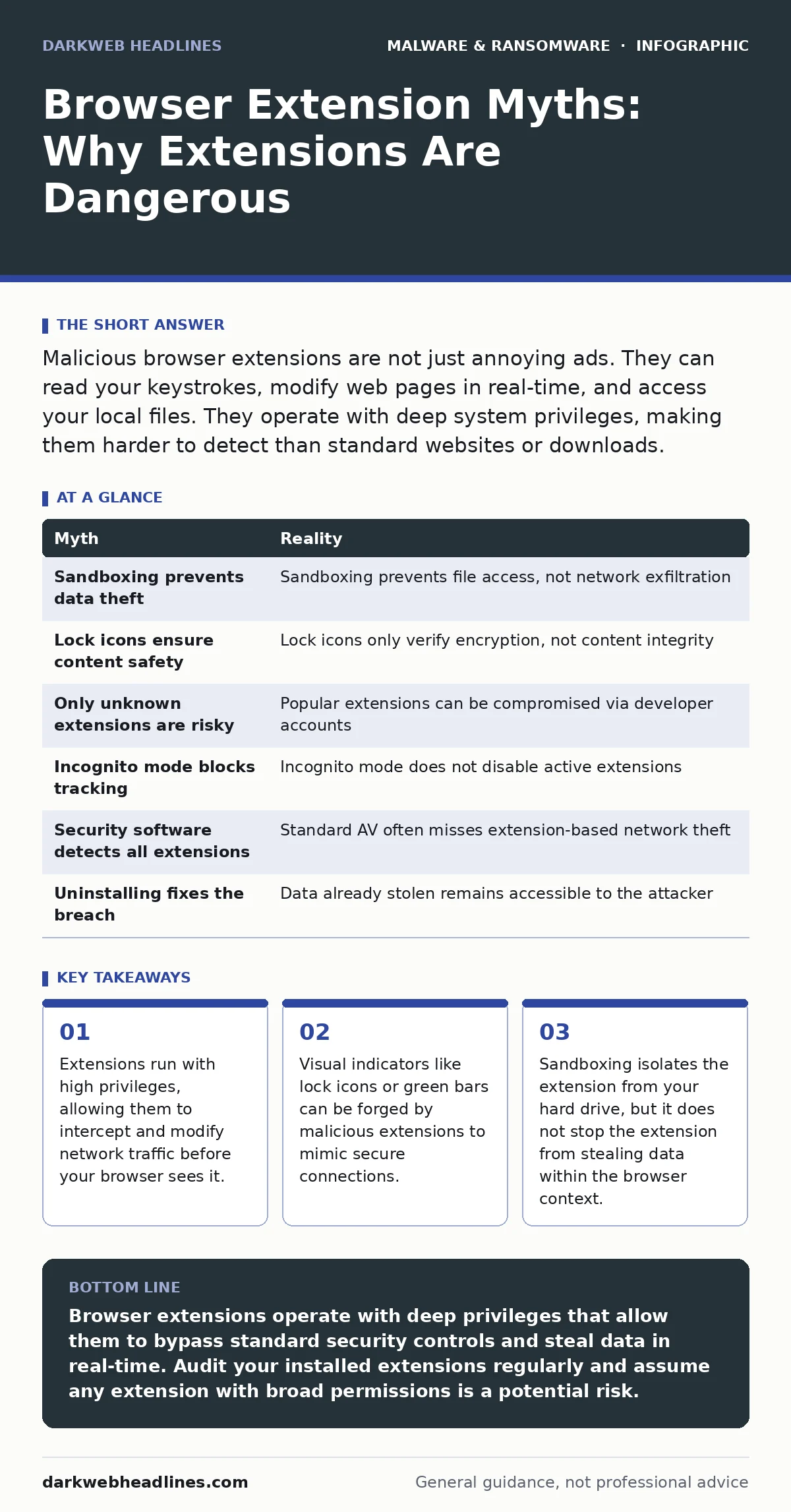
Malicious browser extensions are not just annoying ads. They can read your keystrokes, modify web pages in real-time, and access your local files. They operate with deep system privileges, making them harder to detect than standard websites or downloads.
Myth: Extensions Are Sandboxed and Cannot Access My Files
Reality: The sandboxing model prevents an extension from directly writing to your operating system’s file system, but it does not prevent data exfiltration. An extension has full access to the DOM (Document Object Model) of any webpage you visit. This means it can read forms, inputs, and displayed text.
Imagine you are logging into a banking portal. The extension reads the username and password fields as you type. It then sends this data to a remote server via the browser’s network stack. You never save the credentials to disk, so the sandbox rule is technically not violated. The data leaves your machine through the very channel the extension was designed to use.
This mechanism allows attackers to bypass behavior-based detection systems that look for file creation or registry changes. Since the theft happens in memory and over the network, traditional antivirus scans often miss it. The extension acts as a man-in-the-middle between you and the website, invisible to most user-level security tools.
Myth: The Lock Icon Guarantees the Page Is Safe
Reality: A padlock icon only indicates that the connection between your browser and the server is encrypted using TLS (Transport Layer Security). It does not verify that the content of the page is legitimate or untampered. A malicious extension can inject JavaScript into a secure HTTPS page.
Suppose you visit your email provider. The URL is correct, and the lock is present. The malicious extension intercepts the network request and modifies the HTML response. It adds a new input field asking for a "security verification code" that the server never asked for. You enter the code, and the extension captures it. The connection remains encrypted and secure in terms of protocol, but the data you entered is now compromised.
This is why visual cues are insufficient for security validation. The encryption protects the data in transit from network sniffers, but it does not protect you from software running locally on your machine that has permission to alter what you see. You must verify the integrity of the page content, not just the transport layer.
Myth: Only Unknown Extensions Are Dangerous
Reality: Attackers frequently distribute malware through popular, well-established extensions that have millions of legitimate users. They compromise the developer account or inject malicious code into a trusted update. The extension retains its high rating and recognizable name.
When an update is pushed, your browser installs it automatically because it trusts the source. You do not see a permission change screen because the developer did not request new permissions; they simply changed the behavior of existing code. This makes detection difficult. The extension still functions as an ad-blocker or password manager, but it now includes a hidden module that logs activity.
This vector exploits the trust users place in brand recognition. It is far more effective than distributing obscure tools. To mitigate this, you should review the permissions of even familiar tools. If a password manager suddenly requests access to all site data including private browsing, that is a deviation from its core function.
Myth: Incognito Mode Blocks Extension Tracking
Reality: Private browsing modes prevent the browser from saving history, cookies, and site data to your disk after the session ends. They do not disable extensions. In fact, most extensions remain active in incognito windows by default.
If an extension has permission to read your browsing data, it can do so in a private window. It can log your activity in memory and transmit it to a remote server before you close the tab. The "private" aspect only refers to local storage. It does not create an isolated environment that hides your activity from software already installed on your browser.
You can sometimes disable extension access in private mode through browser settings, but this is often turned off by default. Check your browser’s privacy settings to ensure extensions are blocked from accessing data in private windows. This adds a layer of isolation, but it is not a guarantee against sophisticated threats.
Myth: Extensions Cannot Be Detected by Security Software
Reality: While extensions are hard to detect, they are not invisible. Security solutions that monitor process behavior can identify suspicious network connections initiated by the browser. However, standard antivirus software often lacks the context to distinguish between legitimate and malicious extension traffic.
A malicious extension often communicates with command-and-control servers. These connections may use standard HTTP or HTTPS protocols, blending in with normal web traffic. However, the domain names or IP addresses may be associated with known malicious infrastructure. Dynamic malware analysis can help identify these patterns by observing the extension’s behavior in a controlled environment.
This is why network-level monitoring is critical. If your browser suddenly starts sending data to an unknown domain, that is a red flag. Endpoint detection and response (EDR) tools can sometimes flag these anomalies, but they require proper tuning. Without specific rules, the traffic looks like normal web browsing.
See also: Scareware Mistakes That Leave Your Device Vulnerable · Android Malware Myths: Why Your Phone Is Not Actually Safe
Myth: Removing the Extension Fixes the Problem
Reality: Deleting the extension removes the code from your browser, but it does not erase the data it already collected. If the extension stole your passwords or session tokens, those credentials are already in the attacker’s possession.
Suppose you discover a suspicious extension and uninstall it. You assume you are safe. However, the attacker may have already harvested your banking credentials. They can now use those credentials to log in from anywhere in the world. The removal of the tool does not reverse the theft.
You must assume that any sensitive data entered while the extension was active is compromised. Change all passwords associated with sites visited during that period. Enable multi-factor authentication to invalidate existing session tokens. This is similar to how you would respond to a trojan infection on your computer.
| Myth | Reality |
|---|---|
| Sandboxing prevents data theft | Sandboxing prevents file access, not network exfiltration |
| Lock icons ensure content safety | Lock icons only verify encryption, not content integrity |
| Only unknown extensions are risky | Popular extensions can be compromised via developer accounts |
| Incognito mode blocks tracking | Incognito mode does not disable active extensions |
| Security software detects all extensions | Standard AV often misses extension-based network theft |
| Uninstalling fixes the breach | Data already stolen remains accessible to the attacker |
Key takeaways
- Extensions run with high privileges, allowing them to intercept and modify network traffic before your browser sees it.
- Visual indicators like lock icons or green bars can be forged by malicious extensions to mimic secure connections.
- Sandboxing isolates the extension from your hard drive, but it does not stop the extension from stealing data within the browser context.
Browser extensions operate with deep privileges that allow them to bypass standard security controls and steal data in real-time. Audit your installed extensions regularly and assume any extension with broad permissions is a potential risk.
Frequently asked questions
How do I know if an extension is reading my passwords?
You usually cannot tell from the interface. If an extension has permission to "read and change all your data on websites," it can access password fields. Assume it does if you do not fully trust the developer.
Can a browser extension install malware on my computer?
Directly, no. Extensions are sandboxed. However, they can trick you into downloading malware or redirect you to malicious sites that exploit browser vulnerabilities to gain system access.
Are open-source extensions safer than commercial ones?
Not necessarily. Open-source code can be audited, but many users do not. Commercial extensions may have better security teams but are opaque. The risk lies in the permissions granted, not the licensing model.
What permissions should I be wary of?
Be cautious of extensions requesting access to "all site data," "private browsing data," or "download management." These permissions allow the extension to see everything you do and modify files you save.
How this guide was produced: written by the DarkWeb Headlines editorial team with AI assistance, checked against the public references listed below, and reviewed when the facts change. See our editorial policy or report an error.