Scareware Mistakes That Leave Your Device Vulnerable
Scareware relies on cognitive urgency rather than technical complexity, meaning your reaction time is the primary defense against these deceptive social engineering attacks.

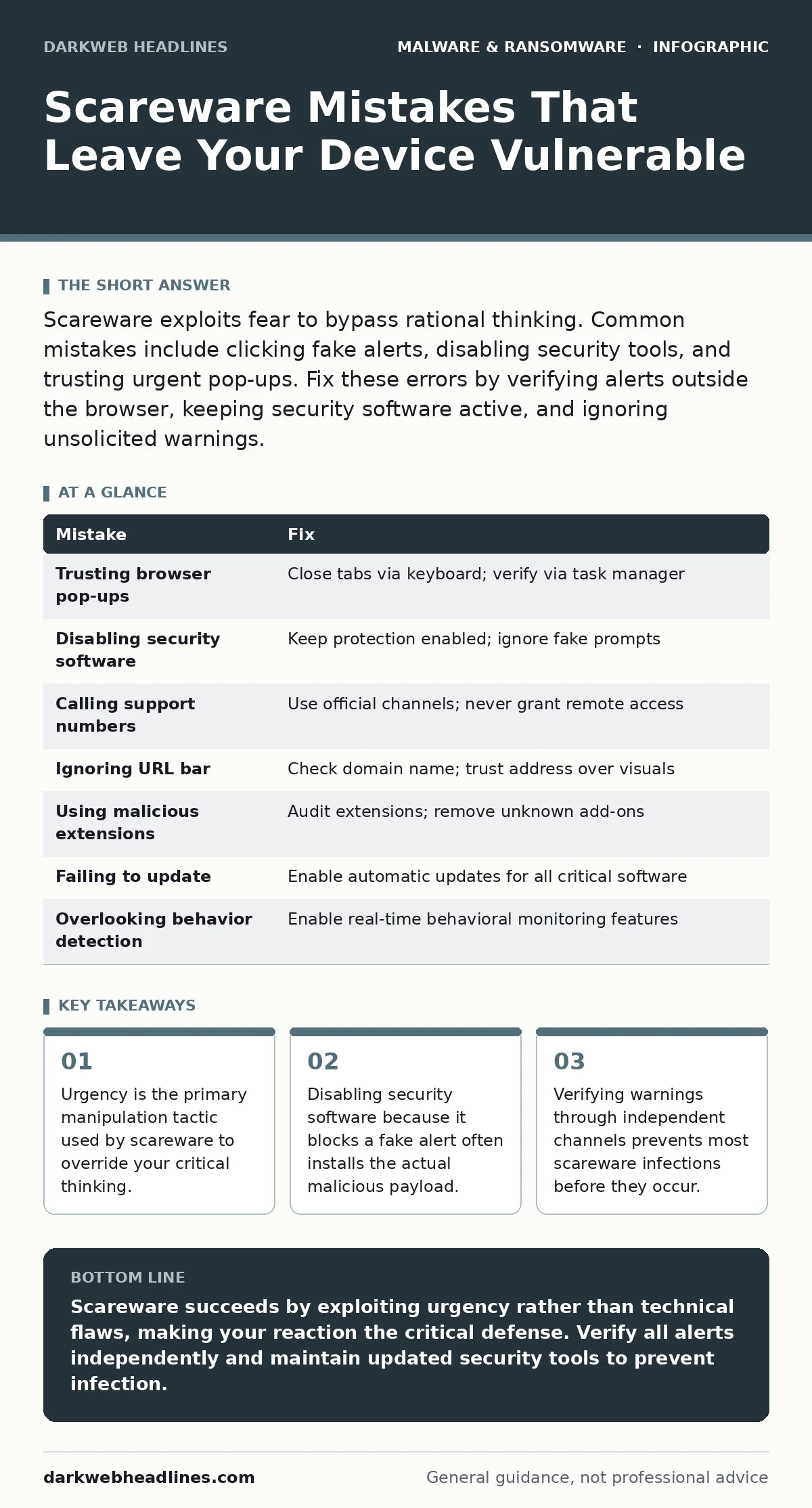
Scareware exploits fear to bypass rational thinking. Common mistakes include clicking fake alerts, disabling security tools, and trusting urgent pop-ups. Fix these errors by verifying alerts outside the browser, keeping security software active, and ignoring unsolicited warnings.
Mistake 1: Trusting Unsolicited Browser Pop-ups
Why it hurts:
Scareware operates on the principle of induced panic. When a full-screen overlay declares your device is infected, your brain prioritizes immediate action over verification. This cognitive hijacking prevents you from noticing that the alert originates from a webpage, not your operating system. The consequence is that you follow instructions to download or run a file, granting the attacker the execution privileges they need to install persistent malware.
The fix:
Never interact with alerts that appear within a browser window. Real security warnings come from your operating system or dedicated security applications, not from web content. Close the browser tab immediately using your keyboard shortcut rather than clicking any buttons on the screen. Verify your system status through your task manager or security dashboard independently.
Mistake 2: Disabling Security Software on Prompt
Why it hurts:
Malicious scripts often detect active security tools and instruct you to disable them to "fix" the alleged problem. This is a deliberate trap. When you turn off your protection, you remove the only barrier preventing the subsequent payload from executing. The attacker then installs a banking trojan or ransomware-as-a-service module that operates silently. Your system becomes vulnerable to data theft and encryption because you voluntarily removed the defense mechanism.
The fix:
Keep your security software enabled at all times. If a pop-up asks you to disable protection, ignore it completely. Security tools are designed to block threats, not hinder system performance in a way that requires user intervention for fake errors. If your software flags a legitimate threat, it will provide clear, non-urgent instructions within its own interface, not through a browser overlay.
Mistake 3: Calling Support Numbers in Alerts
Why it hurts:
Legacy scareware tactics included phone numbers for "technical support." Modern variants may still use this method, targeting users who prefer human interaction. When you call the number, you connect to a call center run by the attackers. They use social engineering to convince you to grant remote access to your computer. Once connected, they can manually install malware, steal credentials, or extort money. This mistake bypasses technical defenses entirely by exploiting trust in authority.
The fix:
Never call a number displayed in a browser alert. Legitimate support services never initiate contact through unsolicited web warnings. If you believe your device is compromised, disconnect from the network and use a separate, clean device to contact official support channels. Verify phone numbers through the official website of the vendor, not through the suspicious alert.
Mistake 4: Ignoring the URL Bar
Why it hurts:
Scareware alerts often mimic the visual style of your operating system or well-known security brands. They use high-resolution graphics and urgent language to appear authentic. However, the URL bar remains visible and reveals the true source of the content. Ignoring this detail allows the deception to succeed. The consequence is that you treat a webpage as a system event, leading to actions that compromise your device integrity. The mismatch between the visual alert and the website address is a clear indicator of fraud.
The fix:
Always check the address bar when an alert appears. Look for signs of HTTPS and verify the domain name. If the URL is unfamiliar, long, or unrelated to a known security vendor, the alert is fake. Scareware sites often use random strings of characters or misspelled domain names to avoid detection. Trust the URL over the visual design of the page.
Mistake 5: Using Malicious Browser Extensions
Why it hurts:
Some scareware campaigns distribute malicious browser extensions that inject fake alerts into every webpage you visit. These extensions run with elevated privileges within the browser, allowing them to track your activity and display persistent warnings. The consequence is a constant state of anxiety and potential data leakage. These extensions can also modify page content to redirect you to phishing sites or inject additional malware. They are difficult to detect because they operate within the trusted browser environment.
The fix:
Regularly audit your installed browser extensions. Remove any extensions you do not recognize or no longer use. Keep your browser updated to patch vulnerabilities that extensions might exploit. Consider using a secondary browser for sensitive activities to isolate potential threats. If you notice frequent, consistent pop-ups, scan your extensions list immediately for unauthorized additions.
See also: The Human Factor in Security: Meaning, Risks, and Real-World Impact · Chrome Zero-Day Risks: Small Business Protection Strategies
Mistake 6: Failing to Update Software Regularly
Why it hurts:
Outdated software contains known vulnerabilities that scareware can exploit to install itself without user interaction. This technique, known as drive-by downloading, bypasses the need for you to click anything. The consequence is that your device becomes infected simply by visiting a compromised website. Attackers use these vulnerabilities to execute code on your system, installing backdoors or keyloggers. Regular updates patch these security holes, reducing the attack surface available to malicious actors.
The fix:
Enable automatic updates for your operating system, browser, and critical applications. This ensures that security patches are applied as soon as they are available. If automatic updates are not possible, establish a routine to check for updates weekly. Prioritize updates for software that interacts with the internet or handles sensitive data. This proactive measure significantly reduces the risk of exploitation.
Mistake 7: Overlooking Behavior-Based Detection
Why it hurts:
Traditional signature-based detection may miss new scareware variants that have not yet been identified by security vendors. Relying solely on signature databases leaves a gap in your defense. The consequence is that novel threats can slip through your defenses and execute their payload. Behavior-based detection monitors for suspicious actions, such as unexpected process creations or attempts to modify system settings. This approach catches threats based on what they do, not just what they are.
The fix:
Enable behavior-based detection features in your security software. This technology analyzes the actions of processes in real-time, flagging anomalies that deviate from normal behavior. Combine this with dynamic malware analysis tools if you handle high-risk files. Educate yourself on recognizing suspicious system behavior, such as high CPU usage or unexpected network connections. This layered approach provides defense against both known and unknown threats.
| Mistake | Fix |
|---|---|
| Trusting browser pop-ups | Close tabs via keyboard; verify via task manager |
| Disabling security software | Keep protection enabled; ignore fake prompts |
| Calling support numbers | Use official channels; never grant remote access |
| Ignoring URL bar | Check domain name; trust address over visuals |
| Using malicious extensions | Audit extensions; remove unknown add-ons |
| Failing to update | Enable automatic updates for all critical software |
| Overlooking behavior detection | Enable real-time behavioral monitoring features |
Key takeaways
- Urgency is the primary manipulation tactic used by scareware to override your critical thinking.
- Disabling security software because it blocks a fake alert often installs the actual malicious payload.
- Verifying warnings through independent channels prevents most scareware infections before they occur.
Scareware succeeds by exploiting urgency rather than technical flaws, making your reaction the critical defense. Verify all alerts independently and maintain updated security tools to prevent infection.
Frequently asked questions
Can scareware actually damage my hardware?
Scareware itself is software and cannot physically damage hardware components. However, the malware it installs can corrupt data, encrypt files, or steal credentials, leading to significant digital harm.
How do I know if a security warning is real?
Real warnings come from your operating system or installed security applications, not from web browsers. Check your system tray or security dashboard independently to verify any alleged issues.
Should I block all pop-ups in my browser?
Blocking pop-ups is a good security practice that reduces exposure to scareware. Configure your browser settings to block intrusive overlays, which minimizes the chance of interacting with deceptive content.
What should I do if I already clicked on a scareware alert?
Disconnect from the internet immediately to prevent data transmission. Run a full system scan with your security software. Change your passwords on a separate, clean device if you entered any credentials.
How this guide was produced: written by the DarkWeb Headlines editorial team with AI assistance, checked against the public references listed below, and reviewed when the facts change. See our editorial policy or report an error.