Behavior-Based Detection: How It Spots Malware Without Signatures
This method identifies threats by watching for suspicious actions rather than matching known file patterns, catching new attacks instantly.

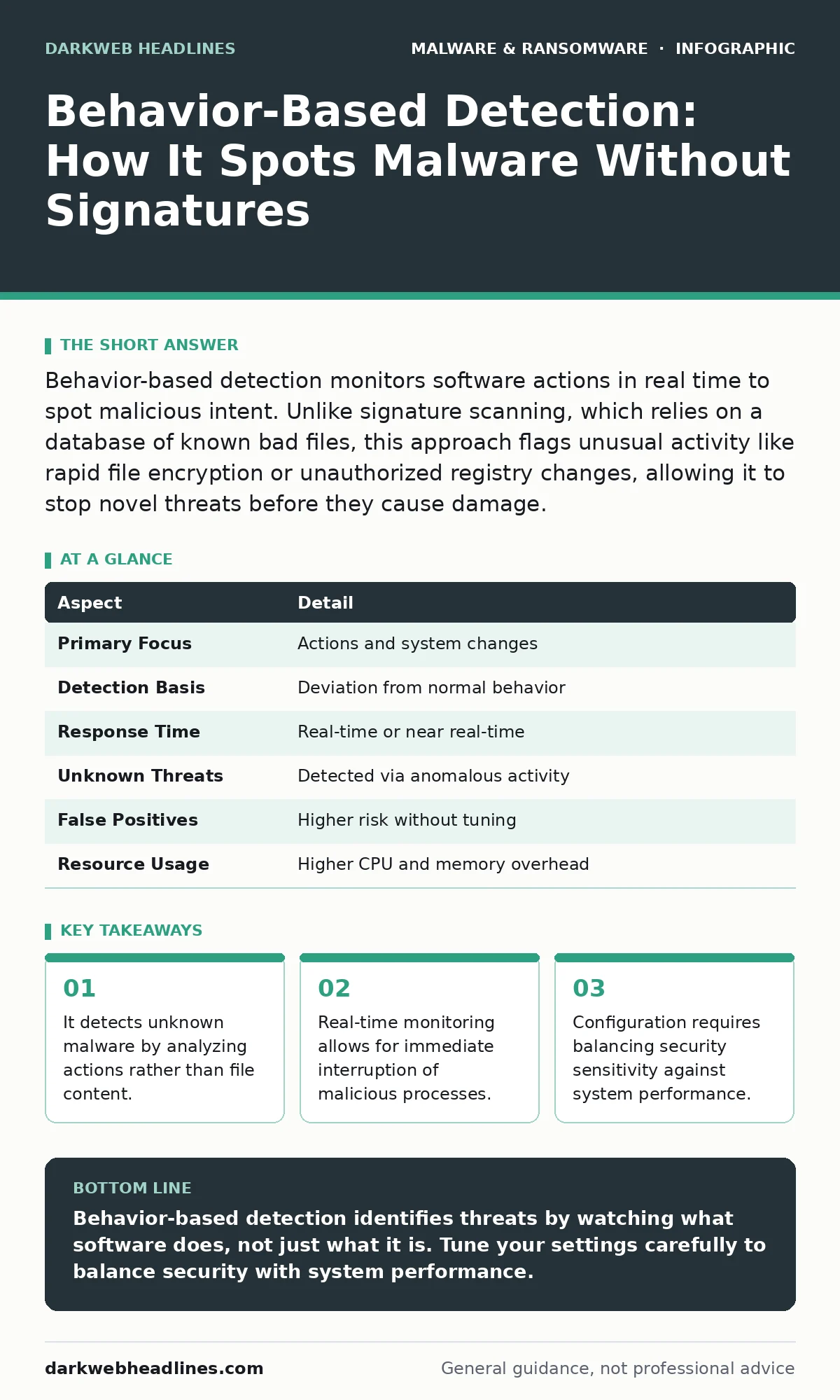
Behavior-based detection monitors software actions in real time to spot malicious intent. Unlike signature scanning, which relies on a database of known bad files, this approach flags unusual activity like rapid file encryption or unauthorized registry changes, allowing it to stop novel threats before they cause damage.
The Difference Between Knowing and Watching
Imagine you are guarding a museum. A traditional security guard checks every visitor against a list of known thieves. If someone is not on the list, they enter freely. Behavior-based detection acts like a camera system that watches for specific actions. If a person starts smashing windows or running toward the exit with a painting, the system alerts you immediately. It does not matter if the person was on the guest list or not. The action itself is the threat.
In cybersecurity, this distinction is fundamental. Most people assume security software works by comparing files to a database of known viruses. This is signature-based detection. It is effective against known threats but blind to new ones. Behavior-based detection shifts the focus from what the file is to what the file does. It allows you to catch a threat that has never been seen before.
| Aspect | Detail |
|---|---|
| Primary Focus | Actions and system changes |
| Detection Basis | Deviation from normal behavior |
| Response Time | Real-time or near real-time |
| Unknown Threats | Detected via anomalous activity |
| False Positives | Higher risk without tuning |
| Resource Usage | Higher CPU and memory overhead |
The Problem With Static Signatures
Signature-based detection relies on a unique identifier for each piece of malware. When security researchers find a new virus, they extract this identifier and distribute it to users. This process creates a gap. During the window between the malware’s creation and the signature update, the software is invisible to traditional scanners. This is known as the dwell time.
Attackers exploit this gap by using polymorphic code. This technique changes the code’s appearance every time it spreads, creating a new signature each time. A static scanner sees a new file and has no record of it. It assumes the file is safe. Behavior-based detection ignores the file’s appearance. It watches the file’s interaction with the operating system. If the file tries to disable security tools or encrypt user data, the system flags it. This closes the gap left by static analysis.
How Behavioral Monitoring Works
The system operates by establishing a baseline of normal activity. It learns how legitimate applications behave on your specific machine. Microsoft Word, for example, normally reads and writes document files. It does not typically access network ports or modify system drivers. When the monitoring agent sees Word attempting these actions, it recognizes the deviation.
The core components include a sensor, an analysis engine, and a response module. The sensor captures system calls, which are requests made by software to the operating system. The analysis engine compares these calls against the baseline and known malicious patterns. If the activity matches a threat profile, the response module intervenes. It may quarantine the file, terminate the process, or alert an administrator. This loop happens continuously in the background.
The Role of Heuristics and Machine Learning
Modern systems do not rely on simple rules alone. They use heuristics, which are rule-of-thumb techniques that allow the system to make educated guesses. A heuristic might flag any program that tries to hide its process ID or inject code into another process. These are common tactics used by trojans to maintain persistence.
Machine learning enhances this by processing vast amounts of data. The model learns complex patterns that humans might miss. It can identify subtle correlations between seemingly unrelated events. For instance, a legitimate browser extension might behave normally on its own. However, if it communicates with a specific type of server while a banking trojan is active, the combination becomes suspicious. This contextual awareness is critical for detecting sophisticated attacks like those delivered through malvertising.
Integration With Other Defenses
Behavior-based detection does not replace other security layers. It works best when integrated into a broader strategy. You should not rely on it as your sole line of defense. It acts as a safety net for threats that bypass perimeter controls and signature scanners.
When combined with extended detection and response (XDR), the value increases significantly. XDR aggregates data from endpoints, networks, and cloud services. Behavior-based data provides context for these disparate signals. For example, a network alert about unusual traffic gains meaning when paired with endpoint behavior showing a process attempting to encrypt files. This correlation reduces noise and helps analysts prioritize real threats. It also helps identify the scope of an incident, such as determining if computer viruses have spread laterally across the network.
See also: Ransomware-as-a-Service Explained: How Criminal Marketplaces Operate
The Hidden Costs and Trade-Offs
There is a performance cost to deep inspection. Monitoring every system call requires significant computing resources. If the monitoring agent is too aggressive, it can slow down your computer. Users may experience lag when opening applications or saving files. This friction can lead to frustration and attempts to disable security tools.
False positives are another major challenge. A false positive occurs when the system flags legitimate software as malicious. This happens when legitimate applications perform actions that resemble malware. For example, system update tools often modify protected files and restart services. If the baseline is not tuned correctly, the detector blocks these updates. You must invest time in tuning the system. This involves reviewing alerts and whitelisting legitimate behavior. Without this tuning, the tool becomes more of a nuisance than a protection.
Common Misconceptions About Behavior Detection
Many users believe that behavior-based detection eliminates the need for updates. This is incorrect. While it catches new malware, the analysis engine still needs updates. The models and heuristics improve over time as new attack techniques emerge. Without updates, the system’s ability to recognize novel behaviors degrades.
Another misconception is that it provides complete protection. It does not. It is a detection mechanism, not a prevention one. It may stop an attack after it has started. It does not prevent the initial infection vector, such as a phishing email or a malicious browser extension. You still need to secure your entry points. Understanding macro security settings, for instance, prevents the execution of harmful scripts in documents before they can exhibit malicious behavior.
Practical Implementation Steps
To implement effective behavior-based detection, start with visibility. Ensure your security tools have full access to system events. Disable any exclusions that hide critical system areas from monitoring. Next, establish a baseline. Allow the system to learn normal operations for a period before enabling active blocking. This reduces initial false positives.
Regularly review alerts. Do not just suppress them. Analyze why an application was flagged. If it is a false positive, adjust the policy. If it is true, investigate the source. Use this data to improve your overall security posture. Consider how dynamic malware analysis can help you understand new threats in a sandbox environment before they reach your users. This proactive approach ensures your defenses remain effective against evolving tactics.
Key takeaways
- It detects unknown malware by analyzing actions rather than file content.
- Real-time monitoring allows for immediate interruption of malicious processes.
- Configuration requires balancing security sensitivity against system performance.
- It complements traditional defenses by covering gaps left by signature-based tools.
Behavior-based detection identifies threats by watching what software does, not just what it is. Tune your settings carefully to balance security with system performance.
Frequently asked questions
Does behavior-based detection slow down my computer?
Yes, it consumes more resources than signature scanning. The impact depends on the sensitivity of the monitoring and the hardware capabilities of your device.
Can it detect fileless malware?
Yes, because fileless malware operates in memory and does not leave traditional files on disk. Behavior detection watches for suspicious memory activity and command execution.
How do I reduce false positives?
You must tune the system. Review alerts, identify legitimate applications that trigger warnings, and add them to an allowlist. Regular maintenance is required.
Is it enough to stop ransomware alone?
No. It can interrupt the encryption process, but you also need backups and network segmentation. A layered defense is necessary for full protection.
How this guide was produced: written by the DarkWeb Headlines editorial team with AI assistance, checked against the public references listed below, and reviewed when the facts change. See our editorial policy or report an error.