Computer Viruses: Answers to Your Most Pressing Questions
Most modern malware lacks the self-replicating code that defines true viruses, shifting the burden of defense from signature matching to behavioral monitoring.

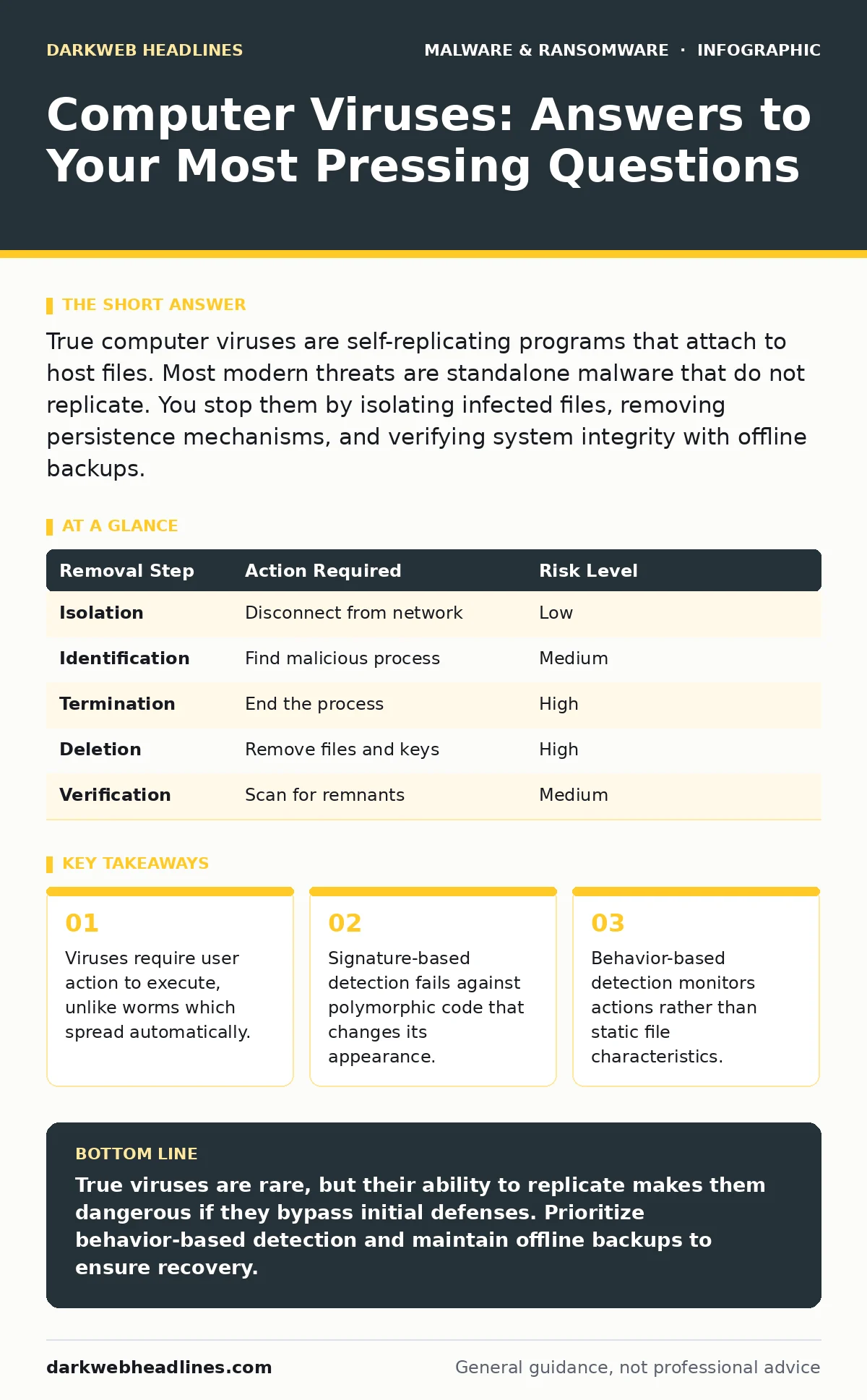
True computer viruses are self-replicating programs that attach to host files. Most modern threats are standalone malware that do not replicate. You stop them by isolating infected files, removing persistence mechanisms, and verifying system integrity with offline backups.
What exactly is a computer virus?
A computer virus is a type of malware that requires a host program to replicate itself. It inserts its code into legitimate software, so when you run the infected application, the virus activates. This distinguishes it from standalone malware that operates independently. The virus relies on the host’s execution to spread to other files or systems.
How do viruses differ from worms?
Viruses need human interaction to spread, such as opening an infected document or running a compromised installer. Worms are self-propagating and exploit network vulnerabilities to move between systems without user input. This difference matters because worms can infect an entire network in minutes, while viruses spread at the pace of human activity. Understanding this helps you prioritize network segmentation over just email filtering.
Can antivirus software stop all viruses?
No antivirus solution catches every threat because detection relies on known signatures or behavioral patterns. Attackers modify code to evade signature matches, a technique known as polymorphism. This means the malicious code looks different each time it is generated. Relying solely on signature-based tools leaves you vulnerable to new variants. You need behavior-based detection to identify suspicious actions regardless of the file’s signature.
Why do viruses still target older systems?
Older operating systems lack modern security features like memory protection and mandatory user account control. These systems often run with elevated privileges by default, giving malware immediate access to critical resources. Attackers target these environments because the effort required to exploit them is lower. This creates a hidden cost for organizations that delay updates: they become easy entry points for lateral movement.
How do viruses persist after a reboot?
Malware establishes persistence by modifying startup routines, registry keys, or scheduled tasks. These changes ensure the virus runs whenever the system starts. Simply deleting the visible executable file does not remove these hidden triggers. You must inspect startup locations and scheduled tasks to fully eradicate the infection. This is why device hardening restricts write access to these critical areas.
What is polymorphic code?
Polymorphic code changes its encryption key and wrapper structure every time it replicates. The underlying malicious payload remains the same, but the outer appearance shifts. This defeats simple signature scanners that look for specific byte sequences. It forces defenders to use heuristic analysis or emulation to spot the behavior rather than the static code. This technique increases the computational cost of detection for security tools.
How do you remove a virus manually?
Manual removal involves booting into safe mode to prevent the malware from loading. You then identify the malicious process, terminate it, and delete the associated files. Next, you clean up persistence mechanisms in startup folders and system registries. This process is risky because missing one component allows the virus to return. It is often more effective to restore from offline backups than to attempt manual cleanup.
| Removal Step | Action Required | Risk Level |
|---|---|---|
| Isolation | Disconnect from network | Low |
| Identification | Find malicious process | Medium |
| Termination | End the process | High |
| Deletion | Remove files and keys | High |
| Verification | Scan for remnants | Medium |
Do viruses steal data directly?
Traditional viruses focus on replication and disruption, not data exfiltration. However, modern malware often combines viral replication with spyware capabilities. This hybrid approach allows the threat to spread while collecting credentials or documents. You cannot assume a replicating threat is harmless. It may be gathering intelligence for a larger attack.
How do you prevent infection in the first place?
Prevention requires limiting execution rights and disabling unnecessary features like macros. Most viruses arrive via social engineering, tricking you into enabling content. By disabling macro execution by default, you remove the trigger. You also reduce risk by keeping software updated and using least privilege principles. This approach complements macro security settings to block common entry vectors.
What happens if a virus encrypts your files?
If a virus includes ransomware capabilities, it encrypts your data and demands payment for decryption. This is often part of a ransomware-as-a-service model where criminals rent out the tools. The virus spreads the payload, while the ransomware component locks the files. You cannot decrypt these files without the key. Your only reliable recovery method is restoring from offline backups.
Can a virus infect mobile devices?
Yes, mobile viruses operate similarly by embedding in apps or exploiting OS flaws. They often hide within seemingly legitimate applications on unofficial stores. These threats can steal contacts, messages, or financial data. Mobile operating systems sandbox apps to limit damage, but vulnerabilities still exist. You mitigate this by only installing apps from verified sources and reviewing permissions.
How do you detect a silent virus?
Silent viruses avoid detection by mimicking normal system processes and using low-level resources. They may only activate during specific times or conditions. Behavior-based detection is the most effective countermeasure, as it flags anomalies in process creation or network connections. You should also monitor for unexpected changes in file timestamps or sizes. This requires continuous monitoring rather than periodic scans.
Key takeaways
- Viruses require user action to execute, unlike worms which spread automatically.
- Signature-based detection fails against polymorphic code that changes its appearance.
- Behavior-based detection monitors actions rather than static file characteristics.
True viruses are rare, but their ability to replicate makes them dangerous if they bypass initial defenses. Prioritize behavior-based detection and maintain offline backups to ensure recovery.
Frequently asked questions
Is a virus the same as a Trojan?
No, a Trojan disguises itself as legitimate software but does not replicate. A virus copies itself to other files. Trojans rely on deception; viruses rely on propagation.
Can a virus delete my operating system?
Yes, some viruses target system files to cause corruption. This results in a non-bootable state. Regular backups are the only way to recover quickly.
Do viruses affect cloud storage?
Viruses can infect files synced to the cloud if the local machine is compromised. The cloud provider stores the infected file. You must clean the source to stop further spread.
How often should I scan for viruses?
Continuous real-time scanning is more effective than periodic manual scans. Real-time tools monitor file access and network traffic. This catches threats as they attempt to execute.
How this guide was produced: written by the DarkWeb Headlines editorial team with AI assistance, checked against the public references listed below, and reviewed when the facts change. See our editorial policy or report an error.