Android Malware Myths: Why Your Phone Is Not Actually Safe
Standard sandboxing fails when users grant excessive permissions, allowing malware to bypass isolation and harvest sensitive data without executing code.

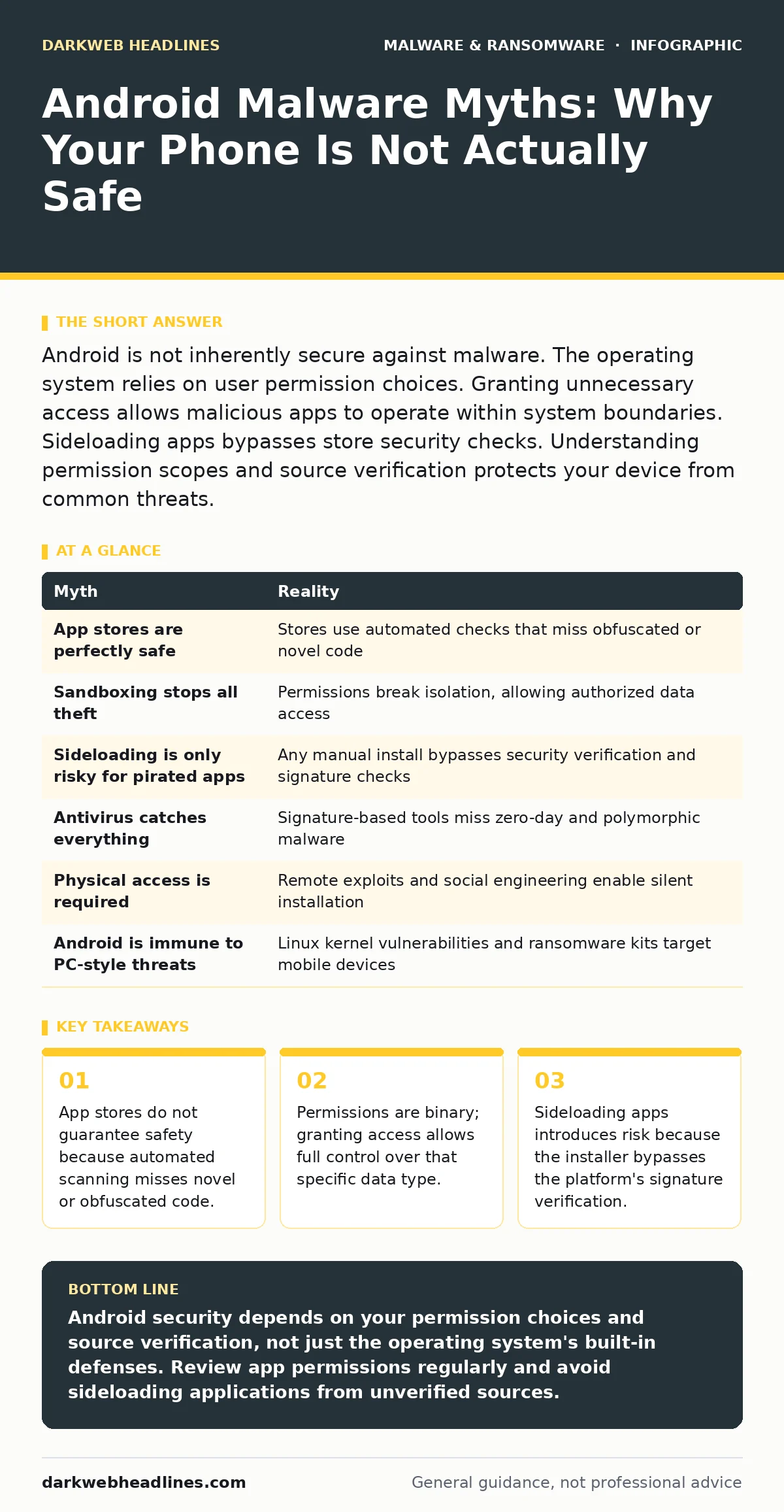
Android is not inherently secure against malware. The operating system relies on user permission choices. Granting unnecessary access allows malicious apps to operate within system boundaries. Sideloading apps bypasses store security checks. Understanding permission scopes and source verification protects your device from common threats.
Myth: The App Store Is a Perfect Filter
Reality: Official application marketplaces reduce risk but do not eliminate it. Automated scanning tools check for known signatures and obvious malicious patterns. They cannot evaluate the intent of every new application. Developers can obfuscate code to hide malicious logic from static analysis. An app can pass initial review and later receive a malicious update. The store environment provides a baseline of safety, not absolute security. You must still verify the reputation of the developer before installation.
Imagine a legitimate utility app that receives a sudden update containing hidden tracking code. The store's automated systems may not flag this change if the code structure resembles legitimate updates. The app retains its previous permissions, allowing the new code to access data immediately. This demonstrates why continuous monitoring matters more than initial approval. You should review permission requests every time an app updates, not just during installation.
Myth: Android Sandboxing Prevents All Data Theft
Reality: The Android operating system isolates apps in separate memory spaces called sandboxes. This isolation prevents one app from directly accessing the private data of another. However, the sandbox relies on explicit permission grants. When you allow an app to access your contacts, camera, or microphone, you break the isolation for that specific data type. The app can then read, copy, or transmit that information to external servers. The sandbox protects data you do not explicitly share. It does not protect data you willingly expose through permission dialogs.
You must understand that permissions are often broad. Granting "storage" access allows an app to read every file on your device, including photos and documents. There is no granular control within that permission scope. The app can access any file type stored in that directory. This means a simple flashlight app could potentially read your financial statements if it has storage access. You should deny permissions that do not align with the app's primary function.
Myth: Sideloading Is Only Dangerous for Pirated Software
Reality: Installing applications from outside the official store is called sideloading. This process bypasses the platform's security checks and signature verification. The risk exists regardless of the software's legality. A free, legitimate tool downloaded from a developer's website carries the same risk as a pirated game. The installer does not verify if the file has been tampered with during download. Attackers often host modified versions of popular apps on third-party sites. These modified versions include malicious code that steals credentials or installs additional malware.
Suppose you download a popular video player from a forum because the store version has ads. The file may contain a hidden payload that activates only when the app launches. Since you installed it manually, the system trusts the file implicitly. The malware can then request additional permissions that the original app never needed. You lose the safety net of the store's review process entirely. Always verify the source and checksum of any file you install manually.
Myth: Antivirus Software Detects All Malware
Reality: Traditional antivirus tools rely on signature-based detection. They compare installed files against a database of known malicious code. This method fails against new or customized malware. Attackers modify the code structure of malware to avoid matching known signatures. This technique is called polymorphism. The resulting malware behaves identically to the original but looks different to the scanner. Signature-based tools cannot detect zero-day threats or custom-built malware designed for a specific target. You need behavior-based detection to catch these threats.
Behavior-based detection monitors how an app interacts with the system. It looks for suspicious actions, such as an app trying to send SMS messages in the background. This approach catches malware that lacks a known signature. However, it can generate false positives by flagging legitimate apps that behave unusually. You should combine both methods for better protection. Relying solely on signature scanning leaves you vulnerable to novel attacks. Understanding how behavior-based detection works helps you recognize why some threats slip through.
Myth: Malware Requires Physical Access to Install
Reality: Remote installation is possible through social engineering and exploit kits. Attackers do not need to touch your device to compromise it. They send links via email, SMS, or messaging apps that lead to malicious websites. These sites may exploit vulnerabilities in the browser or the operating system. This process is known as drive-by downloading. The malware installs silently without your knowledge. Other attacks use malicious browser extensions that inject code into web pages you visit. These extensions can steal session cookies or redirect you to phishing sites.
Imagine clicking a link in a text message that claims your account is suspended. The link leads to a fake login page hosted on a malicious domain. When you enter your credentials, the site also triggers a silent download of a configuration profile. This profile grants the attacker remote access to your device. You never see an installation prompt. The attack succeeds because you trusted the message source. Always verify URLs manually and avoid clicking links in unsolicited messages.
Myth: Android Cannot Be Infected Like a Computer
Reality: Android shares the same Linux kernel as many desktop operating systems. It faces similar vulnerabilities related to memory management and privilege escalation. While the mobile environment has different attack surfaces, the underlying principles of exploitation remain the same. Attackers target the same weaknesses in code execution and input validation. The difference lies in the delivery method and the permissions model. Android malware often focuses on data theft and surveillance rather than system destruction. This is because mobile devices are always connected and contain personal data.
Ransomware-as-a-service has expanded to mobile platforms. Criminals sell pre-built malware kits that target Android devices. These kits often lock the screen or encrypt files, demanding payment for restoration. The technical complexity is lower because the kits are pre-configured. You do not need advanced technical skills to deploy them. This democratization of malware creation increases the volume of attacks. You should assume that mobile devices are valid targets for sophisticated threat actors.
| Myth | Reality |
|---|---|
| App stores are perfectly safe | Stores use automated checks that miss obfuscated or novel code |
| Sandboxing stops all theft | Permissions break isolation, allowing authorized data access |
| Sideloading is only risky for pirated apps | Any manual install bypasses security verification and signature checks |
| Antivirus catches everything | Signature-based tools miss zero-day and polymorphic malware |
| Physical access is required | Remote exploits and social engineering enable silent installation |
| Android is immune to PC-style threats | Linux kernel vulnerabilities and ransomware kits target mobile devices |
Key takeaways
- App stores do not guarantee safety because automated scanning misses novel or obfuscated code.
- Permissions are binary; granting access allows full control over that specific data type.
- Sideloading apps introduces risk because the installer bypasses the platform's signature verification.
- Malware often uses legitimate system features to hide its malicious intent from standard detectors.
Android security depends on your permission choices and source verification, not just the operating system's built-in defenses. Review app permissions regularly and avoid sideloading applications from unverified sources.
Frequently asked questions
Can a virus spread from my phone to my computer?
Yes, if you connect an infected device to a computer via USB and transfer files. The malware can reside in the transferred documents or executables. Ensure both devices have active protection before syncing data.
Does turning off Wi-Fi prevent malware from stealing data?
No, malware can exfiltrate data over cellular networks or store it locally for later transmission. Disabling network access stops remote commands but does not remove the malicious code. You must remove the app to stop the threat.
Are open-source apps safer than proprietary ones?
Open-source code allows community review, which can identify vulnerabilities faster. However, the binary you install may not match the audited source code. Attackers can distribute modified binaries that contain hidden malware. Trust the build process and source integrity.
How often should I update my Android version?
You should install security patches as soon as they are available. Updates fix known vulnerabilities that attackers exploit. Delaying updates leaves your device exposed to known attack methods. Enable automatic updates to ensure timely protection.
How this guide was produced: written by the DarkWeb Headlines editorial team with AI assistance, checked against the public references listed below, and reviewed when the facts change. See our editorial policy or report an error.