Privilege Escalation Vulnerabilities Explained: How Attackers Steal Control
A minor flaw in system access controls allows an attacker to bypass restrictions and gain administrative rights over your entire device.

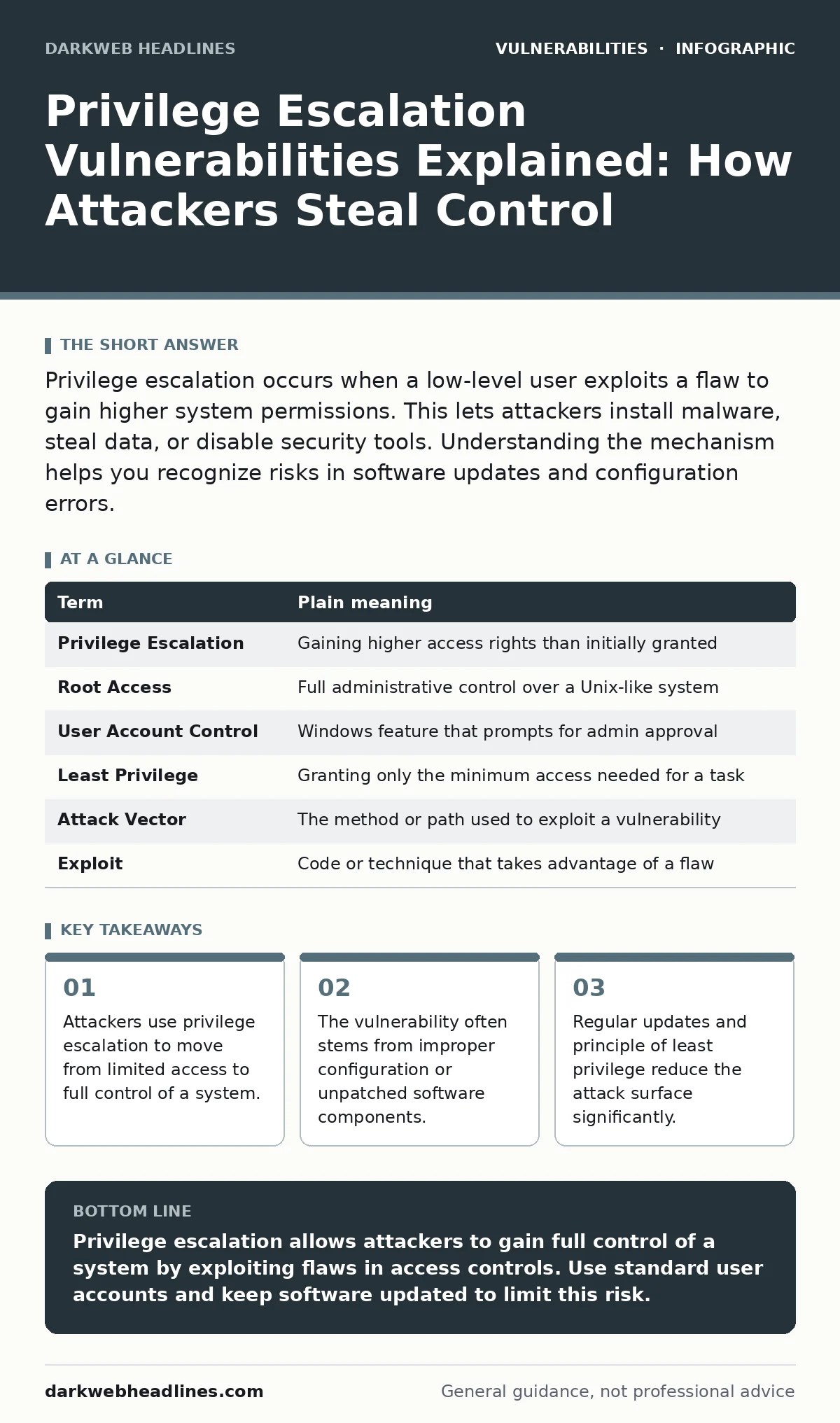
Privilege escalation occurs when a low-level user exploits a flaw to gain higher system permissions. This lets attackers install malware, steal data, or disable security tools. Understanding the mechanism helps you recognize risks in software updates and configuration errors.
The Office Building Analogy
Imagine a large corporate office building. Most employees have keycards that open only their specific department doors. They cannot enter the server room or the executive suite. The building security system is designed to keep these areas separate. A privilege escalation vulnerability is like finding a maintenance hatch that leads directly from the lobby to the server room.
The employee uses this hidden path to bypass normal security checks. They gain access to areas they were never authorized to enter. This analogy helps visualize how attackers move laterally and vertically within a system. It shows that security is not just about the front door. It is about every possible entry point and internal corridor.
Defining the Core Terms
Understanding the mechanics requires precise language. Security professionals use specific terms to describe how access is granted and abused. These terms appear in vulnerability management programs and technical reports. Knowing them helps you read documentation and understand risk assessments. The following table clarifies the most common concepts.
| Term | Plain meaning |
|---|---|
| Privilege Escalation | Gaining higher access rights than initially granted |
| Root Access | Full administrative control over a Unix-like system |
| User Account Control | Windows feature that prompts for admin approval |
| Least Privilege | Granting only the minimum access needed for a task |
| Attack Vector | The method or path used to exploit a vulnerability |
| Exploit | Code or technique that takes advantage of a flaw |
How Vertical Escalation Works
Vertical privilege escalation involves moving up the hierarchy of permissions. An attacker starts with a standard user account. They find a flaw that allows them to execute commands as an administrator. This is dangerous because administrators can change system settings. They can install persistent malware or disable logging. The attacker effectively becomes the owner of the machine. This type of escalation is the primary goal of many attacks. It transforms a minor intrusion into a total compromise. Understanding this shift helps you appreciate the value of admin accounts. You should never use an admin account for daily tasks.
The Role of Software Flaws
Software flaws create the openings attackers need. These flaws might be in the operating system or in applications. Developers sometimes make mistakes in how they handle user input. These mistakes can be classified using CWE weakness categories. A buffer overflow is a common example. It occurs when a program writes more data to a memory block than it can hold. The extra data can overwrite adjacent memory. This might include code that runs with higher privileges. Attackers craft specific inputs to trigger this behavior. They use proof-of-concept exploits to demonstrate the flaw. These exploits show that the vulnerability is real and dangerous.
What This Means for You
You might think this only affects servers. Your personal computer is also at risk. If an attacker gains admin access to your laptop, they can do anything. They can read your files and monitor your activity. They can use your computer to attack others. This is why keeping your system updated is critical. Updates often fix these privilege escalation paths. They close the maintenance hatches in the building. You should also be cautious with software installations. Some programs request admin rights unnecessarily. This increases the risk if the program contains a flaw. Be aware of the permissions you grant to applications.
See also: Malicious Typosquatted Packages: 7 Mistakes That Invite Supply Chain Attacks · TOCTOU Bugs: 7 Mistakes That Leave Your Code Open to Race Conditions
Simple Safety Habits
You can reduce your risk with a few changes. First, use a standard user account for daily work. Only switch to an admin account when installing software. This limits the damage if you accidentally run malicious code. Second, keep your operating system and applications updated. Patches fix known vulnerabilities. They remove the paths attackers use to escalate privileges. Third, review the permissions of installed applications. Remove software you no longer use. Unused software is dead weight that can be exploited. These habits are simple but effective. They form a strong defense against common attacks.
Understanding Lateral Movement
Attackers do not always stop at one machine. After gaining high privileges on one device, they look for others. This is called lateral movement. They use the stolen credentials to access other systems. They might find shared folders or network drives. This allows them to expand their control. It makes the breach harder to detect and contain. Understanding this helps you see the bigger picture. Securing one device is not enough. You must secure the entire network. This is why network segmentation is important. It limits where an attacker can go after initial access.
The Human Element
Technology is not the only factor. Human behavior plays a significant role. Users often click on links in phishing emails. This gives attackers initial access. From there, they look for privilege escalation paths. They might exploit a flaw in a browser or plugin. They might use social engineering to trick you into running a script. You must be careful with what you open and run. Do not trust emails or downloads blindly. Verify the source before taking action. Your caution is the first line of defense. It prevents the initial foothold that leads to escalation.
Conclusion and Next Steps
Privilege escalation is a serious risk. It allows attackers to take full control of your system. You can protect yourself by following best practices. Use standard user accounts for daily tasks. Keep your software updated. Be cautious with installations and downloads. These steps reduce the likelihood of a successful attack. They also limit the damage if an attack occurs. You should also learn about related topics. Understanding clickjacking helps you recognize UI-based attacks. Knowing about XML external entity (XXE) attacks helps you secure data processing. These are all part of a strong security posture.
Try This Now
- Check your current user account type. Change it to Standard User if it is set to Administrator.
- Review your installed applications. Remove any software you do not use regularly.
- Enable automatic updates for your operating system and critical applications.
Key takeaways
- Attackers use privilege escalation to move from limited access to full control of a system.
- The vulnerability often stems from improper configuration or unpatched software components.
- Regular updates and principle of least privilege reduce the attack surface significantly.
Privilege escalation allows attackers to gain full control of a system by exploiting flaws in access controls. Use standard user accounts and keep software updated to limit this risk.
Frequently asked questions
What is the difference between horizontal and vertical privilege escalation?
Vertical escalation involves gaining higher permissions, like becoming an admin. Horizontal escalation involves gaining access to another user’s account with similar permissions.
Can a virus cause privilege escalation?
Yes, some malware includes code designed to exploit system flaws. This code attempts to gain admin rights to persist on the system.
How this guide was produced: written by the DarkWeb Headlines editorial team with AI assistance, checked against the public references listed below, and reviewed when the facts change. See our editorial policy or report an error.