Scareware Warning Signs: Spotting Fake Alerts Before Damage
Scareware relies on psychological pressure rather than technical complexity, meaning your reaction speed matters more than your antivirus software when facing these deceptive pop-up messages.

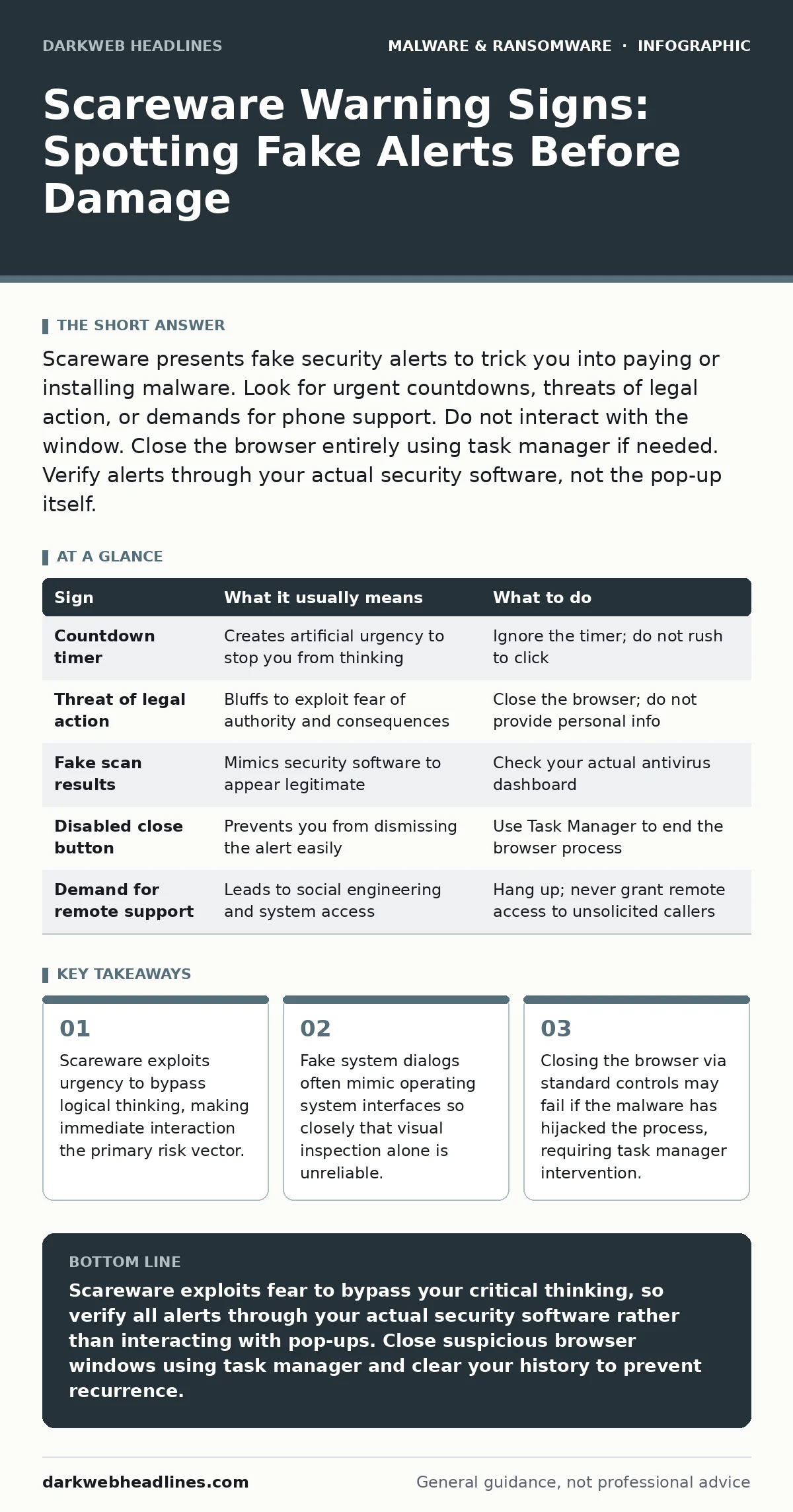
Scareware presents fake security alerts to trick you into paying or installing malware. Look for urgent countdowns, threats of legal action, or demands for phone support. Do not interact with the window. Close the browser entirely using task manager if needed. Verify alerts through your actual security software, not the pop-up itself.
Immediate Visual Cues of Deception
Scareware relies on creating a sense of panic to override your critical thinking. The first signs people notice are usually aggressive visual elements designed to startle. These include bright red warning icons, flashing text, or loud alarm sounds that play automatically. The message often claims your computer is infected with a severe threat that will destroy data immediately.
The language used is typically emotional and threatening. You will see phrases about your account being compromised, your bank details stolen, or law enforcement being notified. These alerts rarely provide specific technical details about the malware. Instead, they focus on the consequences of inaction. This emotional manipulation is the core mechanism of scareware. It forces you to act before you can verify the claim.
Subtle Indicators That Are Easy to Miss
Some scareware attempts to appear legitimate by mimicking the operating system interface. These alerts may use the correct window borders, fonts, and color schemes of your OS. They might even display a fake process list or a fake scan progress bar. This level of detail makes them harder to spot at a glance. You must look closer than usual to identify these sophisticated fakes.
One subtle sign is the source of the alert. Legitimate security software rarely interrupts your workflow with a full-screen pop-up that demands immediate payment. Real security tools usually log threats in a background dashboard. If an alert appears in a web browser window rather than from your installed security application, it is likely fake. Check the address bar of the browser. If the URL looks random or leads to an unfamiliar domain, the alert is not from your system.
Another missed sign is the behavior of the window. Scareware often prevents you from closing the window using the standard "X" button. It may also disable keyboard shortcuts like Alt-F4. This restriction is a red flag. Legitimate system errors do not lock you out of basic controls. The inability to close the window indicates malicious intent to keep you engaged with the deception.
Interaction Risks and Hidden Costs
Interacting with scareware carries risks beyond just losing money. Clicking the "Fix Now" button may download additional malware. This secondary payload can be a keylogger, a cryptominer, or ransomware. The initial scareware alert was just the bait. The real damage comes from what you install in response to the fear.
Calling the phone number provided in the alert is another common trap. This leads to technical support fraud. The caller will convince you to grant remote access to your computer. Once they have control, they can install malware, steal data, or extort you for fake repairs. This human interaction layer makes the attack more effective because it builds trust through conversation.
The hidden cost of scareware is time and stress. Even if you do not fall for the scam, dealing with the blocked screen and the anxiety of the alert wastes valuable time. If you accidentally click a link, you may need to spend hours removing the malware and resetting your systems. This disruption is the true cost of the attack, regardless of financial loss.
Table of Common Scareware Tactics
| Sign | What it usually means | What to do |
|---|---|---|
| Countdown timer | Creates artificial urgency to stop you from thinking | Ignore the timer; do not rush to click |
| Threat of legal action | Bluffs to exploit fear of authority and consequences | Close the browser; do not provide personal info |
| Fake scan results | Mimics security software to appear legitimate | Check your actual antivirus dashboard |
| Disabled close button | Prevents you from dismissing the alert easily | Use Task Manager to end the browser process |
| Demand for remote support | Leads to social engineering and system access | Hang up; never grant remote access to unsolicited callers |
Handling the Blocked Interface
When scareware blocks your screen, standard closing methods may not work. The malware has likely hijacked the browser process to prevent you from leaving. You need to bypass the graphical interface to stop the process. On Windows, press Ctrl-Shift-Esc to open Task Manager. On Mac, press Command-Option-Escape to force quit applications.
Identify the browser process in the list. It may have a generic name like "Internet Explorer" or "Chrome" even if you are using a different browser. Select the process and end it. This will close the browser and the scareware alert. If Task Manager does not open, try pressing Ctrl-Alt-Delete first. This sequence often triggers the security screen even if the desktop is frozen.
Once the browser is closed, do not reopen it immediately. The malicious site may have set cookies or scripts that could trigger the alert again. Clear your browser cache and history. Check your installed programs for any new entries you did not authorize. Remove any suspicious software. This step prevents the scareware from recurring after you restart the computer.
Prevention and Verification Steps
Preventing scareware requires a disciplined approach to web browsing. Do not click on pop-ups, even if they look real. If you suspect an alert is fake, do not interact with it. Close the browser window using the task manager method described above. Verify the status of your computer by opening your actual security software directly from the desktop or start menu.
Keep your operating system and browsers updated. Updates often patch vulnerabilities that scareware uses to display full-screen alerts or disable controls. Use real-time protection software that can detect and block malicious scripts before they execute. This adds a layer of defense against the initial infection vector.
Be cautious with malvertising. Legitimate websites sometimes host ads that are compromised by malware. These ads can redirect you to scareware pages without your clicking on anything. Using ad blockers can reduce this risk significantly. It stops the malicious scripts from loading in the first place. This is a passive but effective defense against drive-by downloads.
Long-Term Security Hygiene
Scareware is a symptom of broader security weaknesses. If you frequently encounter these alerts, review your browsing habits. Avoid clicking on suspicious links in emails or messages. Use offline backups to ensure you can recover data if ransomware does get through. This reduces the leverage attackers have over you.
Regularly check for browser hijackers. These programs change your search engine and homepage, often leading you to sites that host scareware. Removing them reduces the chance of accidental exposure. Use dynamic malware analysis tools if you suspect a file is malicious but your antivirus does not catch it. This helps identify unknown threats before they cause damage.
If you believe your system is compromised, follow the steps for isolating infected devices. Disconnect the computer from the network to prevent the malware from spreading. Then perform a full scan. If the infection persists, consider reinstalling the operating system. This ensures all malicious components are removed.
Key takeaways
- Scareware exploits urgency to bypass logical thinking, making immediate interaction the primary risk vector.
- Fake system dialogs often mimic operating system interfaces so closely that visual inspection alone is unreliable.
- Closing the browser via standard controls may fail if the malware has hijacked the process, requiring task manager intervention.
Scareware exploits fear to bypass your critical thinking, so verify all alerts through your actual security software rather than interacting with pop-ups. Close suspicious browser windows using task manager and clear your history to prevent recurrence.
Frequently asked questions
How do I know if a security alert is real?
Real alerts come from your installed security software, not a web browser. Check your antivirus dashboard directly. If the alert demands immediate payment or phone support, it is fake.
Can scareware damage my computer permanently?
Scareware itself is just a fake alert. However, clicking links in the alert can install malware that causes permanent damage. The risk comes from your interaction with the scam, not the alert itself.
Why does my antivirus not stop scareware pop-ups?
Antivirus software scans for known malware signatures. Scareware is often just a web page with scripts. It does not always contain executable code until you click. Ad blockers are more effective at stopping these initial displays.
What if I already paid the scareware demand?
Do not pay. Payment does not remove the malware and often leads to further extortion. Disconnect from the internet, run a full antivirus scan, and consider professional help to remove any
How this guide was produced: written by the DarkWeb Headlines editorial team with AI assistance, checked against the public references listed below, and reviewed when the facts change. See our editorial policy or report an error.