Secure Email Gateways for Small Teams: Architecture and Costs
Small teams gain enterprise-grade filtering by offloading protocol parsing to a cloud relay, shifting the attack surface away from local servers.

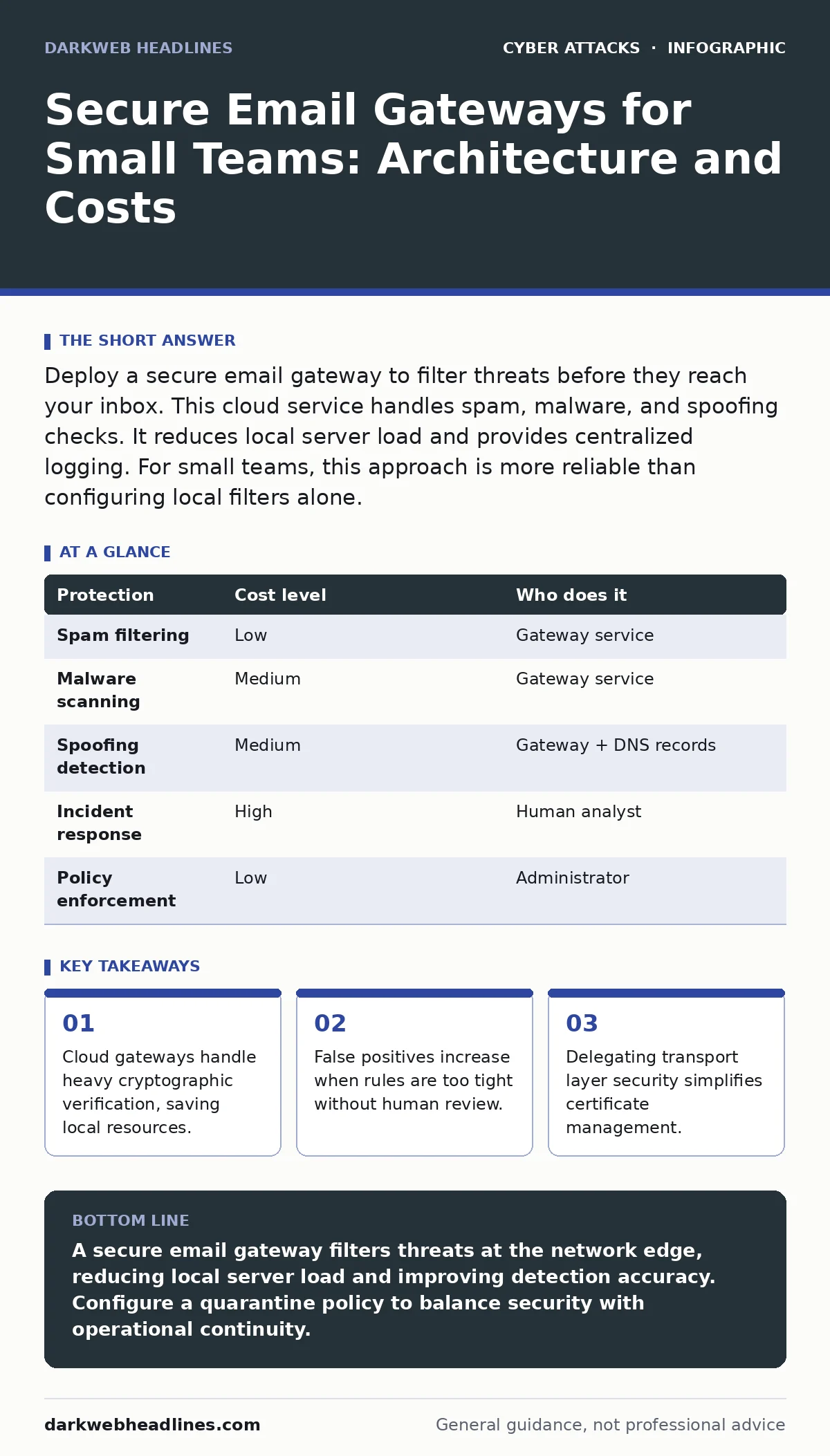
Deploy a secure email gateway to filter threats before they reach your inbox. This cloud service handles spam, malware, and spoofing checks. It reduces local server load and provides centralized logging. For small teams, this approach is more reliable than configuring local filters alone.
The Protocol Burden on Small Networks
Email is not a simple messaging service. It relies on a chain of protocols that are old and complex. Post Office Protocol and Internet Message Access Protocol handle retrieval. Simple Mail Transfer Protocol handles delivery. Each step introduces potential failure points.
Small organizations often run local mail servers to save money. This creates a hidden cost. You must maintain the server software. You must patch operating systems. You must manage certificate renewals. If the server goes down, communication stops.
A secure email gateway acts as a proxy. It sits between the sender and your final mail server. It accepts the incoming connection. It performs security checks. It then forwards the clean message. Your local server only sees approved traffic. This reduces the attack surface significantly.
Why Filtering Happens Before Delivery
Threats evolve faster than local software updates. A local server relies on signature databases. These databases must be downloaded and installed. There is a delay between a new threat appearing and your server recognizing it.
A cloud gateway uses a shared intelligence model. When one customer blocks a new phishing campaign, the pattern is analyzed. Other customers benefit from this analysis immediately. You gain protection from threats you have never seen.
This model also handles volume spikes. A distributed denial-of-service attack can flood a small server. A cloud provider absorbs this traffic. Your local infrastructure remains stable. You pay for a service that scales with the threat, not your headcount.
The Cost of False Positives
Blocking everything is not a strategy. It is a disruption. A secure email gateway uses heuristics to judge intent. It looks at sender reputation. It analyzes content structure. It checks for known malicious links.
Sometimes the system is wrong. It blocks a legitimate invoice. It quarantines a critical client update. This is a false positive. The cost is not monetary. It is operational friction. Employees waste time appealing decisions. Trust in the system erodes.
You must configure a quarantine policy. Do not delete suspicious messages automatically. Route them to a holding area. Allow users to request release. Monitor these requests. If a specific sender is blocked frequently, add them to a whitelist. This balances security with usability.
| Protection | Cost level | Who does it |
|---|---|---|
| Spam filtering | Low | Gateway service |
| Malware scanning | Medium | Gateway service |
| Spoofing detection | Medium | Gateway + DNS records |
| Incident response | High | Human analyst |
| Policy enforcement | Low | Administrator |
Delegating Transport Security
Transport Layer Security encrypts data in motion. It requires certificates. These certificates expire. If a certificate expires, email delivery fails. Managing these certificates is a recurring administrative task.
A secure email gateway handles this termination. The connection from the sender to the gateway is encrypted. The connection from the gateway to your server is encrypted. You manage fewer certificates. You reduce the risk of misconfiguration.
This delegation also simplifies key rotation. When you change keys, you only update the gateway. You do not need to reconfigure every client device. This is particularly useful when employees use multiple devices. The security policy follows the account, not the machine.
Integrating with Identity Standards
Email security does not exist in a vacuum. It relies on identity verification. You must prove that a sender is who they claim to be. This requires coordination between your DNS records and the email system.
See the guide on DMARC for details on policy alignment. This protocol tells receivers how to handle failed verification. It prevents attackers from using your domain name. Without it, your reputation suffers. Your legitimate emails may land in spam folders.
A gateway enforces these policies consistently. It checks the alignment of headers. It rejects messages that fail verification. This reduces the load on your local server. It ensures that only valid messages proceed. You should configure strict rejection policies over time.
See also: Subdomain Takeover Risks and Low-Cost Protections for Small Business · PowerShell Abuse Risks and Protection for Small Businesses
Questions for Service Providers
You are buying a service, not just software. The vendor’s reliability matters. Their support structure matters. Ask specific questions before signing a contract.
- How do you handle false positive appeals?
- What is the average latency added to email delivery?
- Do you provide detailed logs for forensic analysis?
- How do you update threat intelligence feeds?
- What happens to data if your service goes offline?
Avoid vague answers. You need to know the mechanics of their operation. Ask for documentation on their scanning methods. Verify that they comply with relevant data privacy standards. This due diligence prevents future headaches.
The Human Element in Defense
Technology sets the boundary. Humans operate within it. A gateway stops automated attacks. It does not stop a trusted contact from sending a compromised file. The sender’s account may have been hijacked. The message looks normal.
See the guide on human factor in security for training strategies. Users must recognize context anomalies. A request for urgent payment from a CEO is unusual. A link to a login page from an unknown domain is suspicious. These cues require attention.
Combine technical controls with user awareness. The gateway reduces the noise. It filters out the obvious spam. This allows users to focus on the subtle threats. They are less likely to be desensitized by constant phishing attempts.
Maintaining the Configuration
A secure email gateway is not a set-and-forget tool. Threats change. Your business processes change. You must review your rules regularly.
Check the quarantine logs weekly. Look for patterns in blocked messages. Adjust filters if legitimate traffic is being caught. Update whitelist entries when new vendors are added. Remove old entries that are no longer relevant.
See the guide on typosquatting to understand domain impersonation. Attackers register domains that look like yours. They send emails from these fake domains. A gateway can block these if configured to check for similarity. This requires proactive monitoring of new domain registrations.
Conclusion of Architecture Choices
Choosing a secure email gateway shifts the burden. You move from maintaining servers to managing policies. This is a beneficial trade-off for small teams. It frees up time for other tasks. It provides better protection than local tools alone.
The cost is manageable. The value is high. You reduce the risk of data loss. You improve delivery rates. You simplify compliance. The key is to treat the gateway as part of a larger strategy. It works best when combined with strong identity practices and user training.
Key takeaways
- Cloud gateways handle heavy cryptographic verification, saving local resources.
- False positives increase when rules are too tight without human review.
- Delegating transport layer security simplifies certificate management.
A secure email gateway filters threats at the network edge, reducing local server load and improving detection accuracy. Configure a quarantine policy to balance security with operational continuity.
Frequently asked questions
Does a secure email gateway replace my mail server?
No, it sits in front of your mail server. It filters traffic before it reaches your final destination. You still need a place to store and serve the clean emails.
Can a gateway stop all phishing attempts?
No, it blocks known malicious content and suspicious patterns. Sophisticated social engineering that uses no links or attachments may still pass through. User awareness remains necessary.
How much latency does a gateway add?
It adds a small delay, typically milliseconds. This is usually imperceptible to users. The trade-off is worth it for the security benefits provided by deep scanning.
Do I need to change my DNS records?
Yes, you must update your MX records to point to the gateway. This ensures incoming mail is routed to the filtering service first. Follow the provider’s instructions precisely.
How this guide was produced: written by the DarkWeb Headlines editorial team with AI assistance, checked against the public references listed below, and reviewed when the facts change. See our editorial policy or report an error.