What Is Brand Impersonation: How Attackers Copy Trust and How to Spot It
Brand impersonation exploits your existing trust in a company, not just your technical ignorance, making it far harder to detect than generic spam.

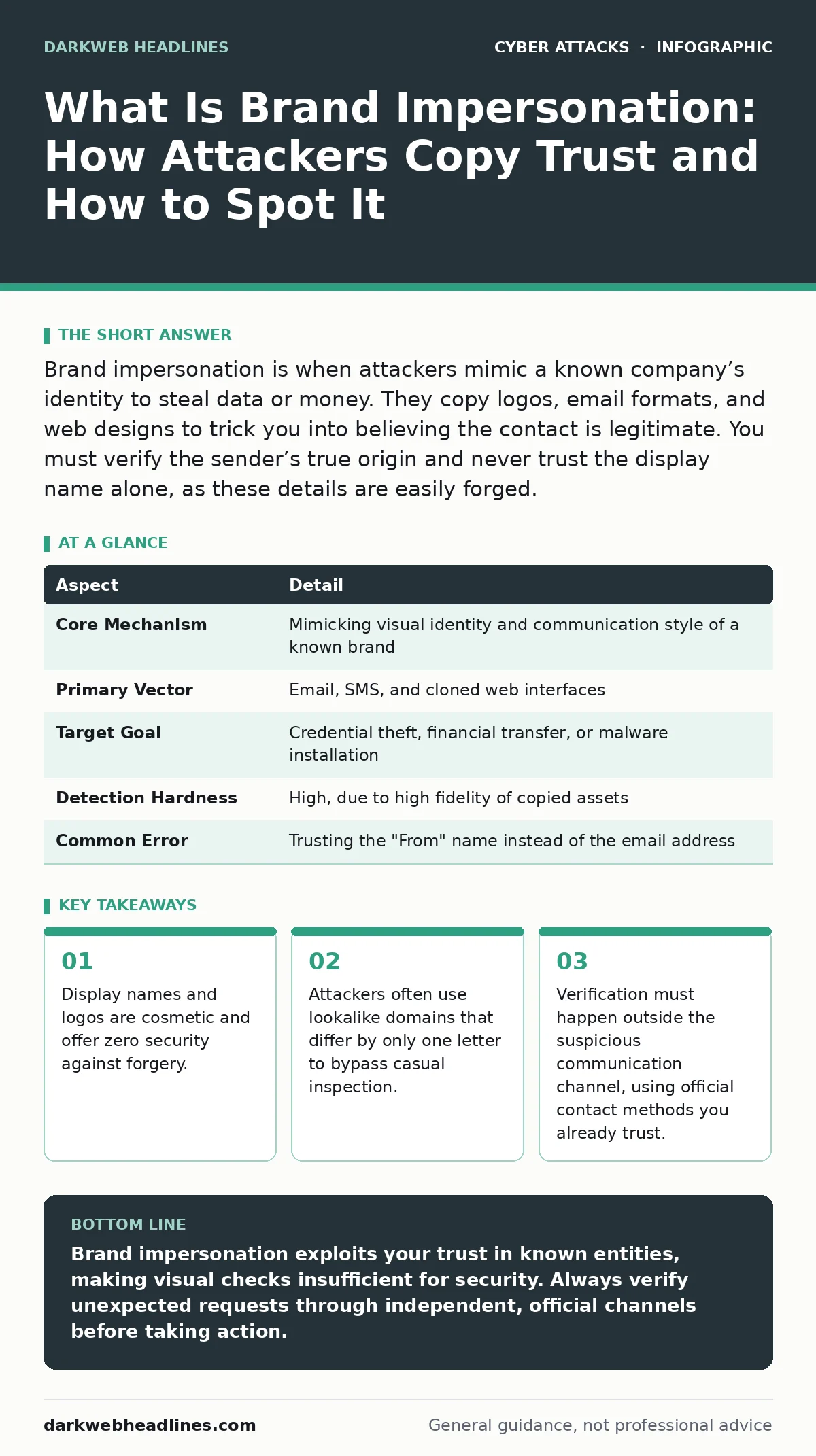
Brand impersonation is when attackers mimic a known company’s identity to steal data or money. They copy logos, email formats, and web designs to trick you into believing the contact is legitimate. You must verify the sender’s true origin and never trust the display name alone, as these details are easily forged.
What Is Brand Impersonation
Brand impersonation is a social engineering attack where an adversary assumes the identity of a trusted organization to deceive a victim. The goal is to make you believe you are interacting with a legitimate entity, such as a bank, cloud provider, or retail store. This deception allows the attacker to bypass your natural skepticism toward unknown senders. You are more likely to click a link or send money if you think the request comes from a company you already use. The attack relies on psychological trust rather than technical exploitation of software vulnerabilities.
| Aspect | Detail |
|---|---|
| Core Mechanism | Mimicking visual identity and communication style of a known brand |
| Primary Vector | Email, SMS, and cloned web interfaces |
| Target Goal | Credential theft, financial transfer, or malware installation |
| Detection Hardness | High, due to high fidelity of copied assets |
| Common Error | Trusting the "From" name instead of the email address |
The success of brand impersonation depends on the attacker’s ability to replicate the brand’s visual language. This includes logos, color schemes, font choices, and even the tone of voice used in customer support. A skilled attacker will study public customer service emails to mimic the phrasing. They do not need to hack the brand’s servers. They only need to convince you that the message is authentic. The brand itself is often unaware that its identity is being used for malicious purposes.
How Brand Impersonation Works
Attackers begin by selecting a high-trust brand that their target interacts with frequently. They then create a digital presence that mirrors this brand. This often involves registering a domain name that is visually similar to the official one. For example, an attacker might register a domain that differs by a single character or uses a different top-level domain extension. They then host a webpage that looks identical to the brand’s login page or support portal.
The attacker sends a message that appears to come from the brand. The message usually creates a sense of urgency, such as a suspended account or an unpaid invoice. This urgency is designed to reduce the time you spend thinking critically about the request. The message contains a link to the cloned webpage or an attachment. When you click the link, you are directed to the attacker’s site, not the real one. The attacker may also use angler phishing techniques, where they respond to legitimate customer support threads with fake advice.
Imagine you receive an email from your cloud storage provider. The email warns that your account will be deleted in 24 hours due to inactivity. The email uses the provider’s exact logo and color scheme. The link in the email looks correct at first glance. However, if you hover over the link, the actual URL leads to a different domain. This is the core of the impersonation: the surface appears real, but the destination is hostile.
Who It Affects and Why It Succeeds
Brand impersonation affects anyone who uses digital services for business or personal finance. It is not limited to large corporations. Individual users are frequent targets because they often handle sensitive data and financial transactions. The attack succeeds because humans are pattern matchers. You have seen the brand’s logo and interface hundreds of times. Your brain recognizes the pattern and signals safety. The attacker exploits this cognitive shortcut.
Technical users are not immune. Even those who check email headers may miss subtle discrepancies in domain names. The attack shifts the burden of verification to the victim. The victim must act as a forensic analyst in seconds. Most people do not have the training or the time to perform this analysis. The attacker also benefits from the fact that many organizations do not enforce strict authentication standards for their outgoing mail. This lack of enforcement allows spoofed messages to reach your inbox.
What People Usually Get Wrong
Many users believe that seeing a lock icon in the browser means the site is safe. This is a common misconception. The lock icon only indicates that the connection between your browser and the server is encrypted. It does not verify the identity of the server. An attacker can easily obtain an SSL certificate for their fake domain. The connection will be encrypted, and the lock will appear green, even though you are sending your password to a thief.
Another error is trusting the "From" name in an email client. The display name is a simple text field that can be set to anything. An attacker can set the display name to "Microsoft Support" while sending the email from a personal Gmail account. You must look at the actual email address, not the name. Even the email address can be spoofed, which is why relying on it alone is insufficient. You need a way to verify the sender’s true origin.
How to Detect and Respond
Detection requires looking beyond the surface. You should examine the domain name closely. Look for subtle misspellings or unusual extensions. If the brand uses ".com", be wary of ".net" or ".org" variants unless you know the brand uses them. Check the URL in your browser’s address bar, not the link text. Hover over links before clicking to see the true destination.
When in doubt, do not use the contact information provided in the suspicious message. Instead, open a new browser window and navigate to the brand’s official website manually. Use the contact form or phone number listed there to verify the request. If you have already entered credentials, change them immediately on the official site. Enable multi-factor authentication if you have not already. This adds a layer of security that prevents attackers from accessing your account even with your password.
See also: Typosquatting Explained: How Misspelled Domains Steal Your Data
Technical Defenses and Standards
Organizations can reduce brand impersonation by implementing email authentication protocols. DMARC (Domain-based Message Authentication, Reporting, and Conformance) is a standard that allows domain owners to specify how receivers should handle unauthenticated mail. When properly configured, DMARC can reject emails that claim to come from a domain but fail authentication checks. This stops many spoofed emails from reaching your inbox.
Individuals can use tools like passkeys to reduce reliance on passwords. Passkeys are cryptographic credentials stored on your device. They are resistant to phishing because they are bound to the specific domain you are logging into. An attacker’s fake site cannot trick your device into releasing the passkey for the real site. This eliminates the risk of credential theft via cloned login pages.
Why Verification Matters More Than Filters
Email filters and spam blockers are useful, but they are not perfect. Attackers constantly adapt their techniques to bypass these filters. They may use new domains, change their wording, or target specific individuals to avoid triggering automated defenses. Human verification remains the last line of defense. You must cultivate a habit of skepticism. Question unexpected requests, even if they look authentic.
Verification is not just about checking links. It is about confirming the intent. If a request seems unusual, take a moment to verify it through a separate channel. This might mean calling the company using a number you found on their official website, not the one in the email. It might mean asking a colleague if they received a similar request. This extra step breaks the attacker’s chain of deception.
Key takeaways
- Display names and logos are cosmetic and offer zero security against forgery.
- Attackers often use lookalike domains that differ by only one letter to bypass casual inspection.
- Verification must happen outside the suspicious communication channel, using official contact methods you already trust.
Brand impersonation exploits your trust in known entities, making visual checks insufficient for security. Always verify unexpected requests through independent, official channels before taking action.
Frequently asked questions
Can I trust an email from a known brand if it has the correct logo?
No, logos are easily copied. Attackers often use high-resolution images of official logos to make their emails look authentic. You must verify the sender’s identity through other means.
Does using a password manager stop brand impersonation?
Password managers can help by not auto-filling credentials on unrecognized domains. However, they do not prevent you from clicking malicious links or being tricked by sophisticated phishing pages.
How do I report a brand impersonation attempt?
Forward the suspicious email to the brand’s official abuse or security contact. You can also report it to your email provider and relevant cybersecurity authorities. This helps them improve their filters and take down fake domains.
Is deepfake technology used in brand impersonation?
Yes, **deepfake scams** are an emerging form of brand impersonation. Attackers use AI to create fake audio or video of executives or support staff. This makes the impersonation even more convincing and harder to detect.
How this guide was produced: written by the DarkWeb Headlines editorial team with AI assistance, checked against the public references listed below, and reviewed when the facts change. See our editorial policy or report an error.