PowerShell Abuse Risks and Protection for Small Businesses
Attackers use built-in command shells to bypass security tools, making configuration harder than software updates for small teams.
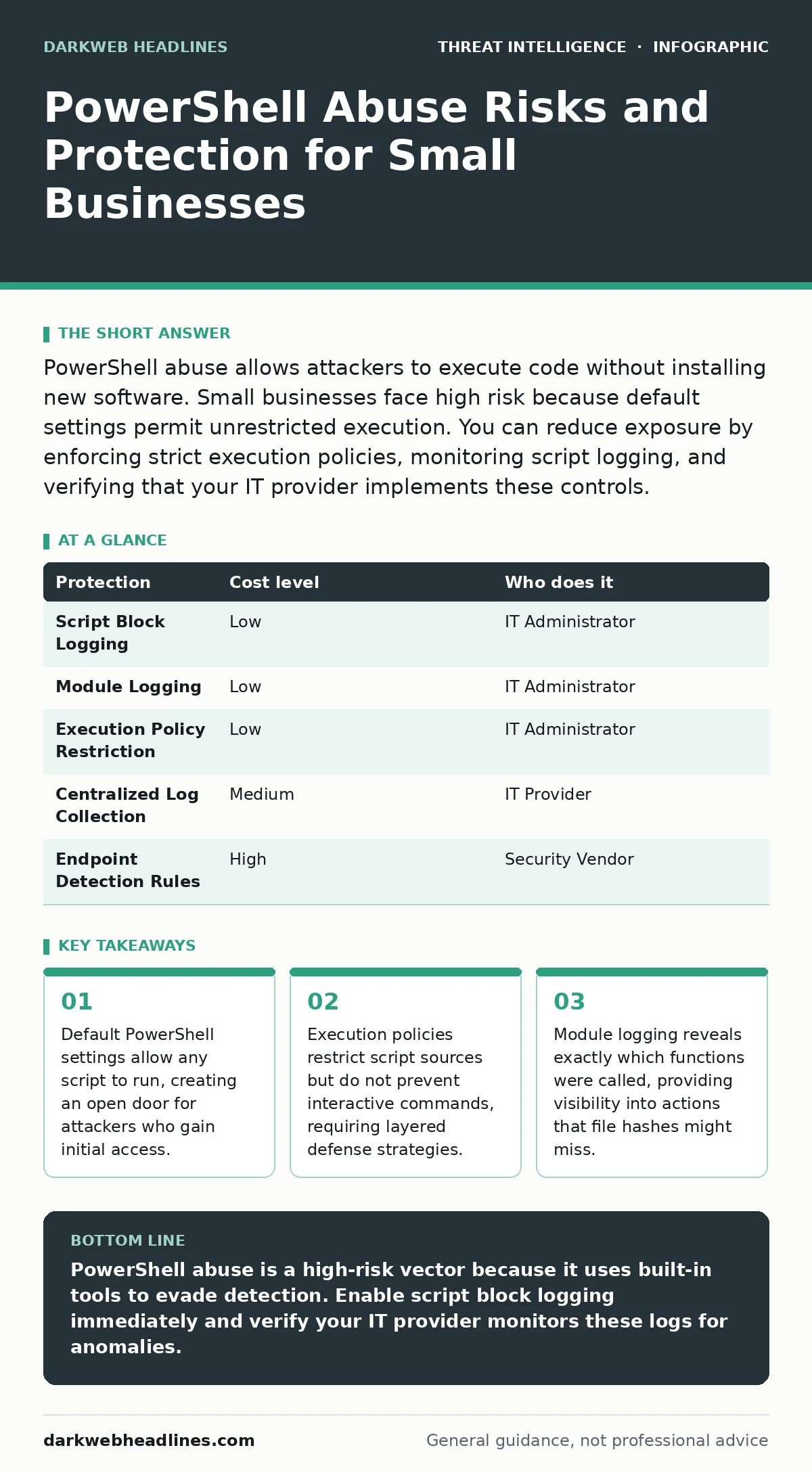
PowerShell abuse allows attackers to execute code without installing new software. Small businesses face high risk because default settings permit unrestricted execution. You can reduce exposure by enforcing strict execution policies, monitoring script logging, and verifying that your IT provider implements these controls.
The Built-In Weapon
PowerShell is a task automation framework and scripting language included with Windows. It allows administrators to manage operating system components through cmdlets, which are lightweight commands. Because it ships with every modern Windows installation, it is present on nearly every computer in your network. Attackers recognize this ubiquity. They prefer using existing tools over downloading separate malware. This approach is known as living off the land. It reduces the chance of detection because security tools often ignore legitimate system utilities.
When an attacker uses PowerShell, they avoid creating new file artifacts. Traditional antivirus solutions look for known malicious file signatures. If the code runs directly in memory and then disappears, those signatures are useless. The attacker achieves the same result as a downloaded virus but leaves fewer traces. This makes the attack harder to detect and harder to attribute. You must treat the shell itself as a potential attack vector, not just a management tool.
Why Small Organizations Are Exposed
Small organizations often lack dedicated security engineers. They rely on default configurations to keep systems running smoothly. By default, PowerShell allows scripts to run from any source. This convenience helps administrators but harms security. Attackers exploit this permissiveness. They send a simple script that connects to a command and control server. The script runs because the system permits it.
Another factor is visibility. Many small businesses do not collect detailed logs from their endpoints. They may record whether a program started, but not what that program did. PowerShell can perform complex actions with a single command. Without detailed logging, you cannot see the specific actions taken. You only know that PowerShell was active. This blind spot allows attackers to move laterally across your network undetected. They can search for sensitive files or extract credentials without triggering alarms.
The Mechanics of Abuse
Attackers often use obfuscation to hide their intent. They encode commands in Base64, a format that converts binary data into text. The PowerShell interpreter decodes this text and executes it. To a human reader, the command looks like random characters. To the system, it is a valid instruction. This technique bypasses simple text-based filters that look for known malicious keywords.
They also use remote signing. This allows a script to run if it contains a digital signature from a trusted publisher, even if the rest of the script is unsigned. Attackers can inject malicious code into a signed script. The system trusts the signature and runs the injected code. This abuses the trust relationship between the publisher and the operating system. Understanding these mechanics helps you choose the right defenses. You need controls that look at behavior, not just file signatures.
Low-Cost Protections
You can implement several protections without buying expensive software. The first step is enabling script block logging. This feature records the content of every script that runs. It captures the code before obfuscation is applied in some cases. It provides a clear view of what the attacker attempted to do. You must configure this via Group Policy or registry settings.
The second step is module logging. This records which PowerShell modules were loaded and which cmdlets were called. It helps you identify when an attacker uses specific functions for malicious purposes. For example, if a user account suddenly calls functions related to memory manipulation, that is suspicious. These logs are detailed and can be large. You need a system to store and analyze them.
| Protection | Cost level | Who does it |
|---|---|---|
| Script Block Logging | Low | IT Administrator |
| Module Logging | Low | IT Administrator |
| Execution Policy Restriction | Low | IT Administrator |
| Centralized Log Collection | Medium | IT Provider |
| Endpoint Detection Rules | High | Security Vendor |
What to Ask an IT Provider
If you outsource your IT, you must verify that they understand PowerShell abuse. Many providers focus on keeping systems online. They may not prioritize security configurations. You need to ask specific questions to ensure they are protecting you. Do not accept vague answers about "general security."
- Do you enable script block logging on all managed endpoints?
- How do you store and analyze these logs for anomalies?
- What is your process for responding to suspicious PowerShell activity?
- Do you restrict PowerShell execution to approved scripts only?
- How do you handle base64 encoded commands in your monitoring?
You should also ask about their integration with broader security practices. PowerShell abuse often connects to other threats. For example, an attacker might use PowerShell to perform credential dumping after gaining initial access. They extract passwords from memory to move to other systems. Your provider should have procedures to detect and stop this chain of events. They should also understand how to use threat intelligence feeds to identify known malicious scripts. This helps them block attacks before they cause damage.
See also: Secure Email Gateways for Small Teams: Architecture and Costs · Cloud Metadata Service Attacks: Risks and Protection for Small Businesses
The Hidden Cost of Visibility
Enabling detailed logging creates a new challenge: data volume. Script block logs can grow rapidly. If you do not have a plan to manage this data, it becomes useless. You cannot search through terabytes of logs manually. You need a system for log management that can index and query this data efficiently. This often requires a centralized server or a cloud service.
The cost is not just financial. It is operational. Your IT team must spend time tuning the logging rules. They must distinguish between normal administrative tasks and malicious activity. False positives can lead to alert fatigue. If you receive too many warnings, you may ignore them. This defeats the purpose of the monitoring. You must balance visibility with manageability. Start with critical systems and expand gradually.
Beyond Basic Controls
As you mature your security posture, you need to integrate PowerShell monitoring into your broader strategy. This involves creating SOC playbooks that define exactly what to do when suspicious activity is detected. These playbooks should include steps for isolating the affected machine and analyzing the script. They should also include steps for preserving evidence for forensic analysis.
You can also use operational threat intelligence to enhance your detection. This involves sharing information about recent attacks with other organizations. If a new obfuscation technique emerges, you can update your detection rules quickly. This proactive approach helps you stay ahead of attackers. It transforms your security from reactive to predictive.
The Path Forward
Protecting against PowerShell abuse requires a shift in mindset. You must assume that attackers will use built-in tools. You must monitor these tools as closely as you monitor external threats. This requires detailed logging, careful analysis, and clear procedures. It is not a one-time fix. It is an ongoing process.
Start by enabling script block logging. Review the data to understand your baseline. Then, work with your IT provider to implement stricter controls. Ask the right questions to ensure they are monitoring for abuse. By taking these steps, you reduce your risk significantly. You make it harder for attackers to operate silently within your network.
You should also consider how this fits into your overall security metrics. Tracking the volume and type of PowerShell events can help you measure your security posture over time. This data can help you justify further investments in security. It provides concrete evidence of the risks you face and the steps you are taking to mitigate them.
Key takeaways
- Default PowerShell settings allow any script to run, creating an open door for attackers who gain initial access.
- Execution policies restrict script sources but do not prevent interactive commands, requiring layered defense strategies.
- Module logging reveals exactly which functions were called, providing visibility into actions that file hashes might miss.
PowerShell abuse is a high-risk vector because it uses built-in tools to evade detection. Enable script block logging immediately and verify your IT provider monitors these logs for anomalies.
Frequently asked questions
Can I just disable PowerShell to stop abuse?
Disabling PowerShell breaks many administrative functions and is not recommended. It is better to restrict execution and monitor activity instead.
Do I need expensive software to monitor PowerShell?
No. Windows includes built-in logging features. You need a way to collect and analyze the logs, which can be done with open-source tools or cloud services.
How do I know if my logs are being tampered with?
Send logs to a centralized server or cloud storage immediately. This prevents attackers from deleting local logs to cover their tracks.
What is the difference between script block and module logging?
Script block logging records the actual code executed. Module logging records which built-in functions were called. Both provide different but complementary views of activity.
How this guide was produced: written by the DarkWeb Headlines editorial team with AI assistance, checked against the public references listed below, and reviewed when the facts change. See our editorial policy or report an error.