Principle of Least Privilege: Meaning, Definition, and Practical Application
Restricting access rights to the minimum necessary reduces attack surface and limits the damage from compromised accounts.

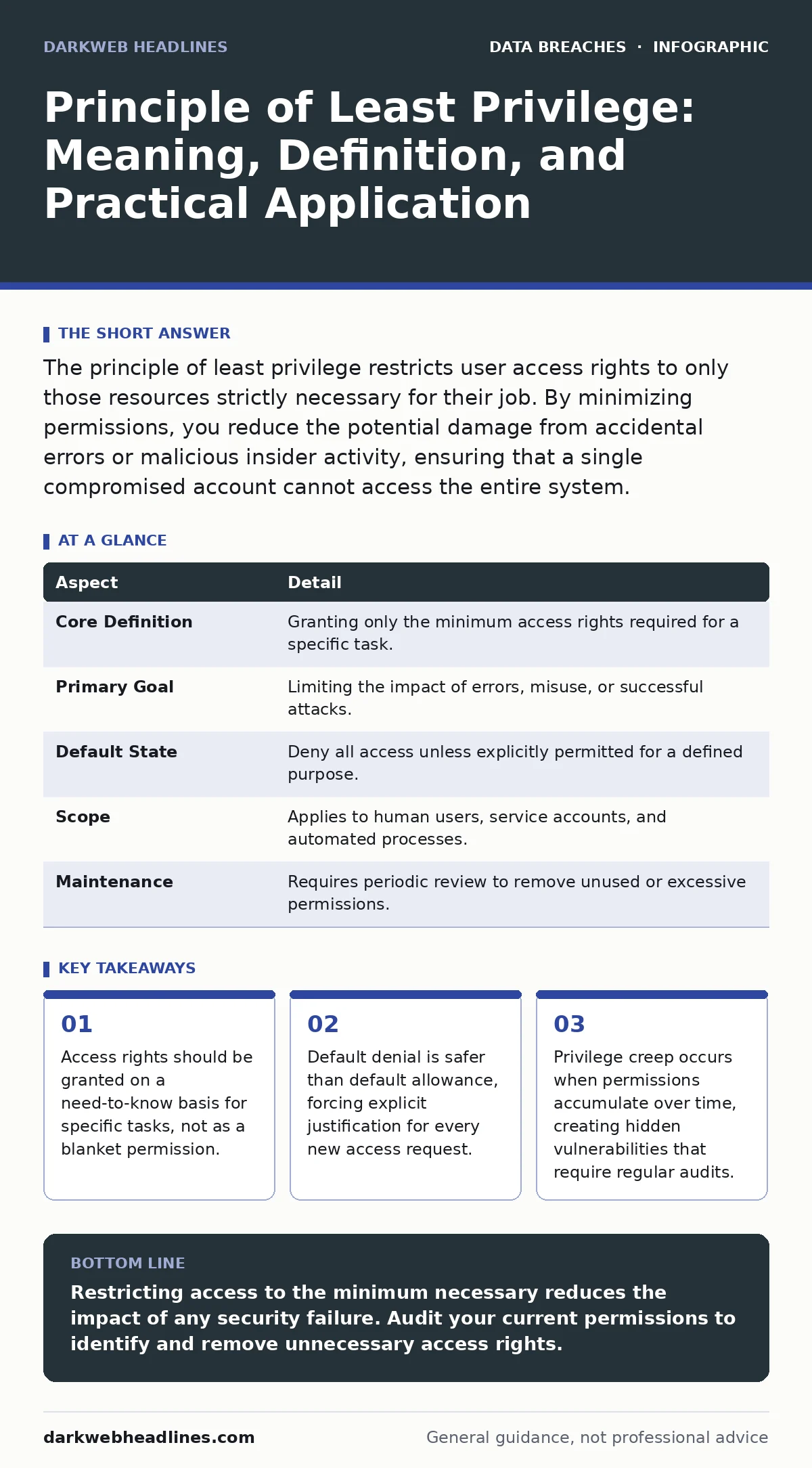
The principle of least privilege restricts user access rights to only those resources strictly necessary for their job. By minimizing permissions, you reduce the potential damage from accidental errors or malicious insider activity, ensuring that a single compromised account cannot access the entire system.
The Logic of Locked Doors
Imagine a hotel where every guest receives a master key that opens every room, the staff offices, and the boiler room. If a guest loses their key, the entire property is at risk. Now imagine a hotel where each guest receives only a key for their specific room. If that key is lost, only that room is vulnerable. The rest of the hotel remains secure. This is the core intuition behind the principle of least privilege.
In cybersecurity, this concept dictates that users, processes, and programs should only have the minimum level of access necessary to perform their intended function. It is not about restricting users for the sake of control. It is about limiting the blast radius when something goes wrong. If an account is compromised, the attacker can only do what that account was already allowed to do.
Origins in System Design
This concept did not emerge from modern threat hunting. It originated in the design of early operating systems and military command structures. Engineers realized that granting broad permissions created unpredictable failures. If a simple text editor could write to the system kernel, a bug in the editor could crash the entire machine.
By separating duties and restricting write access, systems became more stable. Security was a side effect of stability. Today, this engineering discipline is a primary defense against external attackers. It forces them to work harder to move laterally through a network.
| Aspect | Detail |
|---|---|
| Core Definition | Granting only the minimum access rights required for a specific task. |
| Primary Goal | Limiting the impact of errors, misuse, or successful attacks. |
| Default State | Deny all access unless explicitly permitted for a defined purpose. |
| Scope | Applies to human users, service accounts, and automated processes. |
| Maintenance | Requires periodic review to remove unused or excessive permissions. |
Daily Implementation Mechanics
You apply this principle every time you create a user account. Instead of assigning an administrative role to a new employee, you assign them to a group that matches their job description. A marketing analyst needs access to the campaign database. They do not need access to the financial ledger or the server configuration files.
Role-based access control (RBAC) is the standard method for implementing this. You define roles, such as "Editor," "Viewer," or "Admin." You assign permissions to the role, not the individual. When a person changes jobs, you simply change their role assignment. This reduces the administrative overhead of managing individual permissions.
Service accounts require the same scrutiny. These are accounts used by software to interact with other systems. A database backup script does not need to be able to delete user accounts. It only needs read access to the data and write access to the backup storage. If an attacker compromises the script, they cannot escalate their privileges to delete data.
The Hidden Cost of Convenience
The main barrier to least privilege is friction. Users resist restrictions because they slow down their work. If an employee needs to install software, and they do not have administrative rights, they must submit a ticket and wait for IT. This creates a bottleneck.
Many organizations respond by granting temporary administrative rights or creating "power user" accounts. This defeats the purpose. The convenience of immediate access is traded for a larger attack surface. You must design workflows that allow for efficient work without requiring elevated privileges. Self-service portals for common tasks can help.
Another hidden cost is the complexity of management. Defining precise roles for every job function is difficult. It requires a deep understanding of how work is actually performed, not just how it is described in a job posting. This initial mapping effort is significant but pays off in reduced incident response times.
Common Misconceptions and Failures
People often confuse least privilege with single sign-on (SSO). SSO is a convenience feature that allows users to access multiple systems with one set of credentials. It does not dictate what those credentials can do. You can have SSO with strict least privilege, or SSO with broad, dangerous permissions.
Another common error is assuming that internal users are trusted. The principle applies to insiders just as much as outsiders. An employee acting with good intentions can cause catastrophic damage if they have excessive rights. A developer might accidentally delete a production database because their development account had write access to the live environment.
See also: Authorization Bypass Vulnerabilities Explained for Beginners · Identity Sprawl: Definition, Hidden Risks, and Control Strategies
Identifying Privilege Creep
Privilege creep is the gradual accumulation of access rights. It happens when permissions are added but never removed. An employee moves from marketing to sales. Their marketing access remains active. They now have access to two departments. Over years, this account may have access to half the organization.
This is dangerous because the account appears legitimate. Security tools may not flag it because the user is active and authenticated. The permissions look normal in isolation. Only a holistic view reveals the excessive scope.
Regular access reviews are the only cure. You must periodically ask users and their managers to confirm that each permission is still necessary. If it is not, it should be revoked. This process is tedious but necessary. Without it, your security policy becomes a historical artifact rather than a current defense.
Automating Enforcement
Manual enforcement of least privilege does not scale. As organizations grow, the number of accounts and permissions grows exponentially. Humans make mistakes in granting and revoking access. Automation reduces these errors.
Identity and Access Management (IAM) systems can enforce policies automatically. They can revoke access when an employee leaves. They can grant temporary access for specific tasks and then remove it. Just-in-time access is a powerful variation. Users request elevated rights for a specific window of time. Once the task is complete, the rights are automatically removed.
This approach eliminates the problem of dormant privileges. The account only has the power it needs, for the time it needs it. It aligns security with operational reality.
Testing Your Defenses
You cannot know if least privilege is working unless you test it. Assume that an attacker has compromised a low-level account. Can they move to a higher-level account? Can they access sensitive data? These are the questions you must answer.
Red team exercises simulate this scenario. They attempt to exploit the permissions you have granted. If they succeed, your least privilege policy has gaps. You must tighten the controls. If they fail, you have validated your defense. This continuous testing ensures that your policies remain effective against evolving tactics.
Key takeaways
- Access rights should be granted on a need-to-know basis for specific tasks, not as a blanket permission.
- Default denial is safer than default allowance, forcing explicit justification for every new access request.
- Privilege creep occurs when permissions accumulate over time, creating hidden vulnerabilities that require regular audits.
Restricting access to the minimum necessary reduces the impact of any security failure. Audit your current permissions to identify and remove unnecessary access rights.
Frequently asked questions
Does least privilege affect system performance?
No, restricting permissions does not impact hardware performance. It may slightly increase administrative overhead during setup, but it reduces the time spent responding to security incidents.
How do I handle emergency access needs?
Use a break-glass account or a just-in-time access system. This provides temporary elevated rights for specific emergencies, with strict logging and automatic expiration.
Is least privilege the same as multi-factor authentication?
No. Multi-factor authentication verifies identity. Least privilege limits what that identity can do. They are complementary controls that serve different purposes.
How often should I review user permissions?
Reviews should occur regularly, such as quarterly or annually, and whenever an employee changes roles or leaves the organization.
How this guide was produced: written by the DarkWeb Headlines editorial team with AI assistance, checked against the public references listed below, and reviewed when the facts change. See our editorial policy or report an error.