Exposed Docker APIs: The Attack Chain and How to Break It
An unauthenticated Docker API endpoint grants full host control, allowing an attacker to escape container isolation and compromise the underlying infrastructure without exploiting application code.

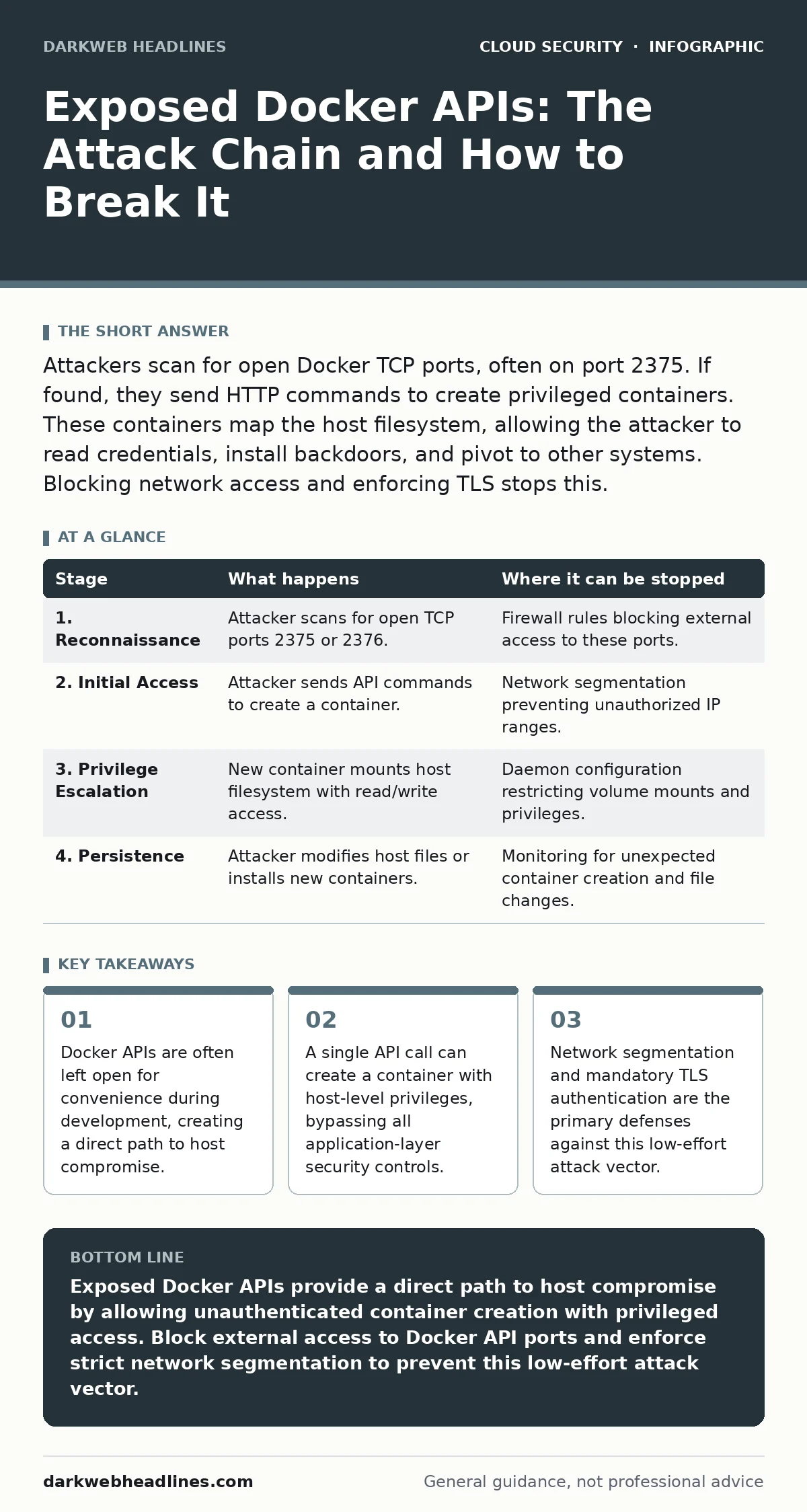
Attackers scan for open Docker TCP ports, often on port 2375. If found, they send HTTP commands to create privileged containers. These containers map the host filesystem, allowing the attacker to read credentials, install backdoors, and pivot to other systems. Blocking network access and enforcing TLS stops this.
The Convenience Trap
Docker is designed to be developer-friendly, which often means reducing friction in configuration. The Docker daemon exposes a remote API that allows scripts and tools to manage containers. By default, this API listens on a Unix socket accessible only to the local user. However, many administrators configure the daemon to listen on a TCP port. This enables remote management but introduces a severe risk if the port is exposed to the internet or a broad network segment.
The danger lies in the default authentication model. The Docker API does not require authentication by default. If the port is reachable, any entity on the network can send commands. This is not a bug in the application code; it is a misconfiguration of the infrastructure layer. The attacker does not need to find a vulnerability in your web server or database. They only need to find the open port.
### Stage 1: Reconnaissance and Port Scanning
The attack begins with discovery. Automated bots constantly scan the internet for common service ports. Port 2375 is the standard unencrypted Docker API port. Port 2376 is the TLS-encrypted variant. Scanners look for open ports that respond to specific HTTP requests. They are not looking for websites. They are looking for API endpoints that return JSON data about the Docker host.
Imagine a scanner sends a simple GET request to /info on a suspected port. If the server responds with system information, the scanner marks the target as vulnerable. This step requires no credentials. It relies entirely on the port being open and the daemon accepting connections from that source IP. This is where the first line of defense should operate.
| Stage | What happens | Where it can be stopped |
|---|---|---|
| 1. Reconnaissance | Attacker scans for open TCP ports 2375 or 2376. | Firewall rules blocking external access to these ports. |
| 2. Initial Access | Attacker sends API commands to create a container. | Network segmentation preventing unauthorized IP ranges. |
| 3. Privilege Escalation | New container mounts host filesystem with read/write access. | Daemon configuration restricting volume mounts and privileges. |
| 4. Persistence | Attacker modifies host files or installs new containers. | Monitoring for unexpected container creation and file changes. |
### Stage 2: Initial Access via API Command
Once the port is identified, the attacker sends a POST request to the /containers/create endpoint. This command instructs the Docker daemon to create a new container. The attacker specifies the image to use, often a minimal Linux distribution. They also define the entry point command. This is the moment the attacker gains a foothold. They do not need to exploit a software flaw. They are simply using the intended functionality of the Docker API.
The attacker often requests a privileged container. By setting the Privileged flag to true, the container gains access to all devices on the host. It can also bypass AppArmor or SELinux restrictions. This step is silent. It does not trigger web application firewalls because it is not an HTTP application attack. It is a direct management command. The daemon executes it as if the local administrator typed it.
### Stage 3: Privilege Escalation and Host Access
The created container starts with a shell. The attacker now needs to access the host operating system. They do this by mounting the host filesystem into the container. In the API command, they can specify a volume mount that maps the host root directory / to a directory inside the container, such as /host. This gives the container read and write access to every file on the server.
This is the critical pivot point. The container is no longer isolated. It is a backdoor into the host. The attacker can now read the Docker daemon socket from inside the container, ensuring persistent access even if the original container is stopped. They can also read SSH keys, cloud provider credentials, and other secrets stored on the host. This bypasses the principle of least privilege entirely. The container has the same power as the root user on the host.
### Stage 4: Persistence and Lateral Movement
With host access, the attacker installs persistence mechanisms. They might create a new user account on the host or add their SSH key to the root user's authorized keys file. They can also start new containers that act as command-and-control agents. These containers are harder to detect because they look like legitimate Docker workloads.
The attacker may also scan for other services on the local network. Since the host is compromised, the attacker can use it as a pivot point to attack other systems. They can exploit internal trust relationships. This is where identity and access management failures compound the damage. If the host has credentials for other cloud services, those services are now at risk. The initial breach of the Docker API becomes a gateway to the entire environment.
See also: Prevent Exposed Kubernetes Dashboards: A Security Checklist
### Stage 5: Covering Tracks
Advanced attackers know they will be detected eventually. They attempt to clear logs. The Docker daemon logs API calls. The attacker can send commands to rotate or delete these logs. They may also stop and remove their own containers to hide the evidence. However, the damage is often done before cleanup. The host filesystem was accessible. Files were read or modified.
This stage highlights the need for centralized logging. If the Docker host logs are sent to a remote, immutable storage system, the attacker cannot delete them. This is a key component of cloud detection and response. Without external logging, the attacker controls the evidence. You are fighting blind. The ability to reconstruct the timeline of events depends on data that the attacker cannot reach.
Breaking the Chain
The attack chain is linear and relies on specific misconfigurations. You can interrupt it at several points. The most effective point is Stage 1. Blocking external access to Docker API ports prevents the attack entirely. This is a network configuration task. Use firewall rules to restrict access to trusted IP addresses only. Do not expose these ports to the public internet.
If network access is unavoidable, enforce TLS and mutual authentication. This requires configuring the Docker daemon to require client certificates. This adds a layer of identity verification. However, this is complex to manage. A simpler approach is to disable the remote API entirely if it is not needed. Many production environments do not require remote API access. They can use SSH or local sockets for management.
Another interruption point is Stage 3. You can restrict the Docker daemon's ability to mount host directories. This prevents the privilege escalation step. However, this may break legitimate applications that require host access. You must balance security with functionality. This is a core challenge in cloud security assessments. You must identify which services truly need host access and restrict the rest.
The Hidden Cost of Misconfiguration
The real cost of an exposed Docker API is not just the immediate breach. It is the loss of trust in the environment. When a host is compromised, you cannot assume any data on it is safe. You must rebuild the instance. This causes downtime and operational disruption. It also reveals that your deployment processes allow dangerous configurations to reach production.
This often happens due to orphaned cloud resources. Development environments are spun up with open APIs for testing. They are forgotten after the project ends. They remain running, exposed, and vulnerable. Regular cleanup processes are necessary to remove these resources. You must treat every instance as a potential entry point. The convenience of open APIs during development becomes a liability in production.
Integrating with Broader Security
This specific vulnerability interacts with other security domains. If the compromised host holds credentials, it leads to SaaS data exposure. The attacker uses the host to access protected data. If the host is part of a larger identity fabric, it can lead to identity sprawl issues where the attacker moves laterally using compromised tokens.
You must view Docker security as part of the whole. Public code repository leaks can expose API tokens that allow attackers to manage your Docker instances remotely. OAuth token abuse can occur if the attacker steals tokens from the compromised host. Each layer of security depends on the others. A breach in one area weakens the entire system.
The bottom line is that convenience must not override security. The Docker API is powerful. It should be treated with the same caution as root access. Restrict its exposure. Monitor its usage. Assume that any open port is a target. By understanding the attack chain, you can identify the weak points in your own infrastructure and strengthen them before an attacker finds them.
Key takeaways
- Docker APIs are often left open for convenience during development, creating a direct path to host compromise.
- A single API call can create a container with host-level privileges, bypassing all application-layer security controls.
- Network segmentation and mandatory TLS authentication are the primary defenses against this low-effort attack vector.
Exposed Docker APIs provide a direct path to host compromise by allowing unauthenticated container creation with privileged access. Block external access to Docker API ports and enforce strict network segmentation to prevent this low-effort attack vector.
Frequently asked questions
Is port 2376 safe from this attack?
Port 2376 is only safe if mutual TLS authentication is correctly configured. If TLS is disabled or certificates are not validated, it is as vulnerable as port 2375.
Can I use a firewall to protect the Docker API?
Yes, a firewall that blocks all incoming traffic to ports 2375 and 2376 from untrusted networks is the most effective defense. Only allow access from specific, trusted management IPs.
Do I need to disable the Docker API entirely?
If you do not use remote management tools, you should disable the TCP listener entirely. Use local Unix sockets for management to eliminate the risk of network-based attacks.
How do I check if my Docker API is exposed?
You can use network scanning tools to check if ports 2375 or 2376 are open. You can also review your Docker daemon configuration file to see if it is listening on a TCP address.
How this guide was produced: written by the DarkWeb Headlines editorial team with AI assistance, checked against the public references listed below, and reviewed when the facts change. See our editorial policy or report an error.