7 Mistakes That Enable Defense Evasion in Your Environment
Most defense evasion succeeds because defenders assume standard logging captures all execution context, leaving process injection and credential dumping invisible.

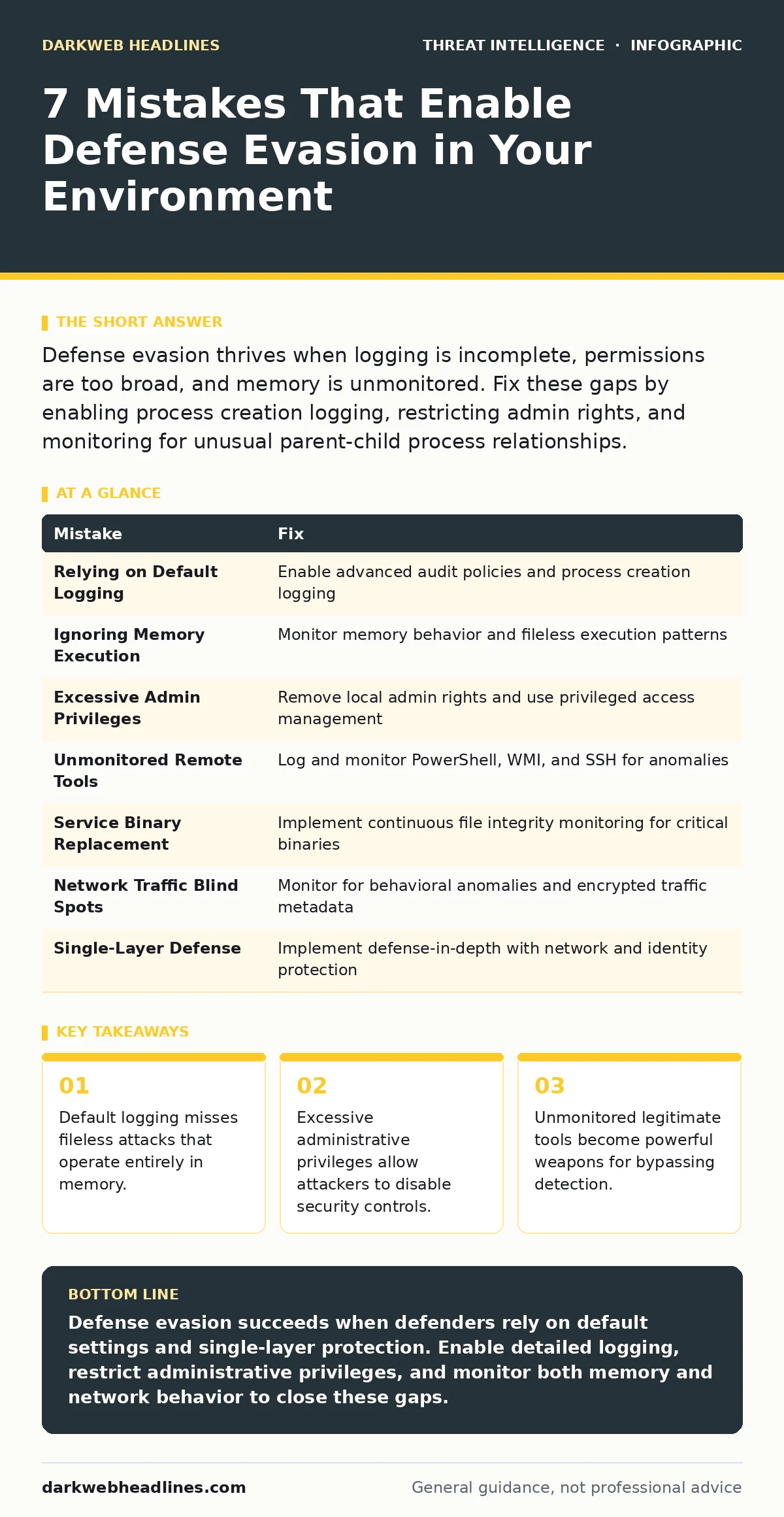
Defense evasion thrives when logging is incomplete, permissions are too broad, and memory is unmonitored. Fix these gaps by enabling process creation logging, restricting admin rights, and monitoring for unusual parent-child process relationships.
Mistake 1: Relying on Default Logging Configurations
Default operating system logging captures basic events but misses the granular details required to detect sophisticated evasion. Attackers exploit this gap by using techniques that leave minimal traces on disk or in standard event logs. You assume visibility because logs exist, but the data lacks the context needed to identify malicious behavior. This blind spot allows threat actors to operate undetected for long periods.
Why it hurts:
Attackers use living-off-the-land binaries that are signed by the vendor. These tools generate normal log entries that blend into background noise. Without detailed audit policies, you cannot distinguish between an administrator running a command and an attacker using the same tool for process injection. The consequence is silent persistence and lateral movement that standard monitors never flag.
The fix:
Enable advanced audit policies that record process creation with command-line arguments. Configure your security information and event management platform to parse these detailed logs. Review your logging coverage against known evasion techniques regularly. Ensure that fileless execution patterns are captured by monitoring memory activity rather than just disk writes.
Mistake 2: Ignoring Memory-Only Execution Patterns
Many modern attacks avoid writing files to disk to bypass traditional antivirus solutions. This technique, known as fileless malware, executes code directly in the system memory. Defenders often focus on file integrity monitoring and signature-based detection, which are useless against code that never touches the hard drive. You miss the attack because there is no file to analyze or quarantine.
Why it hurts:
Memory-resident malware evades detection by standard endpoint protection platforms that rely on file scanning. The attacker achieves defense evasion by keeping the payload ephemeral. Once the system reboots, evidence disappears, making forensic analysis difficult. This leads to repeated infections because the root cause remains hidden in the active memory space of compromised processes.
The fix:
Deploy endpoint detection and response solutions that monitor memory behavior. Look for anomalies in process memory regions, such as unusual allocation sizes or execution permissions on writable memory. Integrate these alerts with your SOC playbooks to ensure rapid investigation. Train analysts to recognize indicators of memory injection rather than just file creation events.
Mistake 3: Granting Excessive Administrative Privileges
Users with local administrator rights can modify security settings, install software, and access sensitive system areas. Attackers target these accounts to disable security controls or install persistent backdoors. You assume that standard users cannot cause significant damage, but a single compromised admin account gives an attacker full control over the endpoint. This violates the principle of least privilege.
Why it hurts:
An attacker with admin rights can stop logging services, disable firewall rules, or uninstall security agents. This creates a secure zone for further exploitation without triggering alerts. The consequence is a complete breakdown of your defense posture on that machine. Credential dumping becomes trivial when the attacker can access the security account manager or other protected memory areas.
The fix:
Remove local administrator rights from standard user accounts. Use privileged access management solutions to grant temporary admin rights only when necessary. Monitor all administrative actions and alert on unexpected changes to security configurations. Regularly audit user permissions to ensure they align with current job responsibilities and security requirements.
Mistake 4: Failing to Monitor Legitimate Remote Management Tools
Systems management tools like PowerShell, WMI, and SSH are essential for IT operations. Attackers reuse these tools for lateral movement and command and control traffic. You configure monitoring for known malware but ignore the legitimate tools because they are necessary for business function. This oversight allows attackers to blend their malicious commands with routine administrative tasks.
Why it hurts:
Legitimate tools are signed and trusted by the operating system, bypassing many application whitelisting controls. Attackers use encoded commands or obfuscated scripts to hide their intent within these tools. The consequence is undetected lateral movement across the network. Your security metrics may show high alert volumes for malware, while the real threat operates silently using approved utilities.
The fix:
Enable detailed logging for all remote management tools. Monitor for unusual execution patterns, such as PowerShell running from unexpected locations or with encoded commands. Implement application control policies that restrict the execution of scripts to approved locations. Analyze command and control traffic patterns to identify beaconing behavior from these legitimate tools.
Mistake 5: Overlooking Service Binary Replacement
Attackers replace legitimate service binaries with malicious versions that look identical but execute harmful code. This technique maintains the appearance of normal system operation while providing persistent access. You check file hashes during initial infection but fail to monitor for changes afterward. The service continues to run, and the file name remains the same, hiding the compromise.
Why it hurts:
Standard integrity monitoring may not detect small changes or replacements if the hash is not tracked continuously. The attacker gains persistence by hijacking a trusted system service. The consequence is a resilient backdoor that survives reboots and standard cleanup procedures. OSINT investigations may reveal similar techniques used by other threat actors, but your internal detection remains blind.
The fix:
Implement continuous file integrity monitoring for all critical system binaries. Alert on any changes to file hashes, timestamps, or digital signatures. Verify the integrity of service binaries during routine maintenance windows. Cross-reference detected changes with known good hashes from your baseline inventory to reduce false positives.
See also: How SOC Playbooks Work: Mechanism, Limits, and Execution · Deep Web Intelligence: Why It Changes Security Decisions
Mistake 6: Neglecting Network Traffic Anomalies
Attackers use encrypted channels or standard protocols to hide their command and control traffic. You monitor for known malicious IP addresses but ignore unusual traffic patterns within allowed protocols. This allows attackers to establish persistent connections without triggering network-based alerts. The traffic looks like normal web browsing or DNS queries to untrained monitors.
Why it hurts:
Encrypted traffic hides the payload content from inspection tools. Attackers use domain generation algorithms or fast-flux networks to change their infrastructure frequently. The consequence is a persistent communication channel that updates malware or exfiltrates data. Your threat intelligence feeds may not contain these new indicators, leaving you exposed to novel evasion tactics.
The fix:
Monitor for behavioral anomalies in network traffic, such as unusual data volumes or connection frequencies. Use machine learning models to detect deviations from baseline network behavior. Inspect encrypted traffic metadata for signs of covert channels. Integrate network monitoring with endpoint data to correlate internal activity with external communications.
Mistake 7: Assuming Endpoint Protection Is Sufficient
Endpoint protection platforms focus on known malware signatures and behavioral heuristics. Attackers use custom tools or living-off-the-land techniques that do not match known patterns. You rely on the endpoint solution to block all threats, ignoring the need for layered defense. This single point of failure allows sophisticated evasion to succeed when the initial detection fails.
Why it hurts:
Custom malware bypasses signature-based detection by design. Behavioral heuristics may miss slow and low attacks that mimic normal user activity. The consequence is a false sense of security while attackers establish persistence. Credential dumping and process injection occur without triggering the endpoint protection alerts, leaving the environment compromised.
The fix:
Implement a defense-in-depth strategy that includes network monitoring, identity protection, and user behavior analytics. Do not rely on a single security control for detection. Regularly test your defenses with simulated attacks to identify gaps. Ensure that your security metrics reflect the effectiveness of each layer, not just the endpoint solution.
| Mistake | Fix |
|---|---|
| Relying on Default Logging | Enable advanced audit policies and process creation logging |
| Ignoring Memory Execution | Monitor memory behavior and fileless execution patterns |
| Excessive Admin Privileges | Remove local admin rights and use privileged access management |
| Unmonitored Remote Tools | Log and monitor PowerShell, WMI, and SSH for anomalies |
| Service Binary Replacement | Implement continuous file integrity monitoring for critical binaries |
| Network Traffic Blind Spots | Monitor for behavioral anomalies and encrypted traffic metadata |
| Single-Layer Defense | Implement defense-in-depth with network and identity protection |
Key takeaways
- Default logging misses fileless attacks that operate entirely in memory.
- Excessive administrative privileges allow attackers to disable security controls.
- Unmonitored legitimate tools become powerful weapons for bypassing detection.
Defense evasion succeeds when defenders rely on default settings and single-layer protection. Enable detailed logging, restrict administrative privileges, and monitor both memory and network behavior to close these gaps.
Frequently asked questions
How do I detect process injection without specialized tools?
Monitor for unusual parent-child process relationships and unexpected command-line arguments in standard system logs.
Can default Windows logs catch fileless malware?
Default logs capture process creation but often miss the memory activity required to detect fileless execution.
Why is command-line logging important for defense evasion?
It reveals the specific arguments passed to legitimate tools, exposing malicious intent hidden within standard utilities.
How often should I review logging configurations?
Review logging configurations quarterly to ensure they capture emerging evasion techniques and align with current threats.
How this guide was produced: written by the DarkWeb Headlines editorial team with AI assistance, checked against the public references listed below, and reviewed when the facts change. See our editorial policy or report an error.