Dynamic Application Security Testing vs SAST: Differences and Workflow
Dynamic testing finds logic flaws that static analysis misses, but it requires a running application and often triggers false positives that demand manual verification by security analysts.

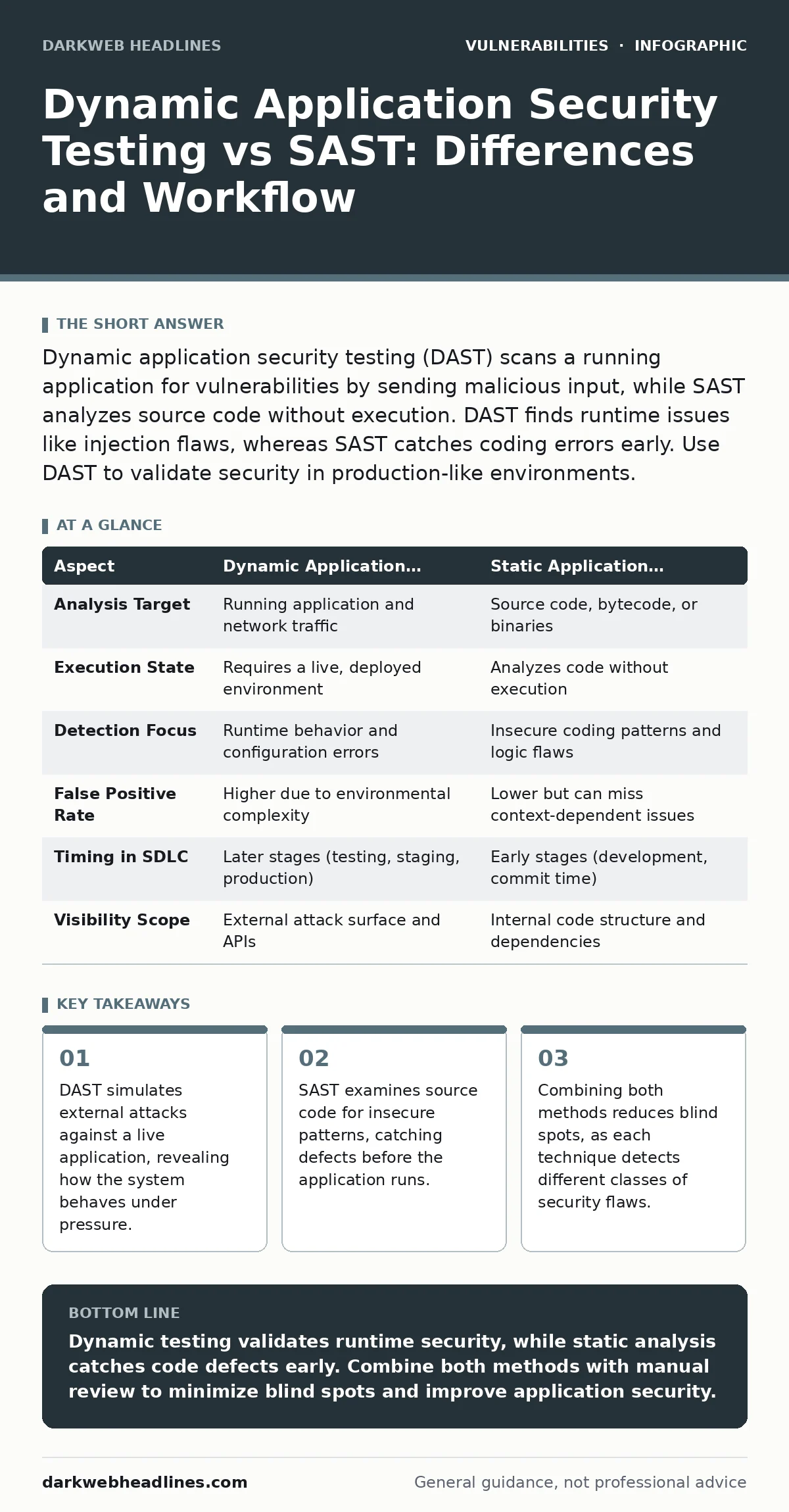
Dynamic application security testing (DAST) scans a running application for vulnerabilities by sending malicious input, while SAST analyzes source code without execution. DAST finds runtime issues like injection flaws, whereas SAST catches coding errors early. Use DAST to validate security in production-like environments.
Understanding Dynamic Application Security Testing and SAST
Dynamic application security testing (DAST) evaluates a running application by sending crafted requests to identify security weaknesses. This black-box approach treats the application as an external target, mimicking the behavior of an attacker. In contrast, static application security testing (SAST) analyzes source code, bytecode, or binary code without executing the program. SAST acts as a white-box method, inspecting the internal logic for known insecure coding patterns. The primary difference lies in the execution state: DAST requires a live environment, while SAST works on code at rest.
People often conflate these methods because both aim to reduce vulnerability exposure. Understanding the distinction helps you allocate resources effectively. You need DAST to verify that security controls function correctly in a deployed environment. You need SAST to catch defects during the development phase when fixes are cheaper. The search query "dynamic application security testing sast" usually stems from a need to decide which tool to deploy or how to integrate both into a vulnerability management programs. Both techniques address different parts of the software development lifecycle.
| Aspect | Dynamic Application Security Testing (DAST) | Static Application Security Testing (SAST) |
|---|---|---|
| Analysis Target | Running application and network traffic | Source code, bytecode, or binaries |
| Execution State | Requires a live, deployed environment | Analyzes code without execution |
| Detection Focus | Runtime behavior and configuration errors | Insecure coding patterns and logic flaws |
| False Positive Rate | Higher due to environmental complexity | Lower but can miss context-dependent issues |
| Timing in SDLC | Later stages (testing, staging, production) | Early stages (development, commit time) |
| Visibility Scope | External attack surface and APIs | Internal code structure and dependencies |
How Dynamic Testing Simulates Real Attacks
DAST tools operate by crawling the application map and injecting payloads into input fields. These payloads include scripts, SQL commands, and other malicious inputs designed to trigger specific vulnerability classes. The tool observes the application’s response, looking for error messages, unexpected data returns, or status code changes. This process mirrors how an attacker probes a system to find entry points. The tool does not need access to the source code, making it ideal for third-party applications or legacy systems where code is unavailable.
The mechanism relies on intercepting traffic between the client and the server. By acting as a man-in-the-middle, the DAST scanner can modify requests before they reach the application and monitor the responses. This allows the scanner to test every endpoint, including those hidden from standard navigation. It can also assess how the application handles authentication tokens, session cookies, and encryption headers. The strength of this approach is its ability to find configuration errors that code analysis might overlook, such as missing security headers or improper server settings.
What Static Analysis Catches That DAST Misses
SAST scans the codebase for patterns that match known insecure practices. It looks for hardcoded credentials, improper input validation, and unsafe function calls. Because SAST has full visibility into the code logic, it can trace how data flows through the application. This capability allows it to identify vulnerabilities that depend on specific code paths or business logic. For example, SAST can detect a condition where an admin check is bypassed under certain complex scenarios, which a runtime scanner might never trigger.
DAST often fails to find these deep logic flaws because it cannot execute every possible code path. A DAST scanner is limited by the inputs it can generate and the time it has to crawl the application. If a vulnerability requires a specific sequence of actions or a particular user state, the scanner may skip it entirely. SAST fills this gap by analyzing the entire code structure, regardless of whether the code is reachable during normal operation. This makes SAST indispensable for finding subtle defects in authentication and authorization logic.
Common Misconceptions About Testing Coverage
Many teams assume that running both DAST and SAST provides complete coverage. This belief is dangerous because it ignores the limitations of each method. DAST cannot detect vulnerabilities that require specific user interactions or multi-step workflows. SAST cannot find issues that arise from environmental configurations or runtime dependencies. Neither method can assess the security of business logic that depends on complex state changes. Relying solely on automated tools leaves significant gaps in your security posture.
Another common mistake is treating false positives as noise rather than data. High false positive rates in DAST often indicate that the scanner lacks context about the application’s expected behavior. Instead of ignoring these alerts, you should use them to refine your testing scope. Similarly, SAST may flag secure code if the tool does not understand custom security frameworks. Manual review is necessary to distinguish between actual vulnerabilities and benign code patterns. Automated tools are aids, not replacements, for human expertise.
Integrating Testing into Development Workflows
Successful security testing requires integration into the software development lifecycle. SAST should run early, ideally during the commit phase, to provide immediate feedback to developers. This early detection reduces the cost of fixes and prevents vulnerable code from reaching testing environments. DAST should run later, against staging or production-like environments, to validate the security of the deployed application. This timing ensures that configuration errors and runtime vulnerabilities are caught before release.
You can automate both tools within your continuous integration and continuous deployment (CI/CD) pipeline. SAST scans can block builds if critical vulnerabilities are detected. DAST scans can run periodically against staging environments to monitor for regressions. This automated approach ensures consistent testing without slowing down development. However, you must configure the tools to fit your specific technology stack and security requirements. Generic configurations often produce excessive noise and miss critical issues.
See also: Malicious Typosquatted Packages: 7 Mistakes That Invite Supply Chain Attacks · TOCTOU Bugs: 7 Mistakes That Leave Your Code Open to Race Conditions
Validating Findings With Manual Analysis
Automated tools generate reports, but they do not provide context. Each finding requires manual verification to determine its severity and exploitability. Security analysts must review the evidence, understand the application’s logic, and assess the potential impact. This step is critical for prioritizing remediation efforts. Not every vulnerability found by DAST or SAST is exploitable in the real world. Some findings may depend on conditions that cannot be met, or they may affect functionality that is not accessible to attackers.
Manual validation also helps in understanding the root cause of the vulnerability. This knowledge enables developers to implement more effective fixes. Instead of patching the symptom, you can address the underlying design flaw. This process also builds security awareness within the development team. Over time, developers learn to avoid common pitfalls and write more secure code. The goal is not just to fix individual bugs, but to improve the overall quality of the software.
Leveraging Related Security Practices
To maximize the effectiveness of DAST and SAST, you should integrate them with other security practices. Understanding CWE weakness categories helps you prioritize findings based on their likelihood and impact. Reviewing proof-of-concept exploits can provide insight into how attackers leverage specific vulnerabilities. Keeping up with Patch Tuesday ensures that known issues in your dependencies are addressed promptly. Participating in bug bounty programs can uncover vulnerabilities that automated tools miss, especially complex logic flaws.
File upload vulnerabilities are a common target for attackers and often require manual testing to verify secure handling. Understanding attack vectors in CVSS helps you communicate the severity of findings to stakeholders. Monitoring for subdomain takeover risks can prevent attackers from hijacking your domain’s reputation. Finally, a robust vulnerability management programs ensures that findings are tracked, assigned, and remediated efficiently. These practices complement automated testing and provide a more comprehensive security posture.
Key takeaways
- DAST simulates external attacks against a live application, revealing how the system behaves under pressure.
- SAST examines source code for insecure patterns, catching defects before the application runs.
- Combining both methods reduces blind spots, as each technique detects different classes of security flaws.
Dynamic testing validates runtime security, while static analysis catches code defects early. Combine both methods with manual review to minimize blind spots and improve application security.
Frequently asked questions
Can I replace SAST with DAST?
No, DAST cannot analyze source code or detect logic flaws that are not triggered by standard inputs. SAST provides visibility into code structure that runtime scanning misses.
Do I need a production environment for DAST?
You should use a staging environment that mirrors production. Testing against production can cause disruption and expose live data to potential risks.
How do I reduce false positives in DAST?
Configure the scanner to understand your application’s technology stack and expected responses. Use allowlists for known safe patterns and validate findings manually.
Is SAST effective for compiled languages?
SAST can analyze bytecode or binaries for compiled languages, but it may have less visibility into the original source code logic compared to interpreted languages.
How this guide was produced: written by the DarkWeb Headlines editorial team with AI assistance, checked against the public references listed below, and reviewed when the facts change. See our editorial policy or report an error.