IAM Role Misconfiguration: How Broken Permissions Leak Cloud Data
A single misplaced permission in a cloud identity policy can grant strangers full control over your entire digital infrastructure without any network breach.

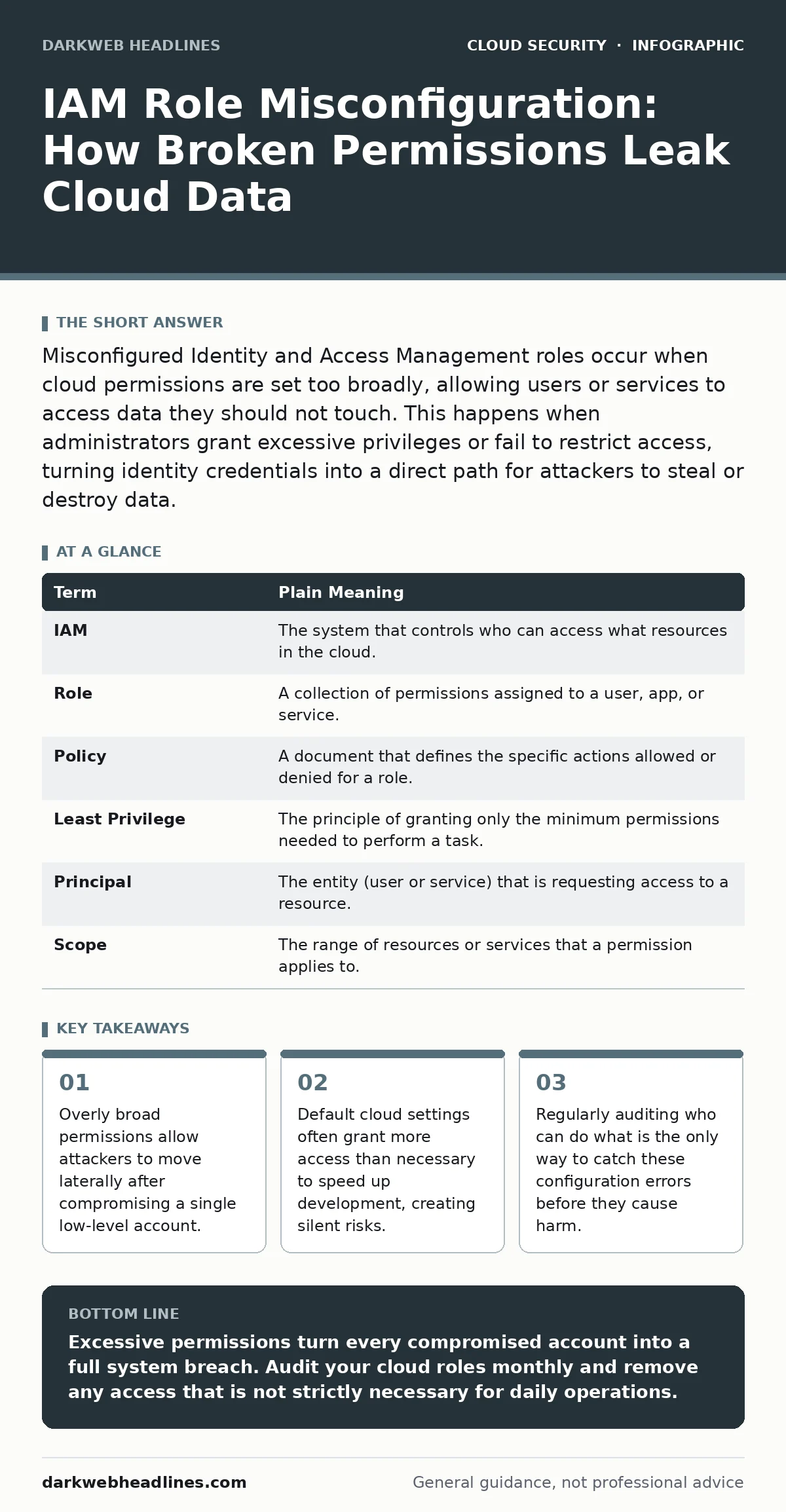
Misconfigured Identity and Access Management roles occur when cloud permissions are set too broadly, allowing users or services to access data they should not touch. This happens when administrators grant excessive privileges or fail to restrict access, turning identity credentials into a direct path for attackers to steal or destroy data.
The Office Keycard Analogy
Imagine your cloud environment is a large office building. Every employee receives a keycard that grants access to specific rooms. In a secure building, the intern’s card opens only the breakroom and their desk. The CEO’s card opens the executive suite and the server room.
Now imagine the security manager makes a mistake. They issue a "master key" to the intern because it is faster than programming individual cards. The intern now has access to the server room, the safe, and the exit doors. If someone steals the intern’s keycard, they do not just get coffee; they get everything.
This is exactly what happens when you misconfigure Identity and Access Management roles in the cloud. The "keycard" is the digital identity. The "rooms" are your data and services. The mistake is giving the identity more power than it needs to do its job.
What IAM Roles Actually Do
In cloud computing, you do not log in with a single username and password for every service. Instead, you use IAM roles. A role is a set of permissions that defines what actions an entity can perform. An entity can be a human user, an application, or a server.
When a developer launches a web server, they assign it a role. That role might say "this server can read from the database" and "this server can write to the log storage." It should not say "this server can delete the entire database" or "this server can create new user accounts."
The problem arises when administrators are lazy or rushed. They assign the "Administrator" role to the web server just to make sure it works. This is like giving the intern the master key. It works, but it is dangerous.
The Hidden Cost of Convenience
You might think that giving broad permissions is harmless if you trust your team. This is a dangerous assumption. Trust is not a security control. If your web server is compromised by a hacker, the hacker inherits the permissions of that server.
If the server has administrator rights, the hacker can now create new accounts, change security settings, and exfiltrate data. They do not need to hack the main admin account. They just need to exploit the weak link. This process is known as cloud privilege escalation.
The hidden cost here is that you cannot see the damage until it is done. The permissions are digital and silent. There is no physical key being turned. The hacker moves through your environment using the permissions you gave them, making it look like legitimate activity.
Mini Glossary of Cloud Identity Terms
| Term | Plain Meaning |
|---|---|
| IAM | The system that controls who can access what resources in the cloud. |
| Role | A collection of permissions assigned to a user, app, or service. |
| Policy | A document that defines the specific actions allowed or denied for a role. |
| Least Privilege | The principle of granting only the minimum permissions needed to perform a task. |
| Principal | The entity (user or service) that is requesting access to a resource. |
| Scope | The range of resources or services that a permission applies to. |
Why Default Settings Fail
Cloud providers offer default roles to help you get started quickly. These defaults are often too permissive. They assume you will tighten them later, but you rarely do. This leads to identity sprawl, where hundreds of roles exist with unclear purposes and excessive permissions.
Over time, employees leave, projects end, and services are retired. The roles remain. They accumulate permissions like dust. You end up with a "zombie" role that no one uses but still has access to sensitive data.
This is why policy as code is a critical practice. By treating your access rules as code that can be reviewed and tested, you ensure that every permission is intentional. You avoid the drift that happens when people click buttons in a dashboard without thinking.
See also: Identity and Access Management: How Zero Trust Stops Cloud Breaches · Warning Signs of Orphaned Cloud Resources and How to Remediate Them
Simple Safety Habits for Beginners
You do not need to be a security expert to avoid these mistakes. You just need to follow a few basic habits. These steps reduce the risk of accidental exposure and make it harder for attackers to move laterally.
- Audit Your Roles Regularly
Look at who has access to what. If a role has not been used in three months, remove it. If a developer has admin rights, ask why. Most people do not need full control. They need to read, write, or update specific items.
- Use Temporary Credentials
Avoid long-term access keys. Use temporary tokens that expire after a short time. This limits the damage if a credential is stolen. The hacker has a window of minutes or hours, not years, to do harm.
- Test Your Policies
Before you deploy a new role, test it in a safe environment. Try to perform actions that should be denied. If the role allows it, your policy is broken. Fix it before it goes live.
The Reality of Cloud Security
No configuration is perfect. You will make mistakes. The goal is not to prevent every error but to detect and correct them quickly. Misconfigured roles are the most common cause of cloud data leaks.
By treating permissions like physical keys, you understand the risk. You do not hand out master keys. You issue specific cards for specific tasks. You collect them back when the job is done. This simple mindset shift protects your data better than any complex tool.
Key takeaways
- Overly broad permissions allow attackers to move laterally after compromising a single low-level account.
- Default cloud settings often grant more access than necessary to speed up development, creating silent risks.
- Regularly auditing who can do what is the only way to catch these configuration errors before they cause harm.
Excessive permissions turn every compromised account into a full system breach. Audit your cloud roles monthly and remove any access that is not strictly necessary for daily operations.
Frequently asked questions
How do I know if my IAM roles are misconfigured?
Look for roles that have administrative privileges assigned to non-admin users or services. Check for roles that have not been used recently but still have broad access.
Can I fix misconfigured roles without downtime?
Yes, you can update permissions in real-time. However, test changes in a non-production environment first to avoid breaking active applications.
What is the difference between a user and a role?
A user represents a specific person or application with a unique identity. A role is a set of permissions that can be assumed by multiple users or services.
Do managed services need IAM roles?
Yes, even automated services like databases or storage buckets need roles to function. These roles should be limited to only the actions the service needs to perform.
How this guide was produced: written by the DarkWeb Headlines editorial team with AI assistance, checked against the public references listed below, and reviewed when the facts change. See our editorial policy or report an error.