Full vs Incremental Backups: Which Strategy Prevents Data Loss?
Incremental backups save space but create a fragile chain; breaking one link can erase weeks of recovery progress.

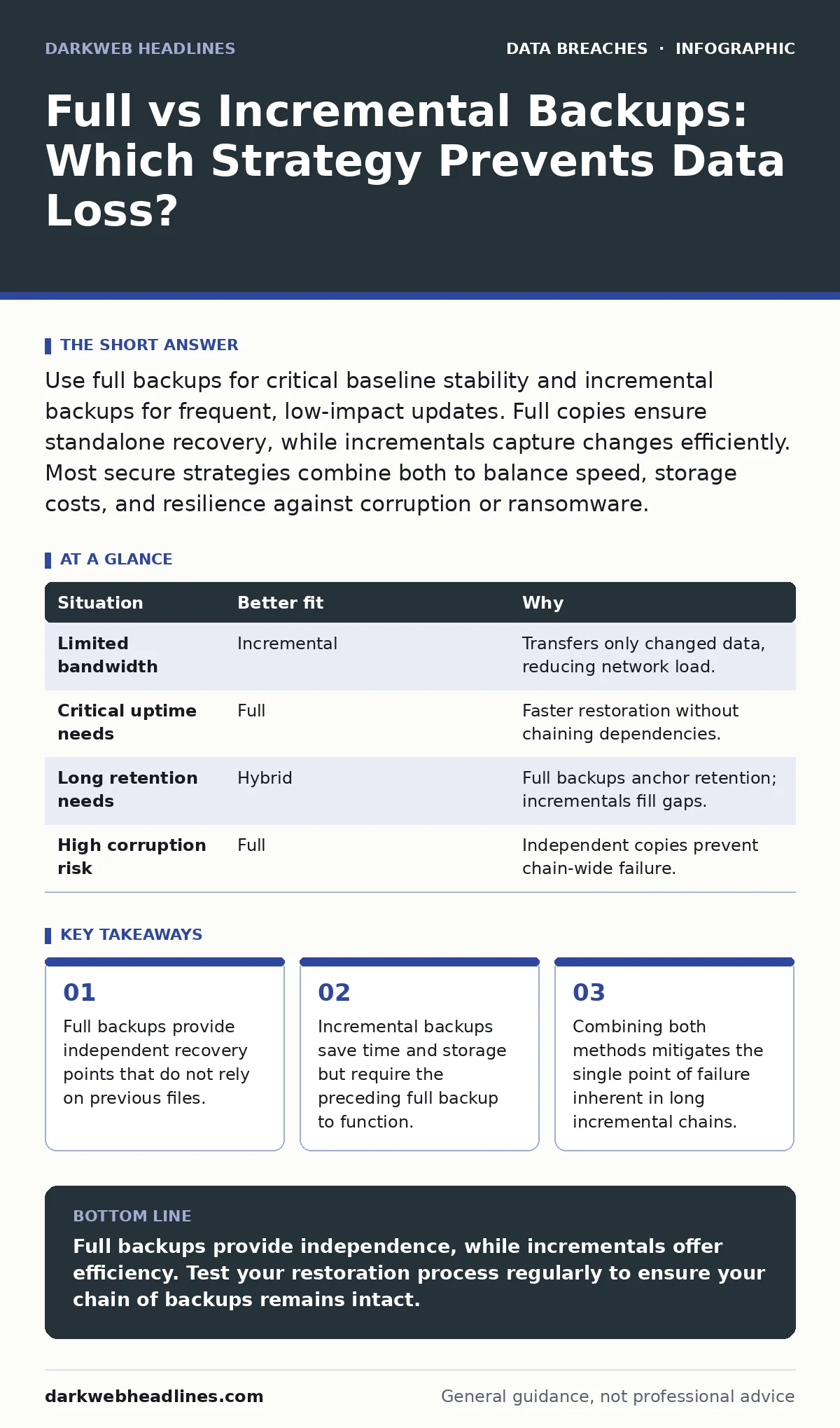
Use full backups for critical baseline stability and incremental backups for frequent, low-impact updates. Full copies ensure standalone recovery, while incrementals capture changes efficiently. Most secure strategies combine both to balance speed, storage costs, and resilience against corruption or ransomware.
How much storage and bandwidth can you spare?
Storage capacity and network bandwidth are finite resources. A full backup copies every selected file each time it runs. This process consumes significant disk space and requires substantial bandwidth, especially for large datasets. If your infrastructure has limited bandwidth, running full backups during business hours can degrade network performance for other users.
Incremental backups only copy files that have changed since the last backup event. This method drastically reduces the amount of data transferred. It places minimal strain on your network and storage arrays. However, you must ensure your backup destination has enough space to hold the cumulative history of changes.
How quickly must you restore data?
Recovery Time Objective (RTO) dictates how fast you need systems back online. Restoring from a full backup is straightforward. You restore the single large file, and your data is immediately available. This speed makes full backups ideal for critical systems where downtime is costly.
Restoring from incremental backups is slower and more complex. You must first restore the last full backup. Then, you apply every subsequent incremental backup in chronological order. If you have a chain of fifty incremental backups, you must successfully restore all fifty. A single corrupted incremental file can break the entire chain, forcing you to revert to an older, less complete state.
How long must you retain recovery points?
Retention policies determine how far back you can recover data. Full backups create a clear, independent snapshot for each period. If you run full backups weekly, you have seven independent recovery points. Each point is self-contained.
Incremental backups rely on the previous state. If you delete the full backup that anchors your incremental chain, all subsequent incrementals become useless. This dependency creates a hidden fragility. You cannot selectively delete old incrementals without breaking the chain for newer ones. This limits your flexibility in managing long-term storage costs.
What is your risk tolerance for corruption?
Data corruption can occur silently. In a full backup strategy, corruption in one backup does not affect others. Each full copy is isolated. If one file is damaged, you simply restore from a different full backup.
In an incremental strategy, corruption propagates. If the base full backup is corrupted, every incremental backup derived from it is also compromised. This is known as a single point of failure. Even if the incremental files themselves are clean, they cannot be applied to a broken base. This risk increases with the length of the incremental chain.
| Situation | Better fit | Why |
|---|---|---|
| Limited bandwidth | Incremental | Transfers only changed data, reducing network load. |
| Critical uptime needs | Full | Faster restoration without chaining dependencies. |
| Long retention needs | Hybrid | Full backups anchor retention; incrementals fill gaps. |
| High corruption risk | Full | Independent copies prevent chain-wide failure. |
Why use both strategies together?
Relying solely on one method introduces trade-offs. Full backups are safe but resource-heavy. Incremental backups are efficient but fragile. A hybrid approach captures the strengths of both. You run a full backup weekly to establish a solid baseline. You run incremental backups daily to capture recent changes.
This strategy limits the length of the incremental chain. If an incremental file fails, you only lose a few days of data, not weeks. It also balances storage usage. You keep fewer full backups to save space, while maintaining frequent recovery points.
See also: Unauthorized Access Prevention Checklist for Systems · Who Is Responsible for Data Leaks: Accountability and Prevention
How to validate your backup strategy
Testing is the only way to confirm your backups work. Many organizations discover their backups are empty or corrupted only during a crisis. Schedule regular restoration drills. Attempt to restore a small subset of data from both full and incremental sources.
Document the steps required for restoration. Ensure your team knows how to apply incrementals in the correct order. If your process relies on manual steps, automate them where possible. Human error during a high-stress restoration can lead to further data loss.
Integrating with broader security practices
Backups are a defense against data loss, not a substitute for access control. Combine your backup strategy with data classification to prioritize critical assets. Not all data requires the same level of protection. Focus your full backups on high-value information.
Limit access to backup repositories. Apply the principle of least privilege to ensure only authorized personnel can modify or delete backups. This prevents attackers from encrypting or deleting your recovery points. For sensitive data, consider data masking in non-production backups to reduce exposure if those systems are compromised.
Key takeaways
- Full backups provide independent recovery points that do not rely on previous files.
- Incremental backups save time and storage but require the preceding full backup to function.
- Combining both methods mitigates the single point of failure inherent in long incremental chains.
Full backups provide independence, while incrementals offer efficiency. Test your restoration process regularly to ensure your chain of backups remains intact.
Frequently asked questions
Can I use incremental backups without a full backup?
No. Incremental backups only record changes since the last backup. Without a full baseline, there is no reference point for those changes.
How often should I run full backups?
Frequency depends on your data change rate and storage capacity. Weekly is common for many organizations, but critical systems may require daily full backups.
How this guide was produced: written by the DarkWeb Headlines editorial team with AI assistance, checked against the public references listed below, and reviewed when the facts change. See our editorial policy or report an error.