Recover from Malicious Email Attachments: Response and Recovery Steps
Most recovery failures stem from preserving volatile memory evidence before isolating the network, which allows malware to exfiltrate data before you can stop it.

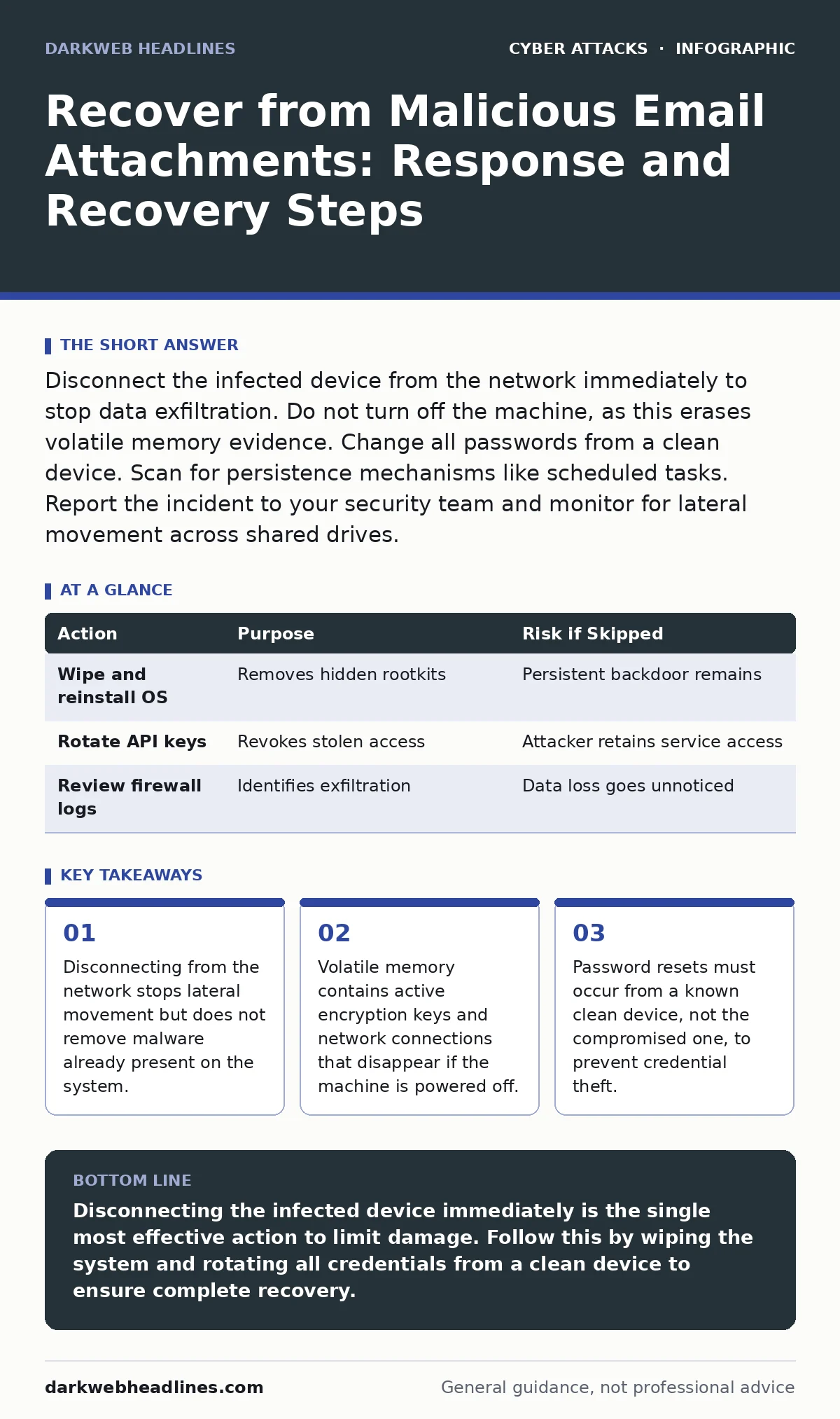
Disconnect the infected device from the network immediately to stop data exfiltration. Do not turn off the machine, as this erases volatile memory evidence. Change all passwords from a clean device. Scan for persistence mechanisms like scheduled tasks. Report the incident to your security team and monitor for lateral movement across shared drives.
First hour
The first hour determines whether the infection spreads to other systems or remains isolated. Your primary goal is containment, not cleanup. Acting quickly limits the damage, but acting correctly is more important. You must balance speed with the need to preserve evidence for later analysis.
- Disconnect the device from the network immediately. Unplug the Ethernet cable or disable Wi-Fi.
- Do not log out of the system. Logging out may trigger malware cleanup routines that delete evidence.
- Identify the specific file that caused the infection. Note the filename, sender, and time received.
- Screenshot the email and any error messages. This preserves context for forensic analysis.
- Do not open any other files on the infected machine. Assume all files are potentially compromised.
Imagine you receive an invoice attachment that opens a script. You click it, and a window appears briefly before disappearing. The instinct is to close the window and delete the email. Instead, you must sever the network connection first. This stops the malware from calling home to its command and control server. It also prevents it from spreading to shared network drives or other computers on the same subnet.
First day
Once the immediate threat is contained, you must assess the scope of the breach. The malware may have established persistence, meaning it will survive a reboot. It may also have stolen credentials or exfiltrated data. You need to determine what the attacker gained access to.
Start by changing credentials for all accounts accessed from the infected machine. Use a different, clean device to perform these changes. If you change passwords on the infected computer, the malware can capture the new credentials as you type them. This is a common mistake that turns a contained incident into a full account takeover.
Check for persistence mechanisms. Malware often creates scheduled tasks, startup items, or registry keys to ensure it runs every time the computer starts. On Windows, check the Task Scheduler and the Startup folder. On macOS, check Login Items and LaunchDaemons. These are the hooks the malware uses to maintain access even after you delete the initial file.
Consider the human factor in security. The user who clicked the attachment may be stressed or embarrassed. Avoid blaming them. Instead, focus on the technical response. Stress impairs decision-making and may lead the user to hide details that are critical for recovery. A supportive environment encourages honest reporting, which is vital for accurate incident response.
First week
The first week is for thorough recovery and prevention. You must ensure the malware is completely removed and that no backdoors remain. This requires a deep scan of the system and a review of network logs. If the infection was sophisticated, a simple antivirus scan may not be enough.
Perform a full system scan using multiple detection engines. Different antivirus products use different signatures and heuristics. Running more than one scanner increases the chance of detecting hidden components. If the malware is rootkit-level, it may hide from standard scans. In this case, the only safe option is to wipe the drive and reinstall the operating system from a known good image.
Review network logs for unusual traffic. Look for connections to unknown IP addresses or ports. Malware often communicates with external servers to receive commands or send stolen data. These connections may appear as small amounts of traffic that blend in with normal activity. Analyzing these logs can reveal the extent of the breach.
| Action | Purpose | Risk if Skipped |
|---|---|---|
| Wipe and reinstall OS | Removes hidden rootkits | Persistent backdoor remains |
| Rotate API keys | Revokes stolen access | Attacker retains service access |
| Review firewall logs | Identifies exfiltration | Data loss goes unnoticed |
If you use API abuse techniques in your own services, ensure that any API keys stored on the infected machine are rotated. Malware can scrape environment variables and configuration files to find these keys. Rotating them forces the attacker to find new credentials, cutting off their access to your services.
Who to tell
Reporting the incident is a critical step. You need to inform the right people to ensure a coordinated response. This includes your IT security team, legal counsel, and potentially external partners. The timing and content of these communications matter.
Inform your security team immediately. They have the tools and expertise to investigate the incident further. Provide them with the screenshots and logs you collected in the first hour. This helps them correlate the incident with other alerts they may have received.
If the breach involves sensitive customer data, you may need to notify legal counsel. They can advise you on regulatory requirements and potential liability. Delaying this notification can worsen the legal consequences. Be honest about what you know and what you do not know. Speculation can be more damaging than uncertainty.
Consider whether to notify external partners. If the malware accessed shared drives or services that involve partners, they need to know. They may need to change their own credentials or scan their systems. Transparency builds trust, even in difficult situations.
How to stop a repeat
Preventing future incidents requires a combination of technical controls and user training. You must address the root cause of the breach. This often involves improving email security and user awareness.
Implement secure email gateways to filter malicious attachments before they reach users. These systems scan emails for known threats and suspicious patterns. They can block attachments that contain scripts or macros. However, no filter is perfect. Zero-day exploits can bypass even the best filters.
Train users to recognize phishing attempts. Teach them to look for subtle signs of fraud, such as mismatched URLs or urgent language. Simulated phishing tests can help reinforce this training. However, training alone is not enough. You must also implement technical controls that limit the damage if a user does click a malicious link.
Restrict macro execution. Most malicious email attachments rely on macros to execute code. Disabling macros by default prevents this execution. Only allow macros from trusted sources.
Monitor for session hijacking attempts. If an attacker stole credentials, they may try to hijack active sessions. Implementing multi-factor authentication adds an extra layer of security. Even if the attacker has the password, they cannot access the account without the second factor. This significantly reduces the risk of account takeover.
Final checks
Before declaring the incident resolved, perform final checks. Ensure that all persistence mechanisms are removed. Verify that no data was exfiltrated. Confirm that all credentials have been rotated. Document the incident and the steps taken to resolve it.
This documentation is valuable for future incidents. It provides a record of what worked and what did not. It also helps in identifying patterns and improving security controls. Review the incident with your team to identify lessons learned. This continuous improvement process is key to maintaining a strong security posture.
Key takeaways
- Disconnecting from the network stops lateral movement but does not remove malware already present on the system.
- Volatile memory contains active encryption keys and network connections that disappear if the machine is powered off.
- Password resets must occur from a known clean device, not the compromised one, to prevent credential theft.
Disconnecting the infected device immediately is the single most effective action to limit damage. Follow this by wiping the system and rotating all credentials from a clean device to ensure complete recovery.
Frequently asked questions
Should I delete the malicious email after clicking it?
No, do not delete it immediately. Preserve the email as evidence for forensic analysis. Take screenshots and save the raw email file before deleting it from your inbox.
Can antivirus software remove all malware from email attachments?
No, antivirus software may
How this guide was produced: written by the DarkWeb Headlines editorial team with AI assistance, checked against the public references listed below, and reviewed when the facts change. See our editorial policy or report an error.