Prototype Pollution Mistakes That Break Your Code
Modifying shared object templates silently corrupts logic across your entire application without leaving obvious error traces in standard logs.

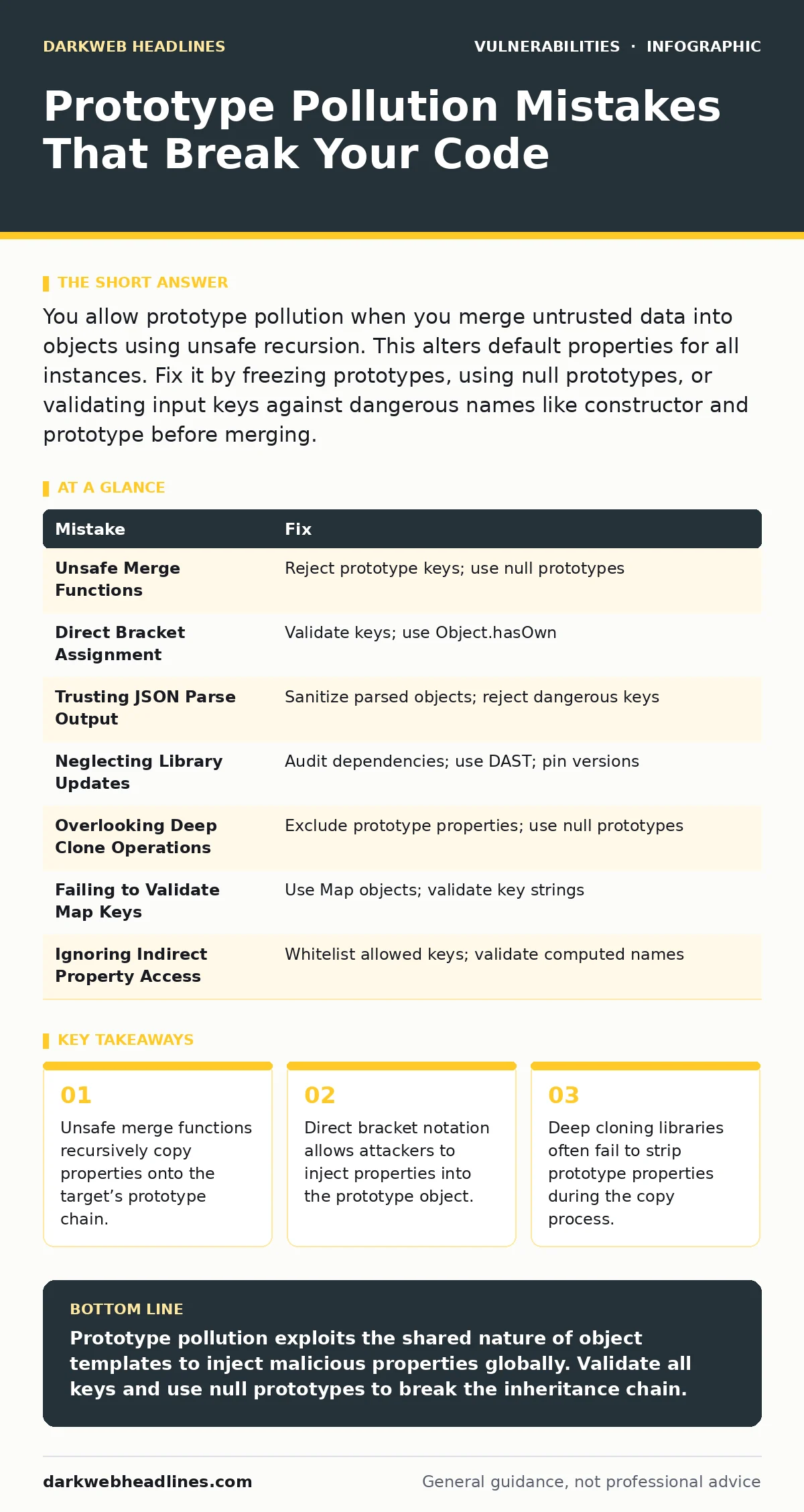
You allow prototype pollution when you merge untrusted data into objects using unsafe recursion. This alters default properties for all instances. Fix it by freezing prototypes, using null prototypes, or validating input keys against dangerous names like constructor and prototype before merging.
Mistake 1: Using Unsafe Merge Functions
Deep merge utilities often iterate through source object properties and assign them directly to the target. If the source contains a property named __proto__ or constructor.prototype, the assignment modifies the base template for all objects of that type. This happens because the function treats the prototype reference as a valid property key rather than a structural boundary.
Why it hurts:
The modification persists across the entire application lifecycle. Every new object created from that prototype inherits the injected property. This allows an attacker to inject authentication flags, override configuration settings, or alter security checks globally without needing direct access to the codebase.
The fix:
Reject any input containing keys that match prototype-related names. Use a merge function that explicitly skips __proto__, constructor, and prototype keys. Alternatively, create target objects with Object.create(null) to ensure they have no prototype chain to pollute. This prevents the assignment from reaching the global template.
Mistake 2: Direct Bracket Assignment Without Validation
Developers often assign user input to object properties using bracket notation, such as obj[key] = value. This approach assumes the key is a safe string. When an attacker controls the key value, they can specify __proto__ as the key. The runtime interprets this as a request to modify the prototype of the object’s class, not just a property of the instance.
Why it hurts:
This bypasses standard property checks. The application logic may check for the existence of a specific property on the instance, but the polluted prototype provides the value instead. This leads to false positives in validation logic and can cause the application to trust malicious data as legitimate configuration or user state.
The fix:
Validate the key before assignment. Check if the key matches known dangerous patterns. Use Object.hasOwn(obj, key) to verify the property belongs to the object itself, not its prototype. If the key is user-controlled, map it to a safe internal identifier or reject it entirely. This ensures only intended properties are modified.
Mistake 3: Trusting JSON Parse Output
Parsing JSON strings is a common way to handle configuration or API responses. The resulting object is often passed directly to other functions. If the JSON string contains "__proto__": {"isAdmin": true}, the parsed object immediately carries the pollution. Many developers assume JSON parsing creates a clean, isolated object, ignoring that the resulting structure still inherits from the standard object prototype.
Why it hurts:
The pollution occurs at the earliest stage of data processing. Subsequent validation steps may not detect the issue because the malicious property sits on the prototype chain, invisible to shallow checks. This allows the attack to propagate to any function that uses the parsed object as a base for further operations or comparisons.
The fix:
Sanitize the parsed object immediately. Walk through the object and remove any prototype-related keys. Use a library that provides a safe parse function, or implement a custom parser that rejects keys matching dangerous patterns. Treat all parsed JSON as untrusted until explicitly verified. This stops the attack at the entry point.
Mistake 4: Neglecting Third-Party Library Updates
Many popular libraries historically included functions vulnerable to prototype pollution. Even if your code is clean, a dependency might merge user input unsafely. Developers often assume that because they did not write the vulnerable code, they are safe. This is a false assumption. The vulnerability exists in the execution path, regardless of code ownership.
Why it hurts:
You inherit the vulnerability without realizing it. An attacker targets the third-party function, knowing it processes user input. The pollution spreads through your application via the library’s internal mechanisms. This makes remediation difficult because the fix requires updating or replacing the library, not just patching your own code.
The fix:
Regularly audit dependencies for known vulnerabilities. Use tools like dynamic application security testing (DAST) to scan running applications for unexpected behavior. Pin library versions to known safe releases. Monitor security advisories for libraries you use. Replace vulnerable libraries with alternatives that implement safe merging practices. This reduces the attack surface significantly.
Mistake 5: Overlooking Deep Clone Operations
Deep cloning is intended to create independent copies of objects. However, many clone implementations recursively copy all enumerable properties, including those inherited from the prototype. If the source object is polluted, the clone inherits the pollution. Some clones even copy the prototype reference itself, propagating the attack to the new object’s type.
Why it hurts:
The clone appears to be a fresh, safe object. However, it carries the malicious properties from the original. This defeats isolation strategies that rely on cloning data before processing. The attacker can use the cloned object to trigger logic that assumes a clean state, leading to unexpected behavior or security bypasses.
The fix:
Use cloning functions that explicitly exclude prototype properties. Create the new object with a null prototype before copying properties. Verify that the clone does not share a prototype with the source. This ensures the copy is truly independent and free from inherited malicious data. It breaks the chain of pollution propagation.
See also: 7 Mistakes That Leave Microsoft Exchange Servers Open to Attack
Mistake 6: Failing to Validate User-Controlled Keys in Maps
Objects used as maps or dictionaries often accept user-defined keys. Developers assume these keys are just identifiers. They fail to check if the key string matches prototype-related names. When an attacker provides __proto__ as a key, the map operation modifies the prototype instead of setting a value. This is a common mistake in caching systems and configuration handlers.
Why it hurts:
The map becomes a vector for global state modification. Any subsequent lookup on any object of that type returns the injected value. This can overwrite critical defaults, such as security policies or feature flags. The attack is subtle because it does not crash the application; it silently alters behavior in a way that benefits the attacker.
The fix:
Implement strict key validation. Reject any key that matches dangerous patterns. Use Map objects instead of plain objects for key-value storage, as Map does not have a prototype chain that can be polluted in the same way. This architectural change eliminates the risk of prototype pollution for that data structure.
Mistake 7: Ignoring Indirect Property Access
Some code uses computed property names, such as obj[variable]. If the variable is derived from user input, it can contain prototype-related strings. Developers often validate the input for SQL injection or XSS but forget to check for prototype pollution vectors. This oversight leaves a hidden path for attackers to inject malicious properties into the object’s prototype.
Why it hurts:
The validation gap allows the attack to slip through. The application logic trusts the computed property name, assuming it is safe. This leads to unintended side effects, such as modifying global settings or altering security checks. The attack is hard to detect because it relies on indirect access patterns that are less commonly scrutinized.
The fix:
Treat all computed property names as untrusted. Validate them against a whitelist of allowed keys. Reject any key that matches dangerous patterns. Use a consistent validation function across the application to ensure all indirect access points are protected. This closes the gap in security coverage.
| Mistake | Fix |
|---|---|
| Unsafe Merge Functions | Reject prototype keys; use null prototypes |
| Direct Bracket Assignment | Validate keys; use Object.hasOwn |
| Trusting JSON Parse Output | Sanitize parsed objects; reject dangerous keys |
| Neglecting Library Updates | Audit dependencies; use DAST; pin versions |
| Overlooking Deep Clone Operations | Exclude prototype properties; use null prototypes |
| Failing to Validate Map Keys | Use Map objects; validate key strings |
| Ignoring Indirect Property Access | Whitelist allowed keys; validate computed names |
Key takeaways
- Unsafe merge functions recursively copy properties onto the target’s prototype chain.
- Direct bracket notation allows attackers to inject properties into the prototype object.
- Deep cloning libraries often fail to strip prototype properties during the copy process.
Prototype pollution exploits the shared nature of object templates to inject malicious properties globally. Validate all keys and use null prototypes to break the inheritance chain.
Frequently asked questions
How does prototype pollution differ from XSS?
XSS injects code into the browser to run in the user’s context. Prototype pollution modifies the JavaScript object model to alter application logic on the server or client side.
Can server-side code be affected?
Yes. Node.js and other server-side JavaScript environments use the same object model. Polluting the prototype affects all objects created in that process.
Is JSON.parse safe from prototype pollution?
No. JSON.parse creates standard objects that inherit from Object.prototype. If the JSON contains prototype keys, the resulting object is polluted.
How do I detect prototype pollution in production?
Monitor for unexpected property values in global objects. Use dynamic application security testing (DAST) to simulate attacks. Review logs for unusual configuration changes.
How this guide was produced: written by the DarkWeb Headlines editorial team with AI assistance, checked against the public references listed below, and reviewed when the facts change. See our editorial policy or report an error.